

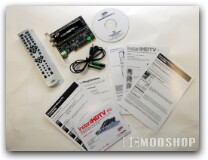
The ADS InstantHDTV package comes in an ordinary cardboard box that looks like a typical software box. Inside is the HDTV PCI card iteself, a driver CD, manuals, remote control and IR sensor. There was no HDTV antenna included, so you cannot record HD right out of the box and you’ll have to buy an additional HD antenna.
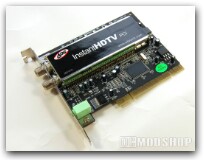
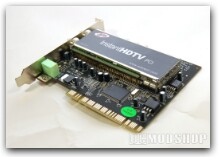
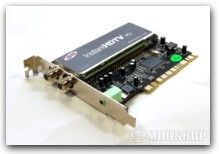
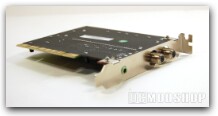
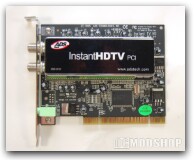
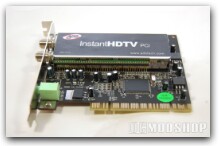
The card itself has the same HDTV tuner that other cards use: analog cable and HDTV antenna coax inputs included on one box. The MPEG decoder chip is of the latest generation, as it doesn’t get very hot and needs no heatsink. Looking at the back of the card we only see three inputs: the HDTV antenna input, the analog cable input, and an 1/8th inch jack for the included IR sensor. I was disappointed that there was no S-Video or audio inputs, as this would make this card an all-purpose capture solution.
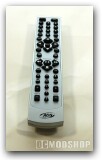
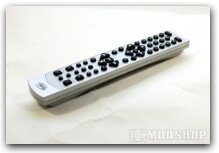
The included remote control has lots of buttons and features to control several of your PC’s multimedia functions. It features standard volume control, channel buttons, 4-way navigation butons, and standard play/pause buttons. It also includes buttons for several multimedia functions, including DVD, photo, video, music and such. It even features A/B looping; a feature I wish more standard remotes would include. The remote works exclusively with the included IR sensor that plugs into the back of the PCI card.
Installation
Installation was very quick and smooth. The card plugs directly into any free PCI slot. Once inserted and secured in place, Windows immediately sees it and prompts for a driver. Since I am using Windows Vista Ultimate, I had to download drivers, as the included CD only supports Windows XP. Vista then told me that the card was installed successfully and was working properly.
After this I went into Windows Media Center to configure the TV card, but Media Center could not recognize it. On the included driver CD was an MPEG driver for Windows Media Center, but was intended for Windows XP. After installing this driver, Vista’s Windows Media Center saw the card, and I was able to configure the TV signal and setup channels. MCE recognized the card as a HD tuner and scanned all the bands for signal strength. It all went very smoothly after the extra MCE driver was installed.
HD video quality was very good, although I was only able to receive a few channels (a problem that most OTA HDTV enthusiasts will probably encounter). Since the signal is completely digital, you either receive the signal, or don’t… you either get a perfect signal, or a black screen. A weak signal will manifest itself as the signal popping on and off, which can be made better with a larger HD antenna or better placement.
The files are then recorded to your PC’s hard drive, and HD programs can be quite large (a one-hour program can take up 15 Gigabtes). There is no option of modifying the compression quality, as the HDTV card just streams the raw signal rather than re-encoging through the onboard MPEG chip. You can change the video quality of standard-definition video, resulting in larger or smaller files depending on your preference.
Although HDTV is a standard MPEG2 stream, Media Center likes to package the MPEG packets in an ASF envelope, which encodes meta-information about the file, as well as offers “some” sort of copy protection. This is why all your recorded TV files have a .DVR-MS extention instead of a standard .MPG extention (that every other “open” DVR software records). Through the magic of software, we can strip out that unsightly ASF garbage and produce a standard MPEG file, suitable for editing in any standard video editor. I use AutoDVRConvert to do this conversion, which is fairly quick, since it’s not recompressing the file, but rather just stripping out unwanted information from the video file.
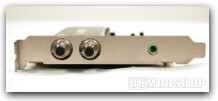
One thing that puzzled me is that the driver had an option to capture from S-video. If the card supports S-video and the driver supports S-video… then why wasn’t an S-video port included on the card? That would totally make this card a complete video-capture solution. Unfortunately, the only analog signal that can be captured is through the analog cable’s coax input.
I have DirecTV, so I had to test the analog cable signal at a friend’s house. Standard-definition capture was very good, looking only slightly less crisp than the original signal (which is a problem of MPEG encoding, not necessarially a reflection of the encoder chip). We all know that watching standard cable is like watching TV through a muddy fish-tank, so all I can say is that the signal looked about as good as the original… but it’s still analog cable. For most people, this card will only be used to capture Over-the-air HDTV.

