

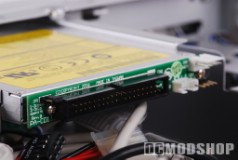
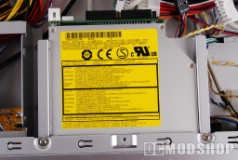
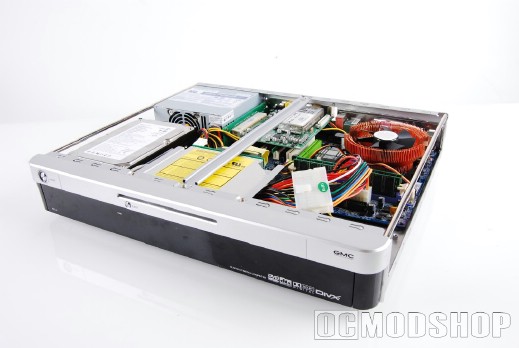
As mentioned earlier, the case comes pre-installed with alot of equipment. The front panel is pre-wired, and would be quite a chore to configure if it weren’t already done. There are several leads that must be connected to get everything functioning properly. The power supply, slimline DVD drive and PCI riser extension are also pre-installed. Normally an adapter must be installed to convert slim-line (notebook) drives for standard IDE cables, and this adapter also comes pre-installed.
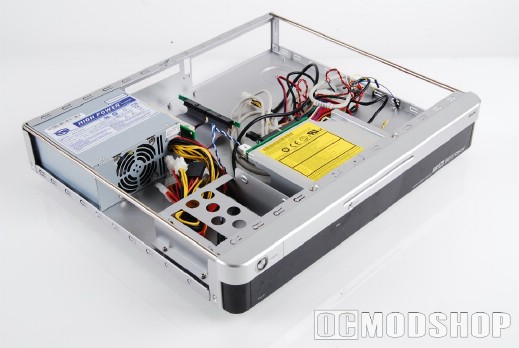
All that must be done is to untangle the multitude of cables, mount the motherboard, and plug the leads into the appropriate places. Once the cables are maneuvered out of the way, it can be seen that motherboard mounts are already integrated into the chasis. There is a stabilization bar on the top of the case that must be removed before mounting the motherboard, however. We installed the I/O shield that came with our motherboard, slid the board in place and secured it down with screws.
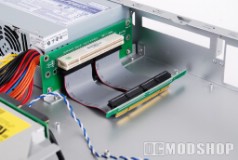
The riser card works with any PCI device (although a PCI-Express riser is available). We took this opportunity to install a Hauppauge PVR-250 video capture card. All that’s needed is to plug the PCI ribbon cable into any free PCI slot, and then plug the card into the riser. The card is then secured from the outside with a standard case screw. It is recommended to use a motherboard with onboard video and sound, so that you can use an internal hardware-based video capture device. You can use an external USB device, such as Pinnacle’s PCTV HD Pro stick, but this increase the space necessary in your rack.
Installing the hard drive is rather easy, as well. The drive cage unscrews easily, which allows you to secure any standard 3.5″ hard drive into the cage. The cage is easily secured back to the chasis with four standard screws.
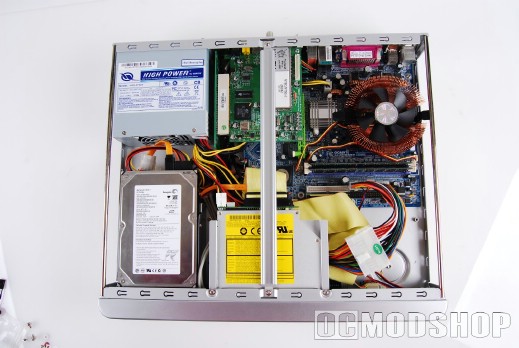
Really the hardest part of the installation is routing the cables in an efficient manner to optimize airflow. There are four USB leads: two for the standard front USB ports, one for the front panel navigation buttons, and another for the multimedia card reader. Each wire has its own lead, so you must carefully match up the USB wires to their corresponding pins. A standard 2-port USB-block (with orientation pin) would have made this much easier).
Installing the front audio ports was rather easy. The cable comes with two standard pin blocks (AC97 and HD Audio) that plug directly into your motherboard’s audio pin array. Although there is a firewire port on the front, I could not find a Firewire cable. There was a free pin array on the front panel, so this may be where the cable was to be attached.
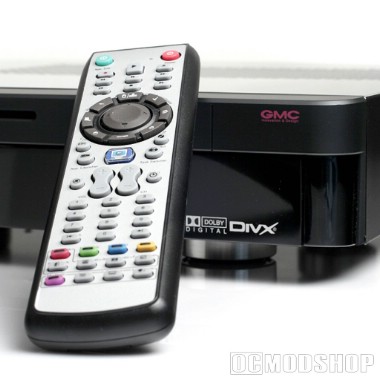
This case uses the iMON VFD display system (one standard innovation that makes HTPCs more appliance-like), which taps its power from the motherboard power cable. All you have to do is insert the motherboard power into this adapter (which has a wire that siphons off a small amount of voltage), and plug the adapter into the motherboard power socket.
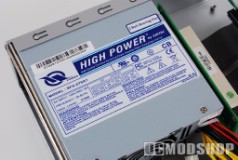
The included 270-watt power supply gives you all the connections you need, and even a few extras. The power supply is a very generic type, but will probably not reach even 70% load given limited hardware likely to be installed in this case. Even using very liberal estimates and a high-powered processor, you will likely only use 160 watts of power at maximum. All bets are off if you install a video card that requires a dedicated power rail.
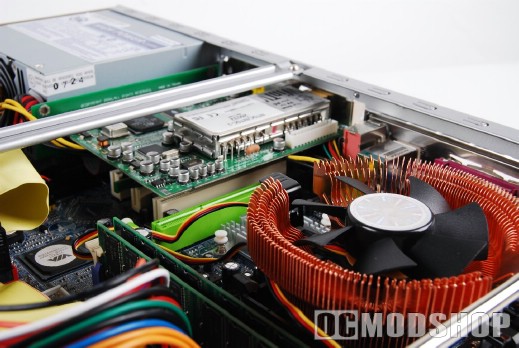
Once all of the hardware was installed, we secured the top brace back into position and installed the cover. It was a tight, but satisfying fit. Once turned on, we noticed that the CPU fan was rather loud, but this can be turned down with a Zalman fanmate or other rheostat device. I would keep a watchful eye on the temps, however, as the only active exhaust is from the power supply. All other heat dissipation occurs naturally through the case’s top air vent.
One complaint I have about the case is the materials used in its construction. While they are of good quality, the paint job on the top cover was scratched up during installation, and the plastic front was chipped while flipping the case around. Most quality home theater cases use an aluminum front to prevent these types of problems.

2 comments
… [Trackback]…
[…] Read More: ocmodshop.com/gmc-noblesse-avc-s7-slimline-home-theater-case/ […]…
GMC Noblesse AVC-S7 Slimline I have been looking to purchase the GMC Noblesse AVC-S7 Slimline for some time. Are you a seller and or can you tell me where to purchase one. Thanx
Comments are closed.