

The In Win Dragon Slayer Case is made of standard SECC steel that has been painted with a durable black finish. The front panel looks rather impressive and detailed and is made from molded plastic. Included in the box is the case itself, which is wrapped in a plastic bag and two styrofoam end pieces. A small installation booklet is also included, and additional hardware (screws and rails) is tied in the interior of the case.

The front
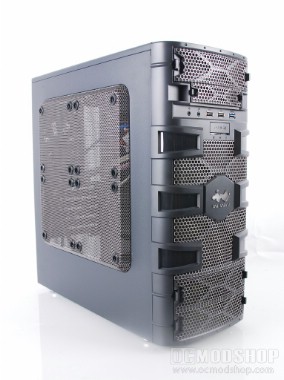
The front of the case is molded plastic, but has several design elements made from metal mesh (look at some of our mesh projects here). The top has a 5.25″ drive bay, followed beneach by a single 3.5″ drive bay, which are both easily removed by pinching the sides of thier corresponding bezels. Below this is a line of I/O ports: a microphone jack, headphone jack, two USB 2.0 ports, and a single USB 3.0 port (the port is colored blue to denote the difference).
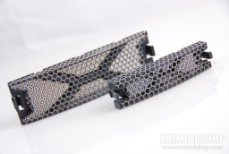
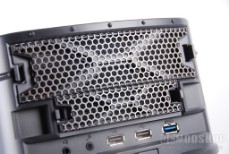
Below the front I/O section is a oblong power button with power and hard drive activity lights. Below this is another mesh design with a light-up “In Win” logo, which serves to hide an interior 120mm intake fan. Below this center section are two more 5.25″ drive plates. Behind this section is a removable drive cage with built-in cooling fan for your hard drives, but you can choose to remove this cage and mount an optical drive to the bottom of the column, which is certainly unusual.
The sides and top
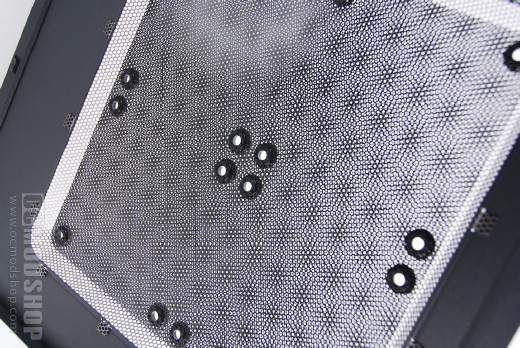
In Win takes a different approach to the windowed case. Instead of a huge acrylic window (which can be easily scratched) or a single large fan, In Win incorporates a pressed dual-mesh “window” with built-in fan mounts. The two different types of mesh create an optical illusion, which makes an funky geometric pattern that shifts as the observer moves. The installer can choose to either make the case see-through, or he can attach up to four 120mm fans to help cool your components. The disadvantage to this system is that it allows dust in, which negates the other “dust proof” features of the case. Additionally it will be difficult to silence a PC that has such an open side.
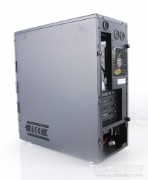
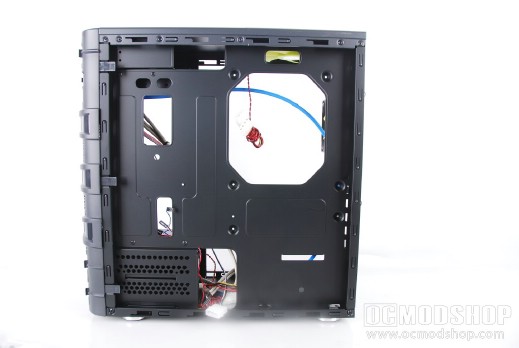
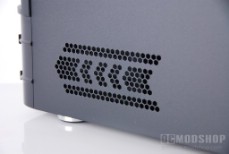
The other side is practically featureless, except for a stamped meshed chevron design. When this side is removed allows access to the motherboard’s underside (and the right side of any installed drives).
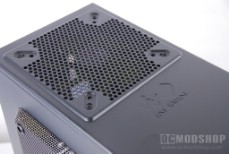
The top has the “In Win” logo stamped in, and behind that (near the rear of the case) is a stamped mech guard to accomodate a 92mm or 120mm fan (a 120mm is pre-installed). This could be a good place for water-cooling equipment, depending on your hardware.
The rear
The rear of the case has more than you would expect from a mid-range case. The top of the case has three self-closing rubber gaskets. Two of these are inteded for inflow and outflow of a watercooling reservoir, while the third allows a “cable bridge” between the inside and rear of the case, such as the USB 3.0 port on the front (e.g USB 3.0 cards do not currently have internal headers). Kudos to In Win for literally “thinking outside the box”.
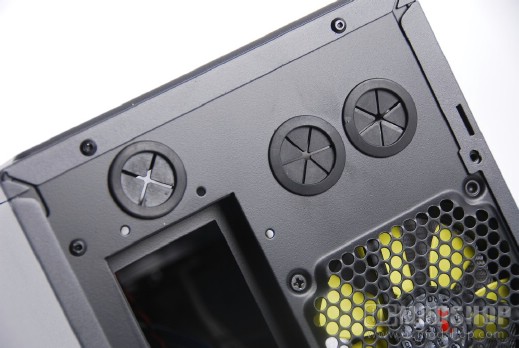
Below the rubber gaskets is a single 80mm exhaust fan, and below that is a standard rectangular motherboard I/O panel. To the right of this are five option card slot covers. Mini-ATX motherboards usually only have four slots, but a fifth one is provided to allow for options that are tethered to other components (like an additional VGA header, SPDIF connector, USB ports and such). Below the card slots is an opening for a standard computer power supply.
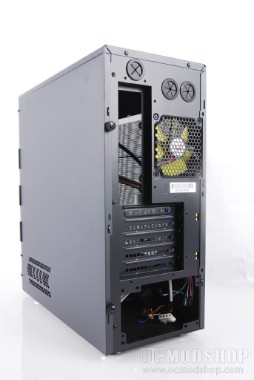
The left side of the rear panel has a loop for a standard Kensington-style PC lock, for those who like to lock down their PC. There are four easy-to-grip thumbscrews which secure the left and right panels into place.
The bottom of the case has an area stamped out to allow for air intake, as many enthusiast-level PSUs have a 92 or 120mm cooling fan rather than a wimpy (and noisy) 80mm rear exhaust fan. Again, kudos to In Win for elegantly simple design.
On the next page we open her up and take a look inside…


