
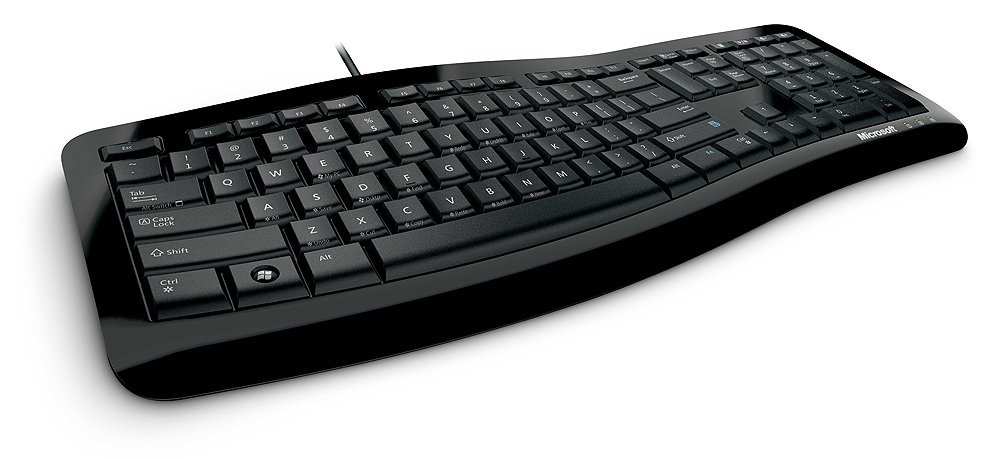
The keyboard uses the typical membrane switch technology of most inexpensive keyboards, and as a result is extremely quiet. Some people do not like the “mushy” feeling that these types of keyboards provide, and they certainly won’t last as long as a good mechanical keyboard.
Additionally, the symbols on the keys are silk-screened on, which is the cheapest printing method for keyboards, and the lettering will certainly wear off after a year or so of decent use. The plastic also has a slight texture to it, which also tends to turn smooth and glossy from the oil on your fingers.

The layout of the keyboard is very compact, but refrains from using half-size arrow keys of some of their previous compact designs. The main area of the keyboard has full-size keys in normal positions, but there is a large curve in the middle, which supposedly reduces the reach your index finger has to travel to reach the center buttons.
Many keyboards have space between the arrow keys, but this compact design forces the arrow keys (which are normal size) to be squished between the keyboard area and number pad.
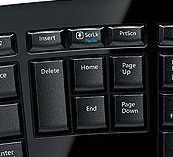
The delete/home area favors the 3-column, two-row large delete key layout, which is one that I personally prefer (The Pause/Break key has been removed! Huzzah!). I can tolerate the 2-column, 3-row delete key layout (as on the Logitech Wave keyboard reviewed here), but I prefer this layout. I find it easy to press “delete”, and “end”, which are the editing keys that I use most frequently.
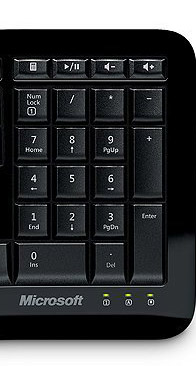
The number pad is pretty much unchanged and is flat. Above the number pad are four non-programmable media keys: Calculator, Play/Pause, Volume Up, and Volume Down. The numlock, caps lock, and scroll lock LEDs have been moved below the numpad, and is actually easy to identify (unless your wrist is over the numpad).
The Escape, Function, and Insert/scroll lock/print screen keys have been reduced to half of their normal size. I don’t think most people will mind, as many of these are used infrequently. I am able to identify the Escape key by feel as it is much smaller than the other keys.
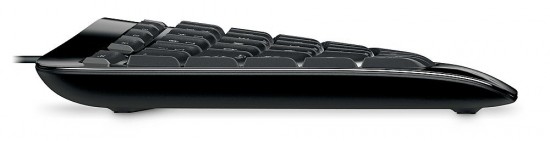
The bottom of the keyboard has five rubber feet (one in each corner and another to support the front center). This center support will help prevent the keyboard from bowing, which is something I’ve noticed with other keyboards. The single USB cable is attached to the left side of the keyboard, which is only advantageous if your computer or USB port is on the left part of your desk.
We start typing on the next page! Hold on to your hats!

3 comments
Been using this keyboard instead of the laptop crap all are stealing from the mac and putting in their portables. I mean by that the spaced out squared keyed ones. So in my book, as I am a long time user of MS keyb and mice, since the first Natural they made, I can tell you that the reviewer neither used extensively nor has an idea what he is talking about.
The device is awesome, and none of the flaws you mentioned are actually there, so I find this review a rather subjective to say the least. I also own the first model M keybs and use them on my old machines, so for a start I do know what a good keyb feels like, and even though this MS one is cheap, it is still a good product unlike their line of mice, which I will let you spit on at your own pleasure. However natural keybs made by MS are bloody awesome, and so far they are unrivaled in the experience and downgraded rsi.
Are you seriously saying a $20 keyboard is the best Microsoft keyboard ever? I think it is you, sir, that has no clue what he is talking about. Go look at Amazon or any place that sells this. User reviews all agree that this keyboard is just o.k. at best.
None of the flaws are there? Let's see….
Membrane keys? Check.
Silk-screened letters? Check.
Lack of adjustments? Check.
Crowded keys? Check.
The only thing that is subjective is the comfort level. I, too have used all (and I mean ALL) of the Microsoft keyboards and have been typing for over 20 years. So I do have some experience when it comes to keyboards.
Comments are closed.