

The Verbatim TUFF-CLIP drive is made from black plastic, and features a carabineer-style that lets you snag your drive onto your backpack, belt-loop, or stretched ear-lobe piercing. The loop area is extra large, and the clip is secured by a hinge spring, which easily opens, so you can just slap it on.
One feature that I really like in flash drives is the absence of a protective cap. Let’s face it, these caps are just begging to get lost, and most people can’t keep track of them. Instead of this, I prefer a drive that can hide the USB connector, much like the ADATA C702 16GB Flash Drive reviewed here. The TUFF-CLIP integrates a cap into the design, so you can slide the base of the USB plug.
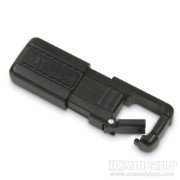
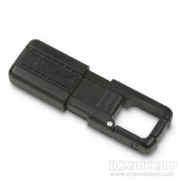
The thing that strikes me is how un-rugged the plastic seems for being marketed as a “rugged” device. The plastic has an unusual amount of give, and the hook gives way too much. The pull-down cap also feels like a determined milk maid could pull it off without too much effort. The plastic is easily scratched, which means the finish will look like marred after a few months of serious lugging. This wouldn’t be the first time a “tough” device made of plastic couldn’t hold up. We once reviewed an Ultra m998 case that was modeled after a freakin’ Hummer but the plastic front bezel cracked a police informant.
The TUFF-CLIP drive comes with a V-Safe application that allows you to encrypt part of all of the available space into a secure password-protected area. The VSafe application appears to be in a non-writable or protected area of the flash drive, because the application exists even if you format the drive. Once you click on the application you are brought through a Wizard that asks you how much space you want to dedicate to the Secure Area, and prompts you to set a password and hint. Completing this process reformats the drive.
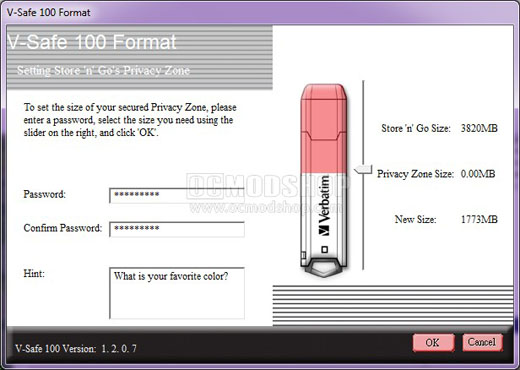
Once the drive is inserted, you are asked for a password, and if entered correctly brings you to the Secure area of the drive. If you log out of the Secure Area then you access the Public area of the drive. The issue with this mechanism is that the same drive letter is used for both, so you can’t see both the Secure and Public area at the same time.


