

Building your own Firewall has many advantages over the off-the-shelf Internet Router, and it can literally cost you nothing to set one up. Today’s free firewall distributions are actually very easy to install, and offer professional protection out-of-the-box, especially when compared to consumer devices.
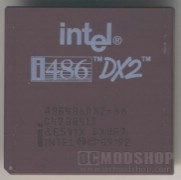
You can install a professional firewall using spare hardware that has gone unused for many years. As a matter of fact, the old 486 computer from 15 years ago could even do the trick. I would be more worried about the hardware lasting than it being able to perform, however. Most people have a spare computer laying around that is less than 5 years old… and this is more than enough to enable all of the advanced features you’ll want on your network.
 |
 |
 |
||||||||||||||||||||||||||||||||||||||||||||||||||||||||||||||||||||||||
|
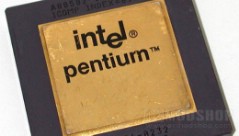
* assuming you actually have something faster than a first-generation Pentium-133. |
|
||||||||||||||||||||||||||||||||||||||||||||||||||||||||||||||||||||||||
 |
|
 |
Out of the box, many firewalls offer butt-loads of protection against hackers and other intruders. The advanced protection and traffic analysis services will require more horsepower, but as mentioned above, and nearly any computer from the past decade is up to the task.
There are a few free Linux distributions that can handle all of these features. There are literally dozens of them, but the most popular are IPcop and Smoothwall Express. Smoothwall even makes a corporate and enterprise-level Firewall (with a corporate-level price), which supports many features that only advanced networks require: like reverse-proxy (intelligent forwarding based on packet content), IP Tunneling, VPN nodes, advanced bandwidth management, and more. Trust me, unless you are supporting hundreds of users and a geographically-dispersed network, then you don’t need these features.


For this project, I chose IPcop because of its extensive support from the OpenSource community. There are many third-party addons developed that add features for IPcop that extend the features to 90% of what a corporate firewall can do, like Content Filtering, IP Ban (a front-end GUI for IPTABLES), intrusion detection, and much more. Smoothwall Express is a good choice, too. It has a more polished interface, but doesn’t come with as many out-of-the-box features… meaning that they want you to upgrade to their Corporate version.
In the next segment, we’ll discuss hardware considerations, and the basic network setup based on your needs.



3 comments
Try also IPFire, is based on a fork of IPCop and has a newer kernel (based on 2.6 series) and more features than IPCop at the moment.
Also it have a better web interface.
@Jose Pedro: It appears that IPfire is still a very early beta version. The purpose of this series is to make things easier and more clear, not add to the confusion. IPcop and SmoothWall both have been around for a while and have lots of support.
This is a very important subject! I look forward to the rest of the articles as I know some people who can use some help.
I use IPCop now and when I tell other parents they are interested.
Comments are closed.