
• Sign in / Join

Login

Forgot your password?
Do not have an account ?Register here
X

Register

Have an account?Login here
X
  • Home
  • Blog
  • Image Gallery
  • News Archive
    • Hardware News
    • Gaming News
    • Affiliate News
Trending now

PS6 Leaks, Xbox PS5 Emulation & Steam…

How Computers Actually Work: A Beginner’s Guide

Complete Alt Keyboard Code list

The Valve ‘Trap’, modern DS, Silent Hill:…

Building a PC vs Buying a Steam…

PS5 vs Xbox Series X: Which Console…

NVME Tips, Using a second GPU, DLSS…

Anbernic RG DS vs Plus: Why Newer…

Steam Frame Launch, GTA6 Fair Console Comparison,…

Steam Frame Released! $1059 to $1299!

OCmodshop.com

  • Hardware
    • Audio
    • Cases
    • Coolers
    • Gadgets
    • Home Theater
    • Input Devices
    • Laptops
    • Memory (RAM)
    • Motherboards
    • Networking
    • Power Supplies
    • Processors (CPU)
    • Storage
    • Video Cards
  • Gaming
    • Gaming Accessories
    • Game Walkthroughs
    • PC Games
    • Xbox
    • Playstation
    • Nintendo
  • Articles
    • How-To Guides
    • Case Mod Projects
    • Software
    • Event Coverage
    • Movies
    • Interviews
  • Podcast
FacebookTwitterYoutubeSpotifyTwitchSteam
How-To Guides

Card Spacing and Cooling

by John-ErikJanuary 16, 2005June 21, 2014067
Share0

The spacing should be 2-3 slots apart on all boards (you can send your thanks to 3DLabs on that one) and the NV Silencer 5 doesn’t take up any more real estate on the card itself from the VPU forward than the stock cooling does (it obviously takes up quite a bit of space behind it due to the large fan), so it should work just fine if the golden fingers are not further more than an inch or so further from the mounting bracket than the VPU is. This does include the EN6800, however unfortunately Asus does not follow standard fan plug design for their graphics cards so to use the NV Silencer 5 you will need to mod it a bit or hook it up directly to the PSU (Arctic cooling has instructions).

You will therefore have to pick your cards carefully for golden finger position. Fortunately, when ATi’s SLI launches ~Q2 it will not use any bridge, it will rely on manufacturers meeting the PCI-E specification for high speed switching between cards. Looks like Via’s up a creek without a paddle … (nVidia’s chipsets are not in that much better shape either, but at least they will support two ATi cards correctly, although Intel chipsets will support three or more in SLI).
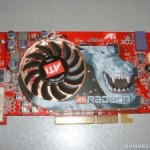
Which reminds me to check and see if my FGL Z1-128p will accept the ATi Silencer 1, since this thing is rather loud and gets rather toasty (and requires two slots to begin with so its no loss).
There should be no need for additional slot cooling after putting in an NV Silencer/ATi Silencer. It’s already sucking out all of the hot air, an putting a fan there wn’t change how much air is being drawn. And yes, if you have two slots in between your two GFX cards you’re more than fine, even with only one you should be OK. Remember that 3DLabs uses basically the same cooling system as the NV Silencer/ATi Silencer and their Realizm 800’s are routinely spaced only one slot apart for a pair of them.
Post Views: 157
Share0
previous post
ATi Radeon X800 Pro Review
next post
Digital Camera Upgrade
John-Erik

Latest podcast

Join the OCmodshop NewsletterJoin the newsletter!

Recent Posts

  • PS6 Leaks, Xbox PS5 Emulation & Steam Frame Analysis (1 MILLION VIEWS SPECIAL!) | Ocmodcast ep 21
  • How Computers Actually Work: A Beginner’s Guide
  • Complete Alt Keyboard Code list
  • The Valve ‘Trap’, modern DS, Silent Hill: Townfall, and Control Resonant | OCmodcast ep 20
  • Building a PC vs Buying a Steam Machine: The Real Cost
  • PS5 vs Xbox Series X: Which Console Reigns Supreme for GTA 6?
  • NVME Tips, Using a second GPU, DLSS 5, Sony hands Xbox a Win | OCmodcast 19 (second half)
  • Anbernic RG DS vs Plus: Why Newer Isn’t Always Better
OCmodshop.com
FacebookTwitterYoutubeSpotifyTwitchSteam
@2026 - ocmodshop.com. All Right Reserved.
  • About Us
  • Terms of Use / Privacy Policy
  • Copyrights
  • Our Rating System
  • Publish an Article on OCmodshop
  • Contest Rules
OCmodshop.com
FacebookTwitterYoutubeSpotifyTwitchSteam
  • Hardware
    • Audio
    • Cases
    • Coolers
    • Gadgets
    • Home Theater
    • Input Devices
    • Laptops
    • Memory (RAM)
    • Motherboards
    • Networking
    • Power Supplies
    • Processors (CPU)
    • Storage
    • Video Cards
  • Gaming
    • Gaming Accessories
    • Game Walkthroughs
    • PC Games
    • Xbox
    • Playstation
    • Nintendo
  • Articles
    • How-To Guides
    • Case Mod Projects
    • Software
    • Event Coverage
    • Movies
    • Interviews
  • Podcast
Manage Consent
To provide the best experiences, we use technologies like cookies to store and/or access device information. Consenting to these technologies will allow us to process data such as browsing behavior or unique IDs on this site. Not consenting or withdrawing consent, may adversely affect certain features and functions.
Functional Always active
The technical storage or access is strictly necessary for the legitimate purpose of enabling the use of a specific service explicitly requested by the subscriber or user, or for the sole purpose of carrying out the transmission of a communication over an electronic communications network.
Preferences
The technical storage or access is necessary for the legitimate purpose of storing preferences that are not requested by the subscriber or user.
Statistics
The technical storage or access that is used exclusively for statistical purposes. The technical storage or access that is used exclusively for anonymous statistical purposes. Without a subpoena, voluntary compliance on the part of your Internet Service Provider, or additional records from a third party, information stored or retrieved for this purpose alone cannot usually be used to identify you.
Marketing
The technical storage or access is required to create user profiles to send advertising, or to track the user on a website or across several websites for similar marketing purposes.
  • Manage options
  • Manage services
  • Manage {vendor_count} vendors
  • Read more about these purposes
View preferences
  • {title}
  • {title}
  • {title}