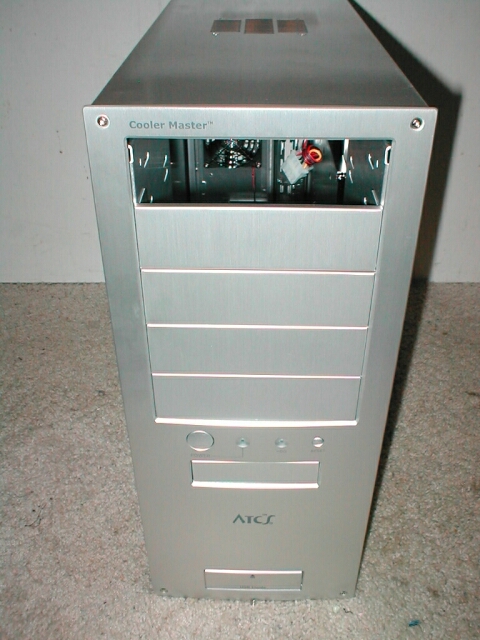
I love, Love, LOVE thumbscrews, and Cooler Master knows that little things like thumbscrews can make a case so much better which is why they have gone all out with them. Because of the wonderful thumbscrews it is so simple to remove the side panel just give them a little twist and the panel comes right off. Just taking a look at the inside of the case I knew that there would be nothing but good times ahead.
As you can see at the bottom left of the picture there is a cutout so that you can get to the expansion slots with your screwdriver. You can see the PC speaker which is mounted on the bottom of the case as well. Remember that cutout for your screwdriver so that you could get to the expansion slots? Well guess what there are more thumbscrews under there too. I love the fact that there are thumbscrews on the expansion slots and that you get covers for each slot rather than the kind you have to punch out.

The front of the inside of the case is really nice as well, there is an 80mm fan that is angled up diagonally and the intake cutout is below it. I like that this fan is slanted so that the air is blowing up at the CPU rather than to the back bottom of the case. The power supply cage inside of the case is designed to basically encapsulate the power supply so that is easy to install and for use with redundant power supplies. Because some power supplies have dual fans the cage is removable so that the bottom fan is still effective, I am glad that this can be removed if needed.

This is the first case that I have gotten to review with a removable motherboard tray and it’s about time! Removable motherboard trays are one of the biggest things that I complain about with cases because they are so important to a good case I think. Having a removable motherboard tray makes installation and maintenance of your hardware so much easier. When you want to install you hardware you don’t have to dig around in a small space with little light which makes it hard to see what your doing, instead you can just unscrew the thumbscrews in the back of the case and pull this baby out.


You get instructions on for installing redundant power supplies as well as installing the front USB ports. you also get screws and the standoffs for your removable motherboard tray. The standoffs that come with the case are proprietary because they are not the standard brass screw in kind. They are actually better than the brass standoffs I think, all you need to do is snap them in which is faster and easier.