
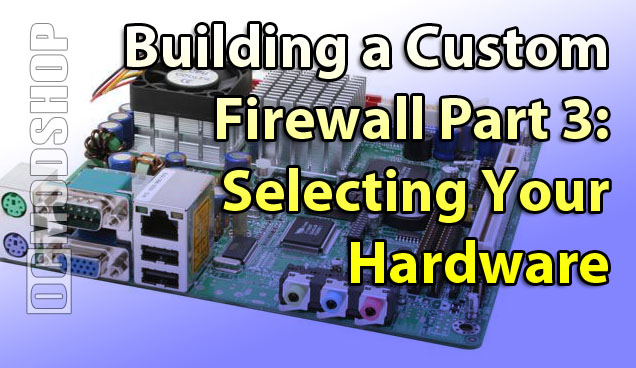
Motherboard
You can use any old motherboard that’s faster than a Pentium-133 and it will work just fine. I’d be concerned about the hardware dying, however. So if you have an old computer from the past 5 years, then you should be set.
You may choose to purchase entirely new hardware, as I did. I purchased a mini-ITX Jetway board with 2.0Ghz VIA processor and 1GB of DDR2 memory. The reason I chose this is simple: heat and power consumption. One of these EPIA boards will draw at maximum 50 watts of power (including 2 hard drives), and produce very little heat. At this rate, the firewall can be on 24 hours a day and cost eight cents a day to run (or $29 a year).
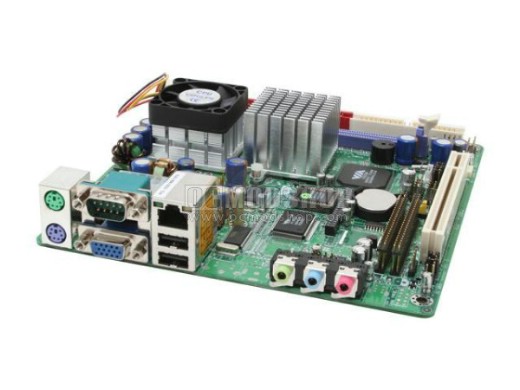
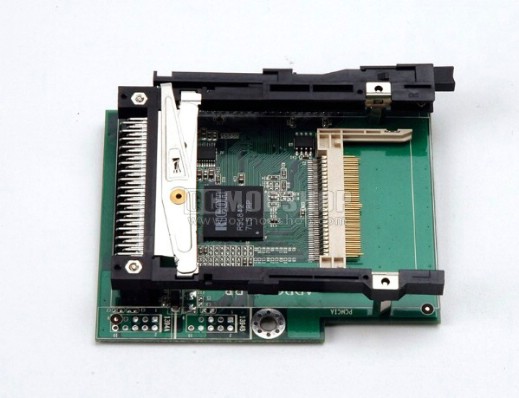
Many “all-in-one” motherboards also have everything integrated, so it can fit in a very, VERY small case. This motherboard also has optional add-on modules that can take a 3-port network card (helpful if you have a 4-network firewall) and PCMCIA-hard drive card. If you use a CompactFlash card instead of hard drives then not only would it produce very little heat, but would be practically silent.
Memory
As far as memory goes, your firewall can get away with 256MB of memory, but 512MB is probably the recommended minimum. Memory usage goes up dramatically when you enable Intrusion Detection and URL filtering, but really won’t go over 512MB, but it’s great to have overhead. You probably don’t even need more than 1GB of RAM because some Linux distributions only support 1GB anyway. If you’re going the ITX route, then there’s only one slot of memory available, so choose the maximum amount you could want. Memory ist cheap, too
Long story short, throw in 1GB of DDR2 if you’re buying new hardware.

CD-ROM drive
Yes, you need a CD-ROM drive… at least for the installation. Some distributions allow you to boot from and install from a USB key, but that isn’t covered in this guide. It’s much easier to burn a CD and plop it in the drive. If you don’t want a CD drive just hanging around doing nothing, then you can temporarially use it just for the install and then take it away. I have a DVD-ROM drive permanently installed in my firewall box, just in case I ever need to do an emergency reinstall.
Video Card
Yes, even a Linux box that is apparently “doing nothing” needs a video card. Even though you may not be using it, that old GeForce 6800 GT isn’t the best choice because it will introduce unnecessary heat into the case, and will draw unnecessary amounts of power, even at idle. I saw a generic XFX PCIe video card in a retail store the other day for $7, which is all you need for this application. You don’t need any fancy hardware acceleration: just the ability to display text.
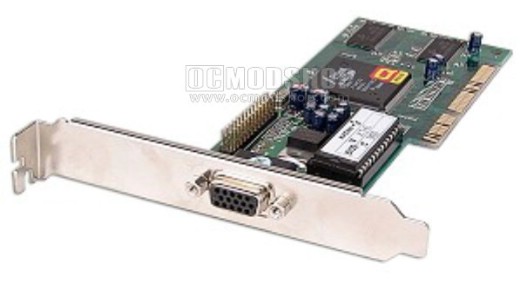
This is another reason to choose a motherboard with onboard video… you don’t have to worry about it, you can utilize a much smaller chassis and you’re not wasting precious airflow space in your box with extra cards.
Storage
There are a few options here. You really want your firewall to be as “enterprise-worthy” as you can, so in this case you may want to consider RAID 1. When using RAID 1, everything is preserved even if a hard drive fails. Some Linux firewall distributions do support software RAID, but I chose to go with the RAID features of my Jetway motherboard. All I had to do was enter the motherboard BIOS and change the SATA mode to RAID and build the array from bootup. Then you can install from any firewall distro you want and still be protected.
The only problem with onboard hardware RAID is that there are no management utilities from within the firewall software… so you won’t be alerted if a drive fails, and you cannot do a “live” rebuild (you must rebuild offline within the RAID BIOS).
A large hard drive isn’t really necessary unless you plan to log everything (hack attempts, internet activity, URL-filtering, etc.). In all honesty, even an 80GB drive is overkill, so use whatever spares you have hanging around… just be sure you’re confident they’ll last.
If you want to go cool and silent, you can install to a CompactFlash card. The Jetway board I selected has modules that allow a flash card to be seen as a regular hard drive. Even though these cards are typically slower than even the slowest of hard drives, it is still fast enough to boot from and generate logs. You really can’t RAID these puppies (well you CAN, but that’s a different article). If you don’t plan on doing any logging, then this may be your best option, as the card will unlikely wear out, and you don’t have to worry about failures.
I chose a hardware RAID 1 with dual 80GB HDDs for this project, because I’m planning on doing lots of logging and I don’t want any downtime.
Now that you have selected and installed your hardware, you can begin installing your new firewall. It doesn’t take as long as you think…



1 comment
Usefull Wonderful. Thanks
Comments are closed.