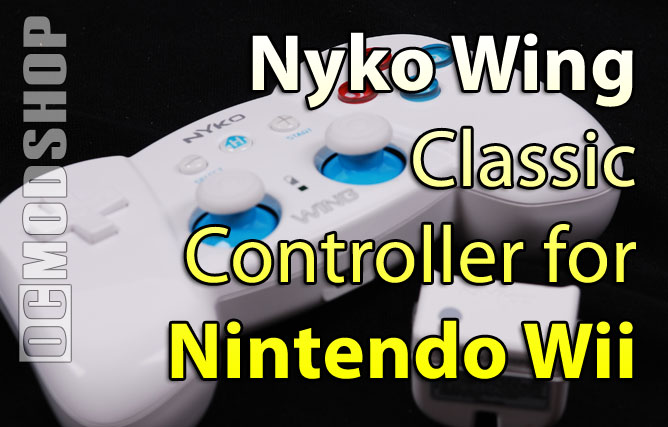
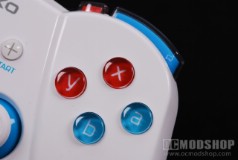
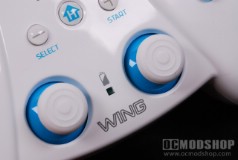
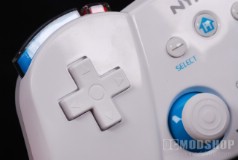
The controller looks like a hybrid between a Playstation 3 controller and Nintendo’s Classic Controller. It matches the Wii’s pearl-white finish, and has a layout that should be familiar to gamers. The D-pad is on the left-most part of the pad. The center of the pad has the Home, minus (-) and plus (+) keys, along with two analog sticks, and a battery LED between them. The right part of the controller has the standard A, B, X and Y buttons. The bottom buttons (a and b) are colored blue and the top buttons (X and Y) are colored red. The top of the controller has four shoulder buttons: one Left and Right button, and smaller Z-A and Z-B button next to them. Oh, and there’s a sync button on the center top.
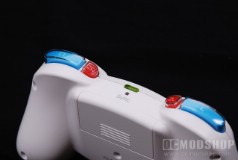
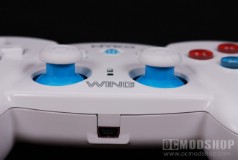
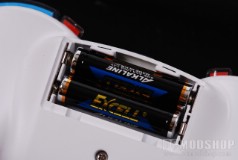
The underside of the controller is a compartment to place two AAA batteries (which are included with the kit, but not rechargable). Two sets of batteries last about 30 hours. The bottom of the controller has a mini-USB plug, which can be used to charge the batteries and/or use the controller as wired. It must be noted that the controller does not include said USB cable, but it can be plugged into any of the Wii’s USB ports to work. It must also be noted that you can only charge NiMH rechargable batteries with the USB cable… trying to charge up non-rechargable batteries (which are included with the kit) will certainly destroy the controller and may start a housefire.
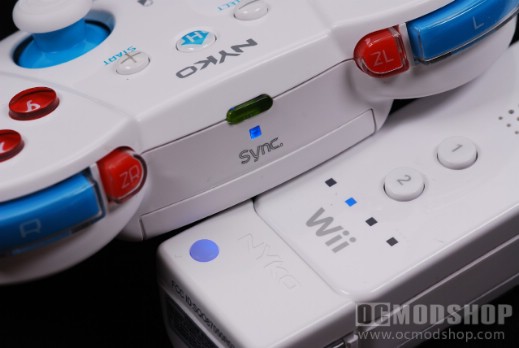
The other part of this kit that makes it work is the host sensor, which can be plugged into the bottom of any Wiimote. It functions exactly as Nintendo’s Classic Controller… you cannot use a Nunchuck and Classic Controller on the same Wiimote at the same time. The host nub is featureless except for a blue sync LED (which doubles as the sync button), and two release grips on the side.
Connecting the controller is rather easy once you install batteries in the controller. Insert the host receiver to the bottom of any Wiimote and turn the Wiimote on. The receiver will start blinking blue, indicating it’s looking for the controller. Click the sync button on the receiver, and then press the sync button on the controller. The host LED will stop blinking, and the controller is ready to roll. You only have to do this pairing once, so the same controller will work with the same receiver, even if it’s plugged into another Wiimote.
One of the great things about this controller is now you can navigate the Wii’s interface without pointing the Wiimote at the sensor bar. Many users are frustrated that the sensor bar is too finicky, and many people have to stand unusually close to their TVs. With the Wing Controller attached, just use the left analog stick and the A button to navigate around… even at the other end of the room.
The controller is rather comfortable, and feels rather light. It doesn’t feel as solid (or heavy as) as the Xbox 360 or Playstation 3 controllers, however. The D-pad feels very light-duty, and the shoulder buttons require a little effort to press. The analog sticks feel very good, and have a decent rubbery grip to them.