

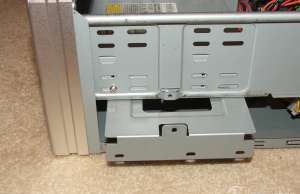
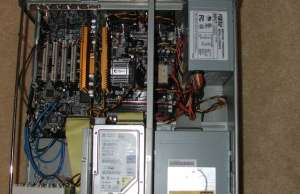
Installing a standard motherboard reveals some of the flaws of this generic desktop layout in a HTPC application. Most motherboards will extend under the drive cages, which may present a problem depending on the location of your power connectors and memory slots. Since there is no external access to the 3.5” bays there is no reason for the drive cage to be perpendicular to the front panel. There is plenty of room for the hard drive cage to have been installed parallel to the front, making better use of the space available and would not crowd the motherboard. The current standard layout just wastes space that could otherwise accommodate internal components.
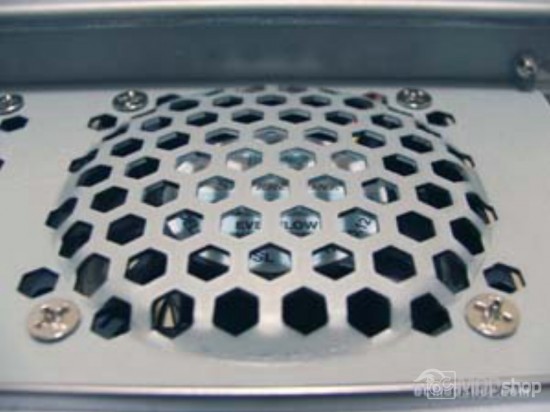
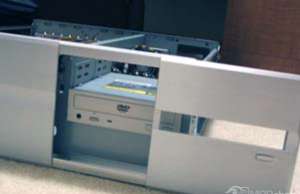
The DVD drive must be installed from the front, and Silverstone has made that easy. The bezel in front of the drive bay can be slid out (after removing two affixing screws) allowing easy front drive installation. Once the drive is slid in, the bezel must be closed to position the stealthed eject button. With the eject mechanism placed we can then secure the drive with screws. The hard drive cage to the left of the optical drive bay much be removed to access the DVD drive’s left mounting holes. Stealthing can be completed by taping an included aluminum plate to the DVD drive’s tray with included double-sided strip. I chose to place the hard drive in the center position of the 3.5” cage. Cables for the hard drive and DVD drive were tucked under the drive cages, keeping the airflow open over the motherboard.
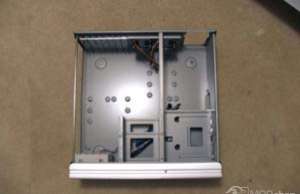
The video card, CPU and other internal cards were then added. The position of the 3.5” drive cage places it in line with the motherboard’s AGP slot. My video card almost touches the hard drive, which creates a wall restricting the airflow from the intake and the rest of the system. The GeForce 4200 card I used is not as long as more modern video cards, so this may be an issue with your installation. I installed a Pentium 4 2.53GHz processor with a Vantec AeroFlow heatsink. I used AOpen’s AX4PE Max motherboard and utilized their onboard audio with SPDIF support.
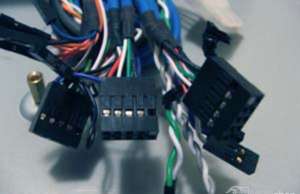
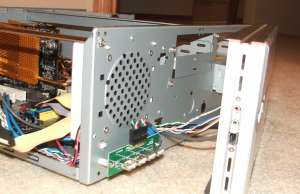
After the hardware was installed I began to install Windows XP. I connected a USB keyboard and mouse to the front, and noticed that the USB ports are installed upside down! Since the shape of the standard USB port does not visually indicate the direction of the port, I always feel for the raised dot on many USB plugs to know which way is up. The standard USB port is confusing enough without having to remember to turn it upside down again. This issue cannot be corrected without removing the front bezel from the main case. After removing the front panel it is made clear why the USB ports are installed in this manner. The USB board’s leads are soldered on the bottom, and there is no room to position it any other way.
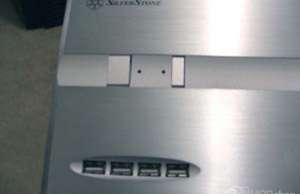
During installation of the software I noticed another problem: there was no way to control the unit with a remote control. There was no IR sensor integrated into the front panel, and no holes or ports to install one. The only option for remote control is to use a radio frequency remote, which will have to be connected to the back of the unit. Users could use an IR dongle, but having an ugly dongle destroys the OEM look that we are going for. While this is not a huge problem, buyers of this case should be prepared for this out-of-the-box issue, Silverstone’s LC10-M resolves this issue by integrating a front-panel Vacuum Fluorescent Display with an IR sensor, but costs nearly $100 more.
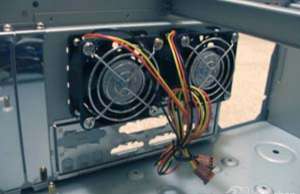
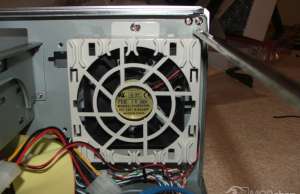
Also during installation I was able to evaluate how noisy the unit will be in a living room setting. The choice of hard drive and heatsinks are one consideration, but the case’s fans also contribute. Although two 60mm fans were spinning at 3600 rpm, only a little noise of rushing air could be heard from them. The included 80mm fan spins at 2000rpm, and also makes a little bit of noise. Together they are not noisy, but not totally silent either. These fans may be acceptable in an ordinary desktop application, but silence is key in a home theater appliance. This noise can be rectified by installing a fanbus in the extra internal 5.25” bay. Reducing the fan speeds had no noticeable impact on system temperatures and made the unit quiet enough for the living room.
After everything was installed this baby weighs in at 26 pounds, making it the heaviest piece of equipment in your theater rack.
