

Installing Space Ace HD is extremely simple. There is no install process, and everything needed to run is included on the dual-layer DVD disc. Once autorun is started, you are presented with a menu to play or watch the game. You can select the quality level when playing (low, medium, or high) to get smooth playback depending on your system’s processing power. Under Vista x64 the game sometimes doesn’t render the initial menu.
The game supports three difficulty levels, which can only be seen when the game is running in Windowed mode. In this mode there is a traditional context menu that allows you to change options like the Score Overlay, Difficulty, and Copy Files to Hard Disk. These options are not seen in full-screen mode and do not present themselves on the inital load screen. On “Cadet” level there is a large window of time that the game accepts your input. Correct moves are registered with a high “beep” and incorrect moves deliver a low “beep” result. In this mode it is very easy to get through the game, and you’ll really only die if you don’t respond at all. “Ace” level has the same time window as the original arcade game, and requires quick timing.
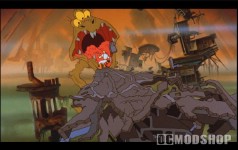
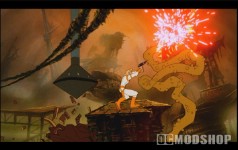
If you choose to “watch” the adventure without any input then you can choose “deaths” or “no deaths”. No user input is required, and the “no deaths” option shows you how the video would run if a player successfully walked through the entire game without any incorrect moves. The “deaths” options goes through each scene, but shows all of the possible ways to kill Dexter before moving onto the next scene. Watching the game a few times serves as a good tutorial on the correct moves when playing the game.
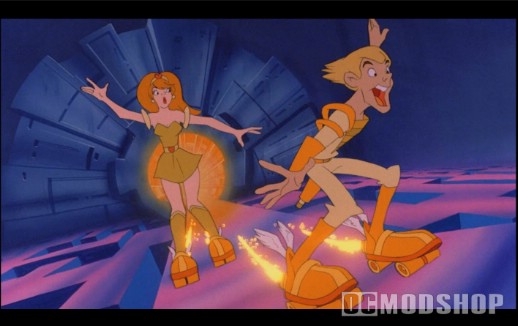
Space Ace HD for the PC is encoded using High-Definition Windows Media (HD-WMV), and each scene is a seperate file on the DVD-ROM disc. There are nine different versions of the film on the disc (three quality levels at three different resolutions) so the game can be viewed no matter if you have a widescreen or standard monitor (but 1280×1024 is the minimum supported resolution).
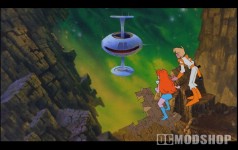
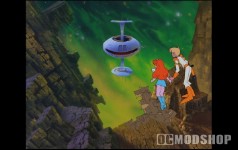
The 16:9 version of the film has been “pan and scanned”
Video modes are selected automatically depending on your viewing mode. If you have a wide-screen display then the widescreen version is displayed by default. If you are playing in a window, then the 4:3 high definition version is displayed, and there is another full-screen version with a 4:3 aspect ratio. Here are all of the supported video modes.
 |
 |
 |
||||||||||||||||||
|
Space Ace HD Available Resolutions
|
|
||||||||||||||||||
 |
|
 |
The game is controlled using standard keyboard controlls (key up, key left, key right, key down, Enter or Space). Because it accepts keyboard input, the game works perfectly with X-Arcade’s Tankstick (which basically just sends keyboard output). Your current stats (score and lives left) appear overlaid over the video in a standard Windows font (looks like Tahoma with a pure red color). Since this disc is completely “plug and play” you can drop it into a MAME cabinet for instant retro goodness.
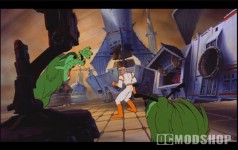
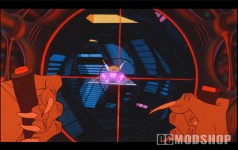
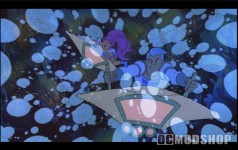
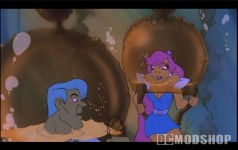
The game is just as hard as you remember. In Dragon’s Lair there was usually a flash preceding the next action you were to take, but in Space Ace you must mostly judge when to make a movement (such as dodging through the arms of a crusher robot) by using your wits. You will die, and you will die often, but fortunately you can continue playing as long as you like without eating up all your quarters… that’s worth the price of admission right there!

Space Ace Easter Egg: Borf without pants
The film transfer is arcade authentic. Since the video was captured from the original film, you can see some of the “film grain” that can be mis-interpreted as “noise”, but this just adds to the charm of the original hand-drawn artwork if you’re a true animation enthusiast. The lower-quality levels of the game introduce some severe blockiness (which are eliminated in the high-quality version), but the animation remains smooth and fluid.
Not only is the film transfer vibrant and brilliant, but it includes the game’s original Easter Eggs. In Dragon’s Lair there were several of these, but in Space Ace there is only one that I know of: Borf is drawn without any pants in one of the last battle scenes. It only happens for a split second and is easy to miss.

1 comment
[…] Space Ace ocmodshop.com […]
Comments are closed.