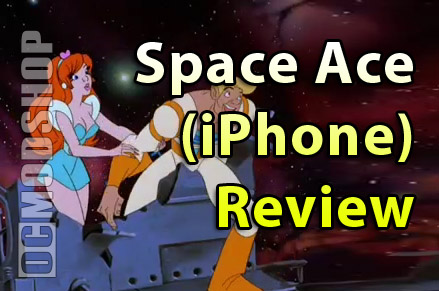
At 250MB, Space Ace is one of the largest iPhone applications you can download. When you consider that this game contiains over 30 minutes of video, that isn’t bad. Other releases of Space Ace let you “watch” the game from beginning to end, but there is no such feature in the iPhone version.
There are a few advantages to the iPhone version. For one, you can resume the game if you are interrupted for any reason, such as if a call comes in. If you set the game to “infinite lives” then you’ll never have to restart the game ever. Just press the Home button to exit. However, once you’re in the middle of a game, there is no way to get to the main menu. Basically you have to restart the application and answer “no” to “would you like to resume your previous game?”.
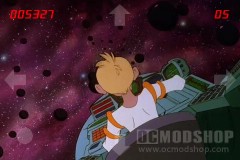



There are three levels: Cadet, Captain, and Ace. Cadet level highlights the control you need to press right before it is needed, which makes this more of a “reaction” game. In Cadet mode there aren’t as many of the original scenes, so gameplay is much shorter. In Ace Mode, you get no prompts, and the reaction time is very short (as short as the original arcade game), but all of the original scenes are present.
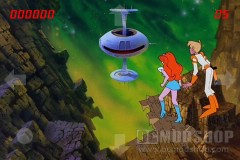
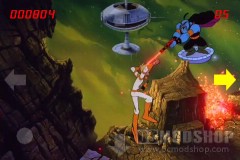
There are two different control layouts. In normal mode, all of the controls (four arrows and a fire button) are located in the bottom right corner of the screen (or left of the screen if you enable left-handed mode). It is very easy to accidentally press the wrong button, but your fingers don’t have to move very far. In full mode, each part of the screen has its own arrow, and the Fire button is located in the bottom left corner. The buttons are easier to press, but your fingers have to travel further, which usually blocks the screen, meaning many more deaths. My advice: get used to the compact control layout, especially if you’re playing Ace mode.

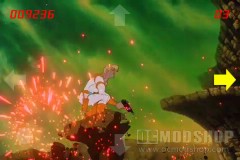
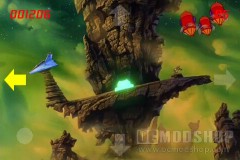
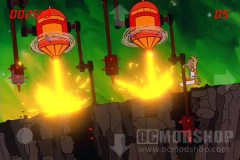
The iPhone version of Space Ace is probably my favorite version of the classic laser-disc game. For one, there is no need to install any software. Two, there is much lower delay between interactive scenes than DVD (although I did experience some major delay issues when my iPhone’s memory usage was high). And Three, this is the cheapest version of Space Ace available at only $5 (previous versions cost over $20 or more). The control scheme is innovative, but like many iPhone games, your thumbs can cover up the action. If you’re a classic video-game buff, then you probably already have every Atari 2600 and Nintendo NES game on your USB thumb drive, so why not have Space Ace in your pocket, too?
 |
 |
 |
|||||||||||||||||||||||||||
|
|
|
|||||||||||||||||||||||||||
 |
|
 |
|||||||||||||||||||||||||||