
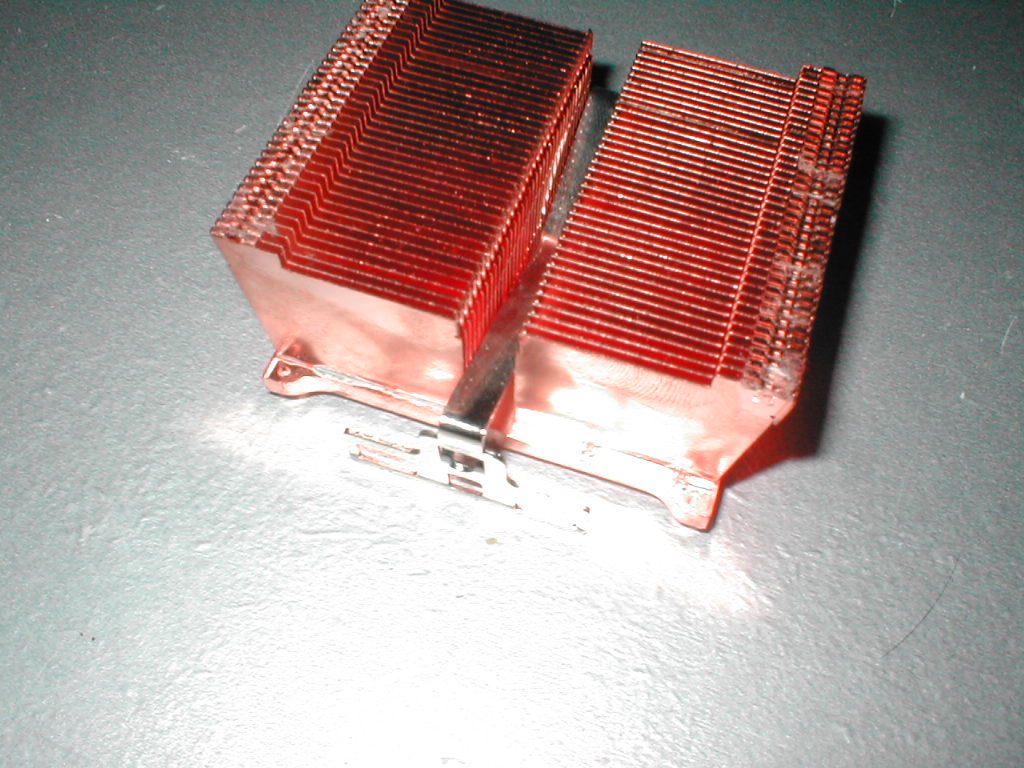
The clip mechanism for this heatsink is good and bad exactly like the Thermalright AX-7, Thermalright SLK-800, and Thermalright SK-7. Like the past three Thermalright heatsinks the slot for the screwdriver is much too small. Although the slot is too small the clip went on without any real problems, it just takes some practice and care. The more I use these clips the easier they get and really are not that bad, but you will need to get used to them just as I did. This heatsink has the same kind of clips to hold the fan on as the SK-7 and they work pretty well but the ones on the SLK-800 are much better.
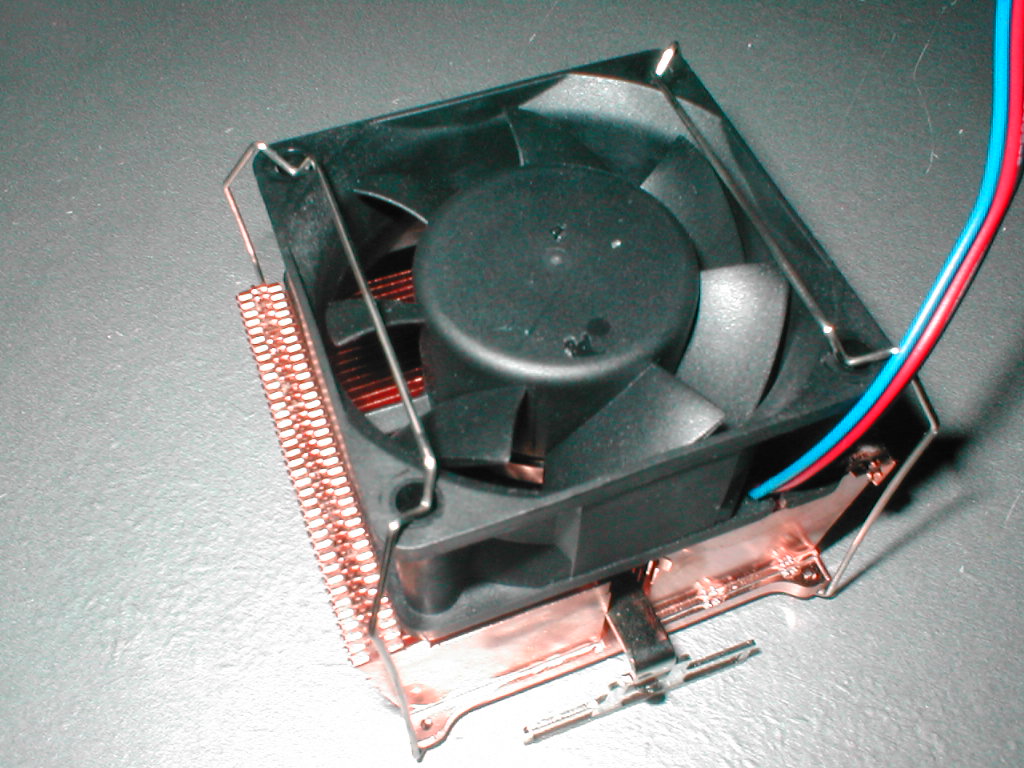
I will be using an EPoX 8K9A2+ which I will have a review of soon with my Athlon XP 1800+ (1.53GHz). I have talked to both EPoX and the maker of Motherboard Monitor and I am still unsure if the onboard diode of the XP is being read by the software so until I am positive I am not going to say that it is. I believe that heatsink testing is really relative, meaning that I think it’s more important how heatsinks compare rather than the actual temperature you get. It is important to get as low of a temperature as possible but I think comparison is the main key. I want to do a socket A heatsink roundup and will do so as soon as I have time. I will be using Arctic Silver 3 as the thermal compound because it is the best on the market. Idle temperatures were taken while idling in the BIOS and the load temperatures were achieved by using Prime95 which put the CPU up to 100%.
Test Bed:
- EPoX 8K9A2+
- 1800+ Athlon XP
- 60GB Seagate Barracuda IV HDD
- Corsair 512MB PC3200
- Abit Geforce 4 Ti4200 OTES 8x AGP 128MB (review to come)
- Cooler Master ATC-101-SX2
- Generic 300w PSU
- Sound Blaster Live! Value
- ATi TV Wonder VE
- Plextor 40x12x40 CDRW
- pioneer 16x DVD
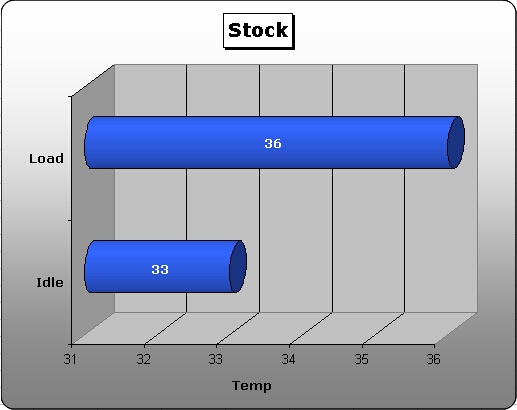
I tested with the Delta fan first and I was really impressed with the results, idle temperature was only 33 degrees! The load temperature ended up being only 36 degrees Celsius, 3 degrees higher than idle. This little Delta fan puts out a lot of noise but it does its job well, if you can put up with it your CPU will be happy. Personally I am not willing to put up with the screaming of this fan especially when my computer is in the room where I sleep.
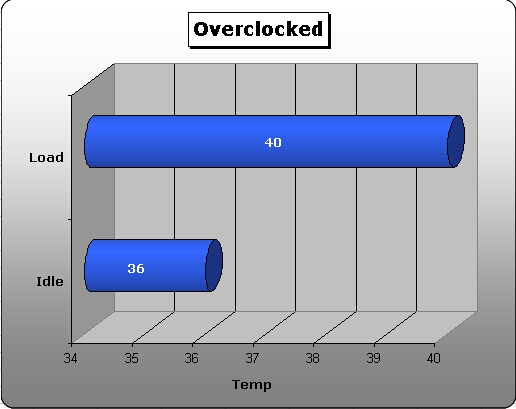
I wanted to see if this heatsink could do well during a little overclocking so I turned my computer off for a while and let the CPU and heatsink cool down to get accurate results. I booted back up and went into the BIOS, I bumped the FSB up to 150 and the Vcore up to 1.85v which gave me 1.73GHz and was recognized as a 2100+. I saved the settings, rebooted, and went back into the BIOS and let it idle again for about 15 minutes. The idle temperature while the CPU was overclocked was 36 degrees, but the load temp is really what matters. I booted back into Windows and again ran Prime95 after another 20 minutes of that I got a load temperature of 40 degrees Celsius.
Conclusion
This is another great Thermalright heatsink which I really like. I have liked every Thermalright heatsink I have tested and the main reason is because they perform so well and are easy to use. This heatsink is the little brother to the SK-7 but it still performs better. After using Thermalright heatsinks now for quite some time I have found the clip to be much easier than it was in the past, but it does have room for improvement.
The Thermalright SK-6+ costs about $18 without a fan so its really a good deal especially if you have a 60mm fan that you can use. If you are looking for a good heatsink which will do a good job cooling your CPU and not taking a lot of money I would suggest this heatsink to you. Overall I am going to give this heatsink a 9/10 and am awarding it the OCmodshop Seal of Approval. I would like to thank Thermalright for providing me with this heatsink to review.
Pros

- All copper design
- Holds 25mm and 38mm tall 60mm fans
- Great performance
- Clip uses all six tabs
- Low price price
- Thermal compound included
Cons
- Poor slot for screwdriver on the clip
