
The ThermalTake iFlash + 120mm fan almost looks like any other “crystal” fan. It is made from hard clear plastic, but has some nice embellishments on the outer braces to help catch the light. The front of the hub has a professional-looking aluminum sticker with ThermalTake’s Logo on it. The fan itself looks like a typical 7-bladed fan design, but the hub has some extra electonics in it. There is a small temperature diode slightly sticking from behind the hub, and there is a thin circuit board that sticks out from opposite sides of the hub.
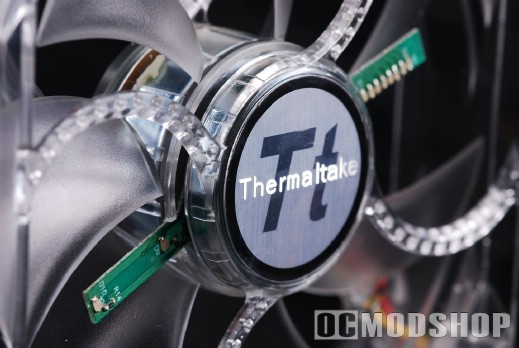
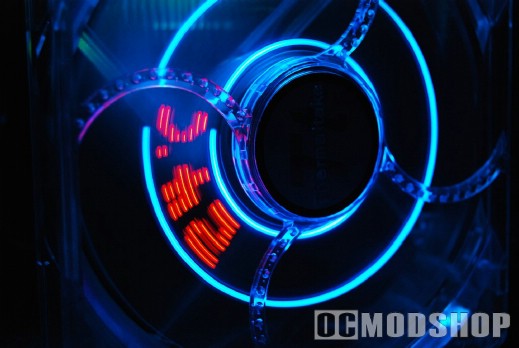
These liitle PCB sticks house the LEDs that make the magic. One stick has eight ultra-tiny red LEDs that actually spell out the messages, and the other stick has two tiny blue LEDs. The blue LEDs appear on the top and bottom of the letters when the fan is spinning, which frames the visual very nicely. The PCB only goes up about 2/3rds of the 120mm fan blades, probably the same part used in its 80mm counterpart. It would have been nice if the board were slightly longer, which would make the message bigger and therefore more impressive.
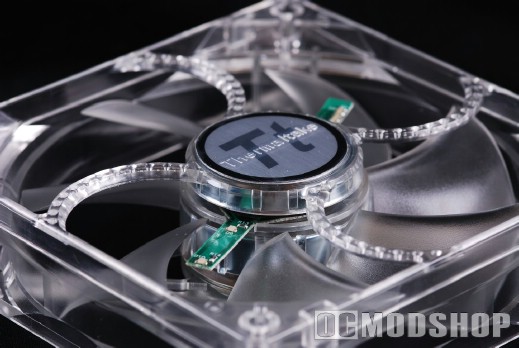
The fan cable is a typical 3-pin type, and is not twisted, sleeved or remarkable in any way. The cable is also rather short at 6 inches, which may make installation difficult, depending on your motherboard and case layout. Because of the short lead, there was not enough slack to position the fan so the dome sticker was facing upright. If you’re a hardcore case modder then you’re probably also a perfectionist and this may bother you.
The fan does come with a 3-pin to Molex adapter for those who don’t have any spare fan headers on your motherboard. Why can’t other fan manufactuers follow ThermalTake’s lead? The fans should have 3-pin leads with an optional Molex adapter, not the other way around… nearly every person buying a third party fan is going to use their motherboard’s fan headers.
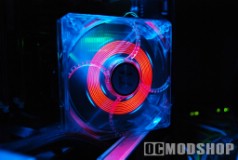
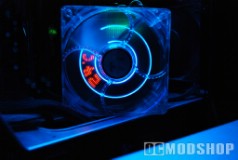
The fan goes through a brief “initialization phase” when first turned on. All of the fan’s LEDs turn on, showing a bright red and blue ring for a few seconds. After this, a “ThermalTake” logo is displayed, and dances back and forth. The fan toggles through this logo and displaying the measured onboard temperature, which is Celsius only.
The fan’s specifications state a noise level of 25 dBA, which is actually very low, but I found the fan to be rather audible over my other computer equipment. This is probably due to the extra wind resistance that the PCB sticks introduce. You can silence the fan significantly using a fan silencer, rheostat, or other tricks, but the visual suffer. I used a Zalman FanMate (which varies the fan’s voltage between 7V and 12V). The message is still displayed, but the red LEDs are dimmed significantly. The blue LEDs pretty much disappear until the full voltage is applied. So it appears you must run this fan at full voltage (and deal with the noise) or don’t bother with it.