

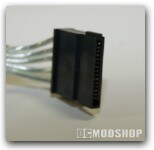
Plugging it in was a snap – literally. All connectors fit well, and felt very secure. Fired it up, and the computer turned on perfectly the first time.
Here is the test setup:
- CPU: Pentium D 820, 2.8GHz
- Motherboard: Intel BOXD945GTPLR
- Memory: Corsair 2 x 1GB DDR2 667
- Video card: GeForce 6800GS
 |
 |
 |
||||||||||||||||||
|
Voltage Fluctuation Results
|
|
||||||||||||||||||
 |
|
 |
The X-Finity 500 appears to perform very well. The official ATX specifications allow minimal variations in power, and the X-Finity has practically no variation at all. Is this due to Ultra’s “Active PFC (power factor correction)?” I have no idea, but the results were always consistent – consistency is what we like to see, and I firmly trust these figures. This has been my first experience with Ultra power supplies, and I’m very happy that it has been so favorable.

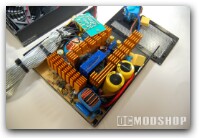
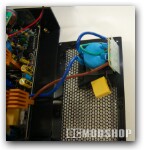
Anything else? Let me tell you about the manual. “Huh? Why does a manual come with a PSU,” you ask yourself. Well, I had never seen one either. But thinking about it, way back when I was first pulling my computer apart and learning what did what, I remember a good deal of confusion and outright fear when looking at the multiple PSU connectors. What if I screw something up? What if I plug in the wrong connector? This manual is very well written, very well diagramed, and has clear, understandable photos. It also has the pin-out and description of every connector, as well as complete specifications. For an experienced person, it is fun to see and really dig into the details. For a novice, it is likely to be a life saver.
|
|
|
|||||||||||||||||||||||||||
|
|
|
|||||||||||||||||||||||||||
|
|
|
|||||||||||||||||||||||||||


