The problems with the Xbox 360 console do not end with the 1 red light error and 3 red light error. There are numerous other failures that can occur. One of the most recent occurrences according to new sources is the incidence of video failure. Termed the “black screen of death”, this error is frequently preceded by video anomalies, such as color degradation, over-tinting of a single color, flashing bars or trailing streaks. Other symptoms can include pixilation of the picture and poor image quality. While these symptoms may present before video failure, they may only be present for a very short time, if at all.
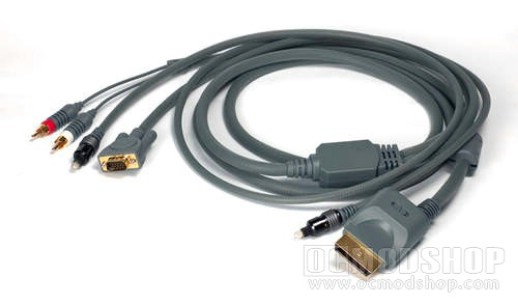
The first area of concern in this occurrence is the AV cable, itself. While the cables fail infrequently, it is a possibility and one more easily rectified than than are other causes. To test this, simply connect the Xbox through another AV cable. In addition, testing it on another TV can help eliminate television failure as the culprit. Finally, check the HDTV and TV settings on the AV cable to ensure the switch is in the proper place.
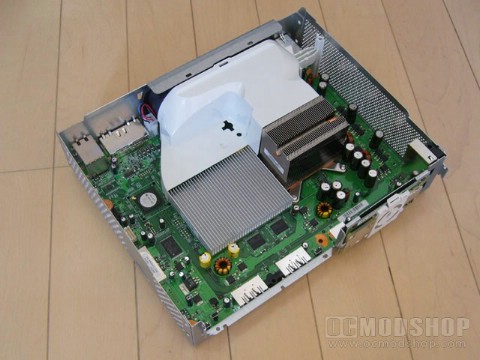
If all of these steps have been followed and your Xbox continues to display the 2 red light error, allow the unit to cool and then attempt the X-clamp fix. Once again, Microsoft’s negligence has caused a problem with game play and customer satisfaction. Once more, the warranty extension applied to the 3 red light error will not provide you with any coverage and, if your console is no longer under the 1-year warranty, you will have to repair the system yourself.
Another common problem with the console is the 4 red light error, which indicates that the console cannot locate the AV cable. This concern is usually rectified by checking the AV cable where it connects to the back of the console. Remove the cable from its connection point and reinsert it firmly. If you hear a click, then it is connected correctly. As mentioned, this repair usually corrects the problem. However, it is not uncommon for this to simply be another manifestation of the heat problem that has so plagued the console.
However, these repairs usually result in no betterment of the situation. Frequently, the cause can be traced back to the same source as the 3 red light error and the 1 red light error. A loose GPU chip will not produce video and can present without a red light warning.
Another common error reported is the 2 red light error. Microsoft defines this error as “overheating”. This error requires some troubleshooting prior to repair. The first step is to ensure that the power supply indicator light is green. Low power supply or an overheated power brick can cause this error.
Once you have eliminated the power supply, it is time to look at how your Xbox console is setup. Ensure that all air vents are unobstructed, allowing fresh, cool air into the case. Second, ensure that the console is resting on a firm surface, not a cloth covering. Finally, ensure that the console is not resting atop another device that produces heat, such as a DVD player or surround sound system.