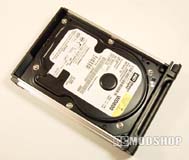
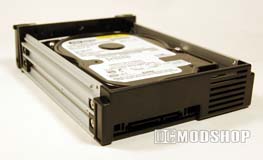
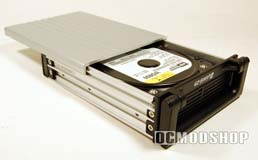
Installation of the drive is very straightforward, and consists of two parts: installing the drive into the drive cartidge, and mounting the cage chasis to your PC case. The lid of the drive cartidge is secured with screws, and slides easily off the back when removed. Any standard 3.5″ hard drive plops easily into the vacant space. When oriented correctly, the SATA connectors appear through the rectangular hole in the back of the cartidge, and the drive’s screw holes align properly and can be seen outside the cartridge. Use the included case screws to secure the drive, just like any normal drive install, and then slide and secure the cartridge lid.
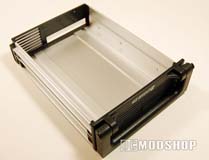
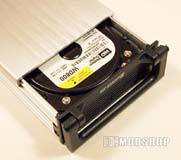
Securing the host bay is just like installing a CD-ROM drive: place it where you want, align the screw holes, and mount the bay to the PC chasis. Take the SATA connector and plug it into your motherboard or drive controller, and optionally connect the hard drive LED lead. The drive cartridge then easily slips into its new home.
Performance
The drives were tested in an environment with the following specifications:
- I-Star D-300 Server Case
- 2x Western Digital 80GB SATA HDD
- Asus P4P800 motherboard
We’re not interested in benchmarking the device but rather measuring if the enclosure impacts drive performance in any way. Two EZ-Swap 2 bays were used on a RAID 1 drive array, and tests performed with HD Tach. The tests were ran several times, and the results were nearly identical as the “naked” drives. The EZ-Swap 2 drive bay does not affect performance one bit, and CPU utilization and burst speeds were practically identical.
The drives’ temperature normally reach 95-100 degrees, and the drives actually ran slightly cooler inside the drive bay, reaching 90-95 degrees. Heat will not build up in these bays as they do with a passively cooled unit.