At it’s lowest point (2700RPM), the fan cooled my card 3 degrees celsius lower. At it’s highest point (4800RPM), it cooled my card 4 degrees celsius lower than with the stock fan running. I wasn’t sure if this product would actually make a difference when all of my previously installed equipment was running, so I fired up my other two fans, and left the VIZO flying at 4800RPM.
I proceeded to walk upstairs, get into a lively discussion about the eating habits of anoles (small lizard) and why they like crickets so much. 20 minutes later I walked downstairs and discovered that my card was one degree cooler then it had been prior to the install. So, in effect, with three 120mm fans already blowing, the VIZO Propeller managed to still knock off another degree.
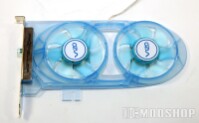
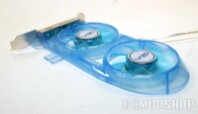
Then I decided to play the very graphically demanding Boiling Point game and drink beer. The rest of the night is a blur but I can tell you that random temperture readings stayed steady with it bouncing between one and two degrees cooler then previous installation readings (43 degrees C with load).
There is a ambiant blue light that is also featured on the case for those who like to case mod or show off their gear, the light is crisp and bright, but for some reason I thought there would be a way to turn it off. I don’t know why, but I was expecting to find a switch or something, go figure.
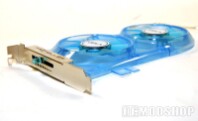
Lastly, I did notice that the fan does produce some noise when at it’s highest setting, this was muffled nicely by my case when it was all closed up, but those who may have a thinner case or one without heavy noise barrier, may find this to be a bit distracting.
 |
 |
 |
|||||||||||||||||||||||||||
|
|
|
|||||||||||||||||||||||||||
 |
|
 |
|||||||||||||||||||||||||||