With X-OOM Podcast Studio you finally have the possibility to create your own podcasts in just a few steps. Let your fantasy run free and enjoy the easy operation of X-OOM Podcast Studio.
Record music or sound from unlimited sources, which are connected to your PC, or convert your audio CDs to your desired format.
You can also process your audio files with the integrated Audio Editor. The “Podcast Director” assists with the straightforward and automatic publishing of your creative and unique podcasts, for millions of potential listeners. Instantly transfer your unique podcasts to the various portable storage media (USB stick, iPod™, Sony® PSP™, PDA, Smartphone, CD or DVD).
In addition to this, you can subscribe and manage podcasts with the “Podcast Manager”.
The choice ranges from newscasts about science and technology to lifestyle, religion and audio books.
It offers a multitude of options, and different ways to get your word out. Podcasts are no longer limited to iPods. PSPs can access the internet, and your audio blog. But the question remains the same. How does it perform? Well, my friends, that’s what I’m here for.
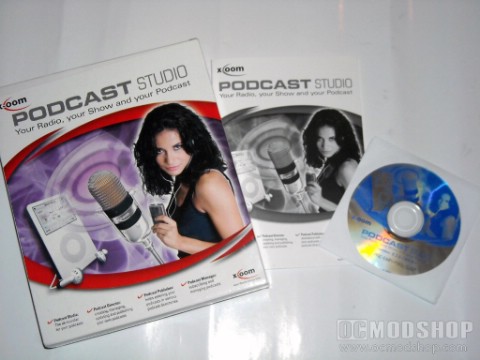
Out of the box, there’s not much to look at. It comes in packaging that is really way too big for the 31-page book and CD inside. It definately would take up much more space on your shelf than it rightfully should. Unless you don’t care about that kind of thing, that is. Personally, I don’t like wasted space. That’s why I think they should do away with nursing homes. Ooooh, too soon?
So now you know what’s in the box. Let’s see what’s in the software. I have my normal tester on the chopping block right now replacing the motherboard, so I’ll be testing this on my lower-grade machine. The guts consist of an Intel Pentium 4 2.6Ghz processor, 1GB of Kingston RAM and a 160GB Seagate HD. Install is quite simple and quick, considering the software only takes up around 20MB of space. But make sure you have a flash drive or a little extra space on your hard drive to store your audio data. Most audio doesn’t take up room, but if you plan on storing all your podcasts for later access, I suggest and external HD or Flash Drive.
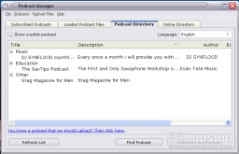
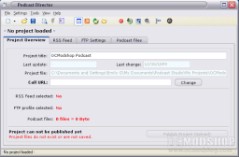
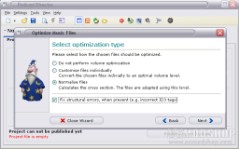
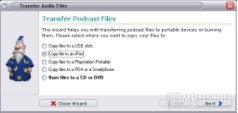
Using my digital audio recorder, I recorded a short message to you readers, and am going to upload that for you to check out as a podcast created by the X-OOM software. I kept it short and sweet, so you won’t have to listen to my annoying accent and droning sarcasm for very long. So I finished my recording, and using the Podcast editor was able to cut out my stutters and loud “P”s. It was pretty simple to use, which is something that is always a plus for those who have never messed with anything like this.. like me. Once I was done editing, I converted the audio to an iPod capable format and saved it to my desktop.