So now that my 360 is all plugged in (which involved unplugging everything I own and straightening out a jungle of wires, but that’s another story), I was able to power up and hit the eject button so I could put in a disc. Word of note, the manufacturer places a small piece of tape across the disc tray so it will not open when you press the button. Instead, your 360 will growl and chirp at you as if to say: “Hey moron, remove the tape or you won’t play anything ever, cause the tray engine is burnt out!” So if you buy a 360, remove the tape. But before any sort of gaming is to occur, you will be asked to navigate the dashboard. It’s an easily navigated setup that allows you to put your gaming name in, select what kind of TV you have (widescreen or standard) and select your audio preference, etc.
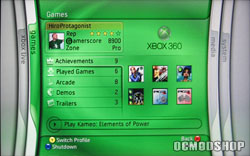
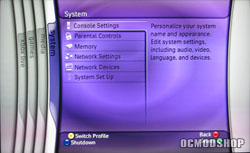
Now the dashboard can be as tweaked as much or as little as you like. There is a ton of options that you can play with, or if you choose to leave everything in default mode you can input your name and start playing a game if you so desire. But that’s not fully embracing your purchase now is it? Instead, I would recommend selecting an avatar, setting up your parental controls (if you have kids), and even going as far as to activating the screen saver and auto-off function in case you walk away from your system and end up getting kidnapped by your signifigant other for a whirlwind tour of mall shopping.
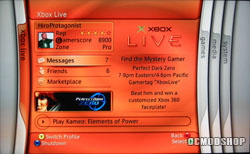
Of course, this time around, Xbox Live is already installed and you can start up your account (for a small fee of course) but the thing is now, others can see your account and game ranking if you will. Meaning, people can see that you have played for X amount of time and how many titles you have played during that time. So if you only own three games, but have logged 800 hours, you will be ranked quite high as it appears you play a title to not only it’s completion, but to find every little thing hidden in it. It even states acomplishments that the player has completed, in the form of a number.
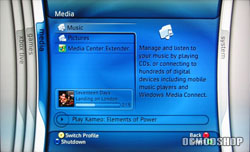
It should be noted that the dashboard is easily navigated and very user friendly. The tabs float from left to right and can even be accessed while in game. They are color coded for an even easier experience.
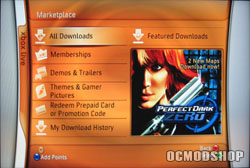
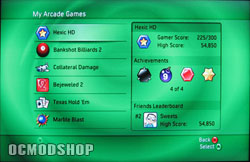
With Xbox live completely enabled, when you log in and get ready for another gaming session, you can automatically tell if your friends are online and where they are playing. If you want to shoot them a message and tell them to quit playing and come join you in a private game, you can do so. It goes without mentioning (but I will) that you can set up your friend’s list as well but should you meet a person online that you enjoy playing with you can set it up so you can find them as well.
The 360 keeps all the good features of the original Xbox Live, but added a few extras for gamers that have not purchased a 360, but can still play against those that have. For example, the game GUN: it is available for several different systems including the 360 and the original Xbox. Well, through the power of Xbox live you can play against each other since you are both on Xbox live, it’s really a great feature. And of course since there are only 18 games available (at the time of this writing), there’s no reason why you can’t whip out a copy of Rainbow Six and go whoop up on your buddies.