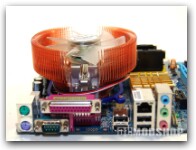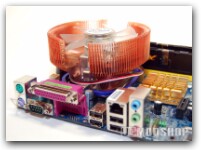
Traditional S775 involves using plastic pins through the motherboard which are then made taught by pressing a push-pin down the center of each mounting pin, and then twist-locking into place. Installing a traditional 775 coler was always a trial-and-error procedure because I could never tell how secure the mounting was, and had to tug on the heatsink to make sure it was secure. I have even had tall coolers fall off after being transported to LAN parties. Intel’s default Socket 775 mounting method seems like a step backwards because :
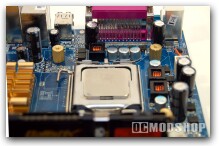
- today’s heavy heatsinks could warp the motherboard if not properly reinforced.
- the plastic pushpins tend to bend or break upon installation.
- the locking mechanism of each pin is flaky.
- heavy or tall coolers produce torque which can pull the plastic pins out of their sockets.
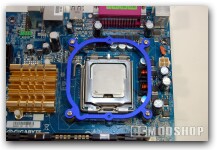
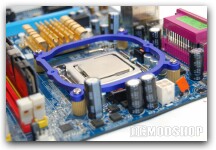
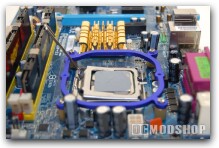
Zalman has improved on Intel’s default socket775 mounting method by mounting a set of brass standoffs through the motherboard mounting holes. This method requires access to the underside of the motherboard, which means it must be removed from your case before installation.
Installation is straightforward and simple. Screws are pushed through the four holes of the motherboard’s underside and secured with a brass nipple (make sure to buffer the metal parts with the included non-conductive paper washer). The aluminum ring is then placed on top of the four brass standoffs and secured into place (it is a tight fit, too, so there is no sliding). Your Zalman heatsink can then be mounted to the alunimun ring.
Notes
- Make sure the indent on the inner side of the Clip Support is positioned correctly.
- The Washers must be in place when installing the Nipples.
- Install CNPS7000(A/B) using the bolts included with this package.