

There are a few differences between the PC version of Dark Athena and its console copies. For one, the PC title uses the notorious DRM (Digital Rights Management) known as SecuROM. You must register over the internet to activate the game, and after three installs the game ceases to function. Even if you are a legitimate user, it can be embarrasing to call customer support, only to have them belittle you, assuming you to be a pirate.
PC users frequently have to reinstall software for many legitimate reasons. Hard drive failures, hardware upgrades, OS reinstalls… all of these are reasons that one may need to install this game over 3 times in the course of a lifetime, but Atari seems unyielding in its anti-piracy policy. These DRM systems, by design, just do not make sense for real-world use.
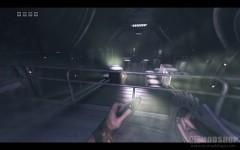
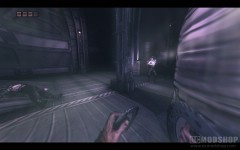
Eyeshine in action
The other major difference with PC games is the ability to change resolutions and graphics options. Assault on Dark Athena allows you to choose just about any resolution up to 1920×1200 (the max of our test monitor), but has rather limited graphic and audio customization. The only options you can set is the amount of anti-aliasing, color-depth (8-bit or 16-bit), shadow quality (enabling this forces 16-bit texture mode) and texture quality. The texture quality option was difficult to find, because of the usability of the Graphics menu. I originally wrote this review with poor marks on graphics because there appeared to be no way to change the texture quality. After digging around, you can find these hidden options (you have to use the arrow keys to scroll through the options rather than the mouse). By default, the texture setting is “low”, which makes the game look horrible. Changing it to “high” (which should be the default), makes the game look much, much better. The audio options consist of the ability to change the volume, so I’m assuming it uses the speaker settings that Windows has configured (5.1 surround in our case).


Performance
Here are the specifications of our test rig:
- Asus P5W DH-Deluxe motherboard
- Intel E6600 Core 2 Duo processor
- Asus Xonar PCIe sound card
- Logitech Z-2200 5.1 Speakers
- Sapphire Radeon HD 4850 X2 Video Card (read our review)
- 8GB OCZ DDR2-1000 Memory
Using 8-bit or 16-bit color depth, we were able to sustain around a 50-80fps rate in the closed areas. In an open area with lots of enemies, the framerate dropped to around 20-30fps.
What about the graphics? Read the next page…


2 comments
After they decided to treat us like pirates with such a horrid DRM of limiting installs. And some of the screen shots I've seen on top of that fact I own the original from a few years back. I am in no way about to spend money on this game. I will not support DRM no matter how good a game might be. Atari can stick this one up their tight asses.
I own the PC version of Riddick and at first I thought that there was no way to change texture detail levels as well. However an accidental click led to the discovery of the setting (its a scrolling menu inside a scrolling menu) and once I put the textures from the default of low up to high the PC version looks much better!
Comments are closed.