

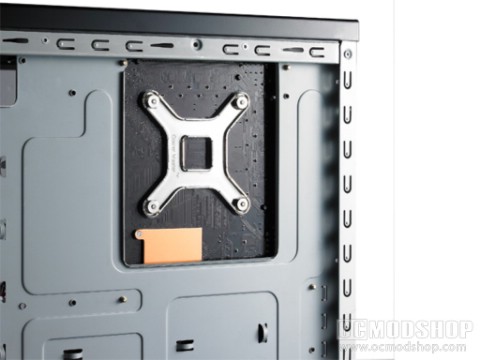
The inside of the case has a lot of thoughtful features that appear in more expensive cases. For one, the motherboard mounting plate has a huge cut-out area that allows one to access the underside of their motherboard’s CPU, which is extremely helpful when using heavy heatsinks that require underside mounts. The case has been designed so that the power supply is located at the bottom. Rubber spacers have been applied to this area to prevent scratching your PSU, and a generous intake vent allows airflow to newer units that have large fans. With this method your PSU will get fresh outside air rather than pre-warmed air inside the case.
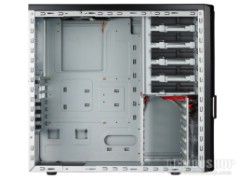
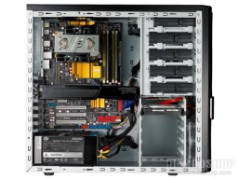
The drive column has room for five 5.25″ external-facing devices, and below that is a column for five internal 3.5″ devices. No screws are required for the larger devices as you just slip them in and slide a plastic lever forward, locking the unit in place. The DVD-ROMs we installed were extremely secure for a toolless method, as there was no drive wiggling at all.
Devices can be installed in the lower bay using included plastic drive rais, which also do not require screws. Just slip them on a hard drive’s screw holes (which are satisfyingly snug) and slip into the drive cage. The drives are rather secure once the rails pop into place. This does require a little slack on the SATA cables, as it is easier to attach devices and then slip them in. The back of the drives can still be accessed by removing the rear panel, however.
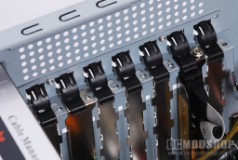
The expansion card area has handy plastic mounting clips, so no screws are necessary when securing your PC cards. The cards aren’t completely secure using this method, as the installed video card wiggled as I was plugging up cables. You can still secure your cards with screws, which is what I recommend.
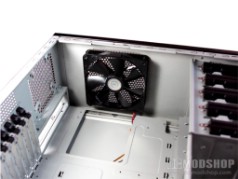
The case comes pre-installed with a 140mm fan at the top, and a 120mm blue LED fan at the drive intake area. Both of these fans have standard 3-pin plugs, which have 4-pin molex adapters attached, You don’t know how glad I am to see case manufacturers finally understanding that everyone (not just PC enthusiasts) absolutely hates fans that require bulky molex plugs from the power supply.
The wires from the front panel are thoughtfully routed behind the 3.5″ drive cage, and emerge into the motherboard area through a hole. There aren’t really a lot of other cable management features beyond this, however, and it’s up to you to tie your extra cables down using cable ties. I would also highly recommend a modular power supply to prevent extra cable clutter.
On the next page we render our verdict.

1 comment
It's a pretty plain case, and kinda boxy, but it's good. You could do worse for $50… and I have…
Comments are closed.