

Okay, so what comes with it and how hard is it to load full of goodies? Okay, let’s check it out and find out. In the box was the case itself. Inside this was a bag of mounting screws to attach your mobo, hard drive, and vertical optical disk drive (or ODD as GMC calls it). There is also an easy to follow instruction book written completely in Korean. Thank the Holy Watchers for illustrations, or I would have been lost trying to get all these computer parts in there.
Everything fit in there quite nicely, except for my heatsink and fan. On the Toast, there are five different places to put a fans. One in the front, one in the floor, two in the back, and one on the side with a plastic bezel that directs the airflow directly to the CPU. This bezel without a fan is about two inches. Add a fan that’s another half an inch. So I decided to get rid of this thing all together. I put the side of the case on, and it cleared my heatsink by a mere 1/8 of an inch. A tight fit, but it did fit. I mounted the hard drive, the DVD-ROM, video card, and power supply. By the time I got all of this in there there was pretty much no room left for anything else. The inside of this case is rather small, and is not meant for any large amount of extras.
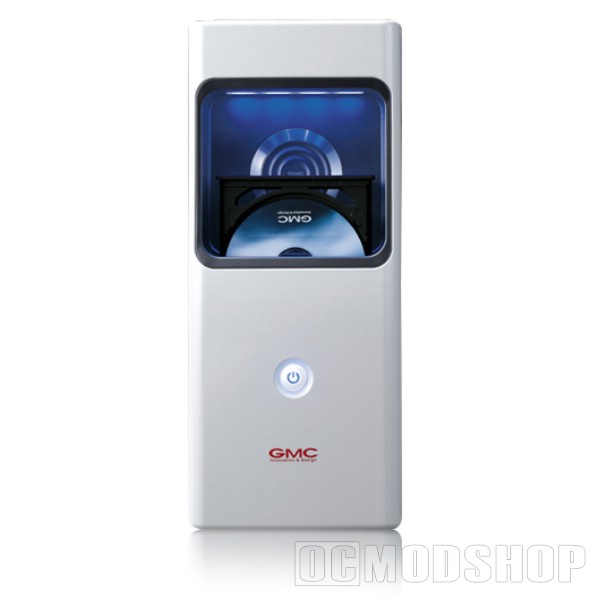
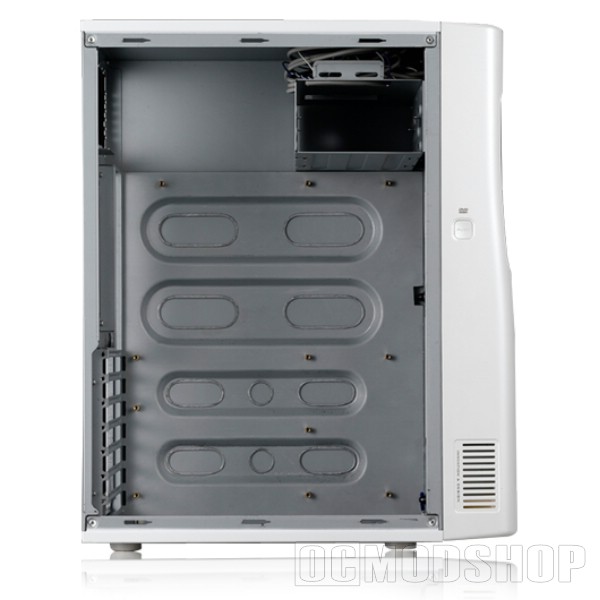
Okay, I close up the side of the case for the final time, and I go to work on checking out the features of the case as a working unit. On the side of the case is the button that opens or closes the optical drive. It works by pushed down a spring-loaded hammer that hits the button on the front of the drive and opens it up. And just as promised, my “toast” popped up, ready for a fresh disc. On top of the case is a little door that opens to reveal microphone and headphone ports, and two USB 2.0 ports. There is also a reset button hidden in there as well.
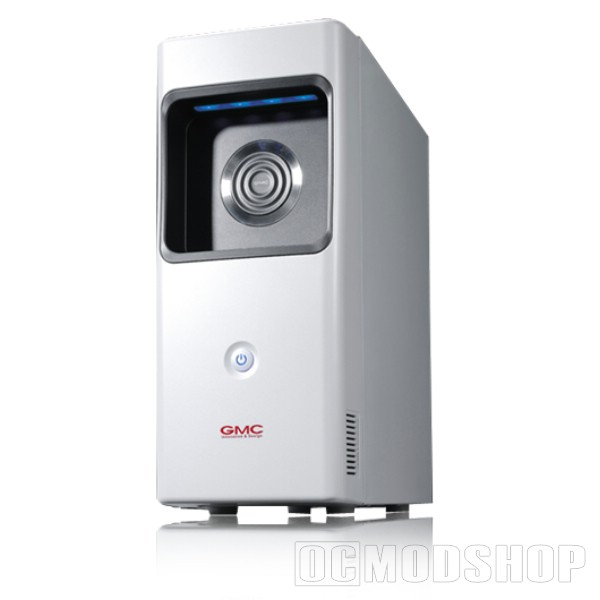
I have to say the fan space was a welcomed surprise. The many places to cram fans would greatly increase the air flow even in quarters as tight as these. There were a couple of things that I didn’t like about the case, however. One was the area to mount the hard drive. There is just enough space to put a single HD, and that is it. I read that there was room for another, but the only place I could find was beneath the first one. Where there were only two screw holes and would completely block access the the fan that is intended to cool off the HD. If you want extra storage, you had better have an external drive on standby. As for RAID, you can pretty much forget it in this case. Which is sad because most newer boards are built to support RAID arrays.


3 comments
I'm designing a case mod for this computer case, and I'll link to it here when I'm completed with it. I plan on getting 3 hard drives inside, as well as a 200mm fan mod on the side for insane cooling, and complete noise drop.
Hopefully they will release a micro atx of this that the cdrom pops out on very most top of the case
i think its cool
I don't see this anytime soon. The optical drive drawer is protected on all sides the way they have it now. Popping up out of the top, with users having a tendency to put random stuff on top of their towers, would probably cause problems in the long run. But that would be pretty nice and much easier to get to.
Comments are closed.