

The MX610 looks and feels great. Its black and silver coloring and curvy shape give it a sleek design. Also, it is not heavy. The two AA batteries towards the back add to the weight, but overall the weight of it is quite minimal. The buttons on the MX610 are comfortable, and have different feels depending on their location; the main mouse buttons are the most easily pressed and deliver a high-pitched click. The side buttons require more effort to press, and respond with a softer and lower-pitched click. The tilt-wheel is very tactile and works exactly like you expect it to, unlike Microsoft’s huge and comparitively complicated tilt-wheel setup. Middle-clicking is easy to pull off without accidentally side-scrolling, and the steps are easy to feel. The two new communication buttons make no noise when clicked.
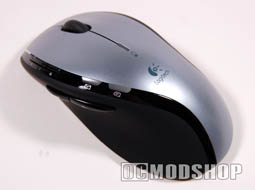
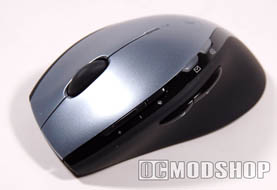
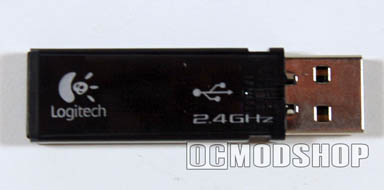
The mouse is connected to the PC via a 2.4GHz cordless that plugs right into a USB port. It is accurate during online gameplay, incredibly fast, and the connection can penetrate a wall! However, I have heard that depending on your setup the connection is prone to interference, especially with wireless headsets, however I experienced no problems.
The wireless receiver is very sensitive, as the mouse worked great up to 6 feet away, although I did experience skipping from time to time from some unknown interferance. Bringing the receiver closer to the mouse by way of a powered USB hub or USB extention cord could help improve reception.
Another great feature of this mouse is that it is told by the computer when to be on stand-by or to completely shut off. Although this mouse doesn’t come with a cradle, the AA battery life is greatly extended by this feature.
However, sometimes the mouse has difficulty waking up and it requires a short, sharp drag to take it out of its stupor. To enhance battery life further, the mouse powers off when your computer shuts off or goes into sleep mode. Unfortunately, this mouse somehow interferes with my PC’s ability to enter sleep mode, but your mileage may vary.
The MX610 features eight separate and completely customizable buttons. The forward and back buttons are accessible by the thumb and are separated by a small dip. These were most useful to me when I was searching the web. These two buttons are positioned on the mouse so that they are not easy to accidentally hit.
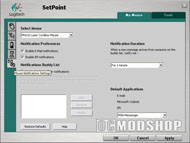
There is a volume up, down, and mute buttons which are reachable using the index finger work perfectly while gaming or other PC activities. Also, the mouse features a stepped scroll/tilt wheel that is quiet and sensitive, making it possible to click without side-scrolling. Perhaps the best feature on the mouse is the two new communication buttons that light up when an IM or email is received. These buttons take you directly to the received email or IM, and can be customized by using the SetPoint software to establish a buddy list. That way the light turns on only when an email or IM arrives from someone on that list and you aren’t bothered by the light when a hundred pieces of junk mail come through.
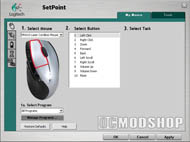
The SetPoint software is extremely easy to use. The settings window has five different windows used to customize mouse movement, designate each button to certain tasks, notify the user of the mouse’s battery life, choose game settings, and create buddy lists and communication button settings.

 |
 |
 |
||
|
|
|
||
 |
|
 |

