

The beauty of using this external unit is that software does not need to be multi-display aware. All 2D, 3D, and video acceleration can occur as if the two displays were a single unit. With traditional multi-mon, video playback has some issues. If you drag a window with a playing video between two monitors, then one half will not render (showing only a black screen). The video hiccups for a second when you drag the video completely over to the new window, as the operating system has to start writing to a new display. There are a couple of other caveats when using traditional multi-monitor support in Windows, and they are the result of the operating system treating each display as a seperate unit.
You can use the multi-display support provided by DualHead2Go Digital Edition without adding or replacing any system software. The display driver of the existing graphics hardware can continue to be used. However, to improve multi-display support, DualHead2Go Digital Edition includes Matrox PowerDesk software. This software has the same easy-to-use interface included with Matrox graphics cards. Among other things, PowerDesk provides controls for where dialog boxes and message boxes appear, how windows are maximized, and adjusting image quality. PowerDesk software helps improve image quality by calibrating the phase adjustment to properly interpret the input signal. With the DualHead2Go Digital Edition, PowerDesk offers the flexibility to select a wider range of resolutions, including support for widescreen and standard aspect ratios.
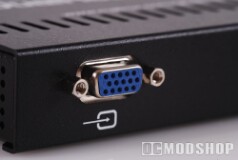
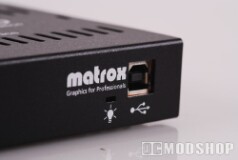
The existing graphics hardware and software in the computer does nothing different other than providing a monitor signal with a resolution that’s twice as wide as a standard resolution. The computer continues to use its own graphics processor to render a single display to its graphics memory. The real “magic” of making 1 display into 2 occurs inside the DualHead2Go Digital Edition box.
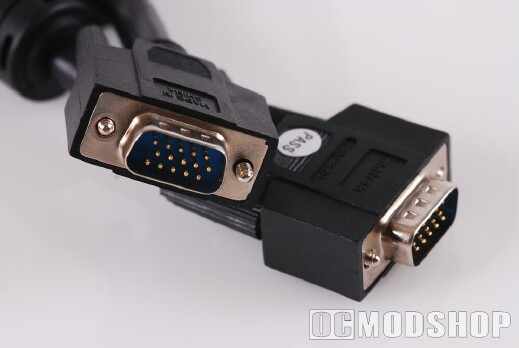
Then DualHead2Go Digital Edition uses Matrox technology to divide the display information into 2 display output, which are passed through the two standard DVI monitor connectors on the back of the unit (a DVI to VGA converter is needed to output to a VGA monitor). No pixels are added, dropped, scaled, or otherwise changed, and all original video information is preserved from the original monitor signal.

