Mirror Station
Provides unique Q-RAID 1 technology which enables mirroring data backup to external USB or eSATA disks. One of the main reasons people spend extra money on a two-drive NAS is to support RAID1, and this unit effectively gives you this feature for free.
Disaster Recovery
TS-109 Pro supports remote share folder backup via the network. In case of data damage on your PC, you can restore all backup data.
Web Server
This unit enables you to create your own website using PHP and MySQL/SQLLite to establish interactive websites. It is not known what version of PHP and MySQL this unit supports, which could determine how useful this feature is (Different versions of MySQL have compatibility issues, from my experience). You can also choose to enable or disable register_globals (which is disabled by default for security purposes) and php.ini.
The server also supports a simple SMTP server so you can use PHP mail functions. The server also features a Dynamic DNS Service, so you can use the web server on a connection with a changing IP address (such as cable). There are also a several features to connect to and maintain the MySQL database.
While this feature supports a highly dynamic database-driven website, I would be leery of using it for commercial purposes. From my experience, a consumer device such as this isn’t meant for heavy activity and could drop traffic like an L.A. freeway during an earthquake.
Backup Server
NetBak Replicator is a powerful backup software solution to automatically schedule backups. Block level remote replication is supported to provide reliable, instant and secure data backup. NetBak Replication also supports backup via WAN, so you can enter the IP address of the TS-109 Pro for data backup directly and select a share folder.
This is a handy feature to have to backup files on your PC. Since the files are copied to a particular network share this seems to be one of the more elegant network backup solutions I’ve seen for a consumer device. It can even automatically backup on a schedule, and can backup intelligently so it only copies files that have changed.
File Server
Provides convenient and secure file server functions that support central data management. Users can be granted different access permissions for different shares.
FTP Server
TS-109 Pro offers the simplest FTP server setup procedure without professional assistance or software installation. The server can be setup to support Unicode, and even supports SSL and TLS encrypted FTP. You can even enable anonymous access, a passive FTP port range (55536-56559) , FTP Transfer Limitations and other features. It isn’t as granularly configurable as FileZilla or other standalone FTP clients, but is way better than IIS’s built-in FTP support.
Print Server
You can connect a standard USB printer to one of the rear USB ports and enable the printer service to transform any normal printer into a networked device. This works rather well, but some features of a multi-function printer can be lost using this method. For example, while you can still print to an all-in-one printer, you may not be able to automatically scan or press the Scan button and have it automatically write to a pre-determined folder on your PC. It’s best to connect just a standard printer to the NAS to ensure full functionality.
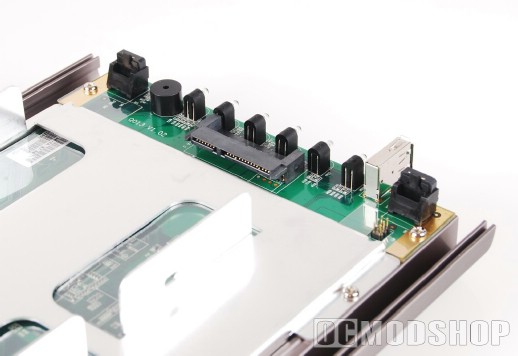
There are so many other features that the QNAP TS-109 NAS has and I didn’t cover them all Needless to say there is a lot to like about this unit, and is easily one of the most robust consumer-level NAS devices available.
Administration Features
The TS-109 Pro also supports several features that will help the system admin (or the control Nazi at home that loves to spy on their kids). The unit supports User Management with groups and quotas, the Network shares can be independantly controlled, and you can setup Alerts and automatic restarts and system updates. The unit even supports event logs of who accessed each of the unit’s services.
The unit also supports several networking technologies and can function as a standalone server or be added to a Windows Domain. It can also function as a WINS server, Domain Master, or you can enable AppleTalk support to interface directly with an Apple network.
The unit even has UPS support, and will automatically shut down after a certain amount of time after a main power outage. Since this device sips power then it can certainly last several hours on even a modest UPS.
Network Recycle Bin
One of the best features this unit supports is the “Network Recycle Bin”. When you delete a file hosted by this NAS from a remote PC, it is placed in a recycle bin just like on a modern Windows PC. It has happened so many times that I delete a file from the network accidentally, but it doesn’t appear in my computer’s Recycle Bin… and then I end up having to run advanced NTFS recovery on my server’s disks just to get the file back (which sometimes doesn’t work).