

I immediately ran into a problem with Macros. I’m not that big a fan of macros, even if they are one of the best things in the game. My criticism for using them is how much I hate programming them to different keys. And this software made it that much more irritating to me. I use a macro that casts Immolate, then Incinerate with the same button when Alt is held. It looks like this:
#showtooltip
/cast [modifier:alt] Incinerate; Immolate
The problem is that when you input macro information, it records EVERY single key stroke. This is supposed to simulate the input delays that are used in WoW. Not only that, but it doesn’t support Copy or Paste. So how exactly am I supposed to input some of my macros? Damn you, Blizzard. Or SteelSeries.
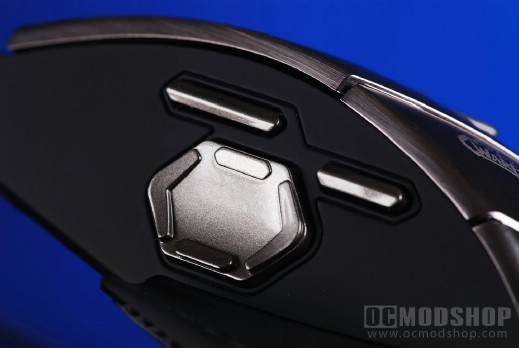
So I set a couple of macros to summon my Voidwalker. I typed in my information, watching as every single thing I hit showed up in the box. The best part? Each time I screwed up I had to start from the beginning because Backspace showed up as a keystroke too. When I finally got my all my keys programmed, which took quite a while seeing as I have a tendency to let my fingers get away from me, I logged into Warcraft to check out my handywork. The macros worked, but everything I typed in showed up in the text box at the bottom of the chat screen. Sort of retarded, if you ask me, but whatever. It got the job done. I suppose with plenty of time on your hands you could tweak your macros to go unnoticed in this software.
However, key programming to the mouse was flawless, as was the performance of the mouse in the game. The response time was beautiful at 1200 dpi, and I found the numerous amount of buttons very handy when it came time to battle in the Arena. I’m sure this is the long way around, but I created macros in the game and assigned them to keys on the keyboard, then used the software to assign those keyboard keys to the mouse. That way I had all my Fire and Shadow spells at the tips of my fingers. Casting a curse was as simple as moving a finger to the proper button instead of having to search for an icon on the screen or looking down at the keyboard.
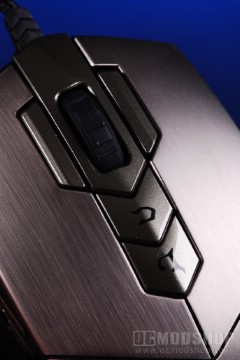
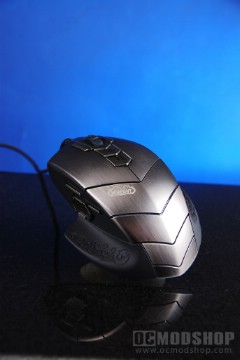
I did find the buttons next to the scroll wheel a little in-the-way, making me have to spread my fingers out farther to stay on the left and right standard clicks. I got used to this after a while, but I think that simply doing away with those two buttons or moving them would have been an improvement. And then there was the light inside the mouse. I have to admit that even as weird as it is having a glowing mouse sitting there, it kind of grew on me after a while. So I set it to glow blue like my Razer Lycossa to have a more matched set.


