
The HR-05 comes with two different mounting clips, a few hooks, and plastic pushpins, so it should be compatible with the different mounting mechanisms manufacturers use. If you have holes in your motherboard (instead of hooks), then just use the appriately-sized retention clip with the spring-loaded plastic pushpins.
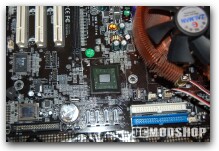
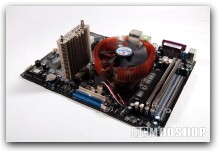
To prepare for installation, you need to keep in mind how long your video card is, and if the PCIe slot is in the northbridge’s line-of-sight. Depending on your configuration, you may be able to position the HR-05 vertically (so it fits snugly between your cards), or horizontally (so it runs perpindicular to your cards. Mounting it horizontally may allow the HR-05’s fan to blow air over your cards.
Once we removed the passive heatsink, we see that nVidia’s northbridge is a “flip-chip” design, so the silicon is exposed without any protection. I am very wary of this, as I have nearly ruined several Pentium IIIs, and a few Athlon XPs with nothing more than normal maintenance… copper will happily scrape and chip those delicate corners very easily, even if you are very careful. To offer extra protection, Thermalright includes a thin rubber square to be placed around the edge of the chip, which should help prevent damage from sliding and tilting.
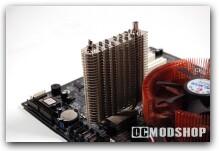
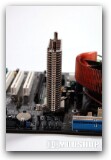
Doing the installation is a bit tricky, but thankfully can be done without removing the motherboard. First, place the thermal grease of your choice (we used Zalman’s silver thermal compound) directly on the chip and a little on the heatsink. We then rub the compound into the heatsink slightly with a cloth, and place firmly on the Northbridge. The appropriate retention bracket is then placed into position (between the two heatpipes and under all the fins), and fits into a grooved half-sphere in the center of the HR-05’s base. It is easier to position the clip without the pushpins in place, else you’ll have to twist the clip in weird ways to get it through.
After the clip is positioned, place the spring-loaded pushpins through each end of the clip and then through the mounting holes on the motherboard. Be sure to keep constant pressure on the heatsink to keep it from tilting. After a few pushes, the heatsink is mounted.
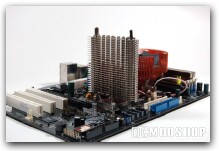
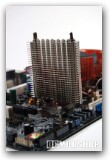
Once mounted, we did notice that it slid around an awful lot, and it tilts very easily in all four directions: those pushpins definately won’t crush your chip, but don’t keep them safely secure, either. Any movement is sure to cause damage to the exposed chip underneath. I found myself easily bumping and accidentally twisting the heatsink by doing normal maintenance (cable routing, drive upgrades, and just plain normal installation).
Even if you don’t mess with your computer very much, you should still be worried about this installation. If your motherboard is vertically mounted, then gravity will surely pull on the heavy heatsink, creating torque, which will pull the pushpins out of their sockets. This very thing happened to me, my computer suddenly crashed from overheating, and a little investigation revealed that one of the pushpins came loose, and the HR-05 was half-cocked. If you transport your PC to LAN parties you need to be extra careful. If you are going to ship your PC, you should probably uninstall this heatsink first.
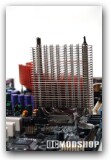
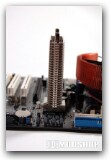
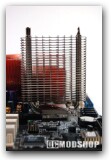
Our home theater system was so cramped, that we were unable to remove our optical drive without removing the motherboard, and the motherboard could not be removed without uninstalling the HR-05. I found myself cringing and sweating every time I had to do any maintenance, because of the obvious damage the HR-05 was doing to my poor chipset. The inevitable finally happened, though… the HR-05 finally destroyed my chip, resulting in one dead Asus A8N-SLI motherboard (the original test machine). The white scrapes and chips on the edges of my northbridge were obvious evidence of this homicide.
If you’re going to install a beefy third party heatsink such as the HR-05, only use it on a northbridge encased in plastic or ceramic. You can easily damage your hardware. A secure mounting method (like Zalman’s products) would address all of these mounting issues.