

Inside the small cardboard box is the SuperSpeed card itself, a small user manual, an optional low-profile bracket, and a driver CD. The CD only has a small 7MB setup file, which auto-detects which of the supported operating systems you are using. You can download this file here. The card is very small and doesn’t extend beyond the PCIe 1x connector. On the card itself are two USB 3.0 ports, which are colored blue. You can easily see the 5 additional contact points on the USB connector. On the face of the card you can see the small NEC D720200F1 USB 3.0 chip, along with a few other electronic components. The front of the card also needs additional power in order for the card to function, and it gets this power in the form of a SATA power connector.
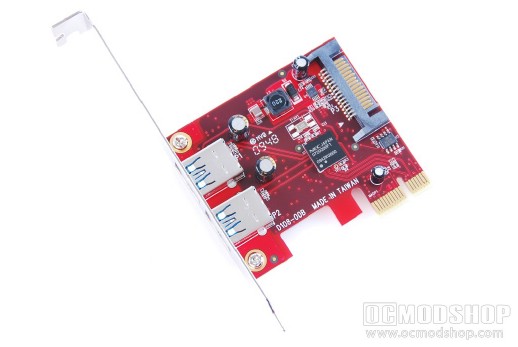
The SuperSpeed USB 3.0 card in all its glory
One of the things that suck about current SuperSpeed solutions is that there are no pins to attach front USB ports or internal components. The chip only supports 2 USB devices, so if you find yourself needing more, then you’ll have to find a USB 3.0 hub or purchase an additional card.
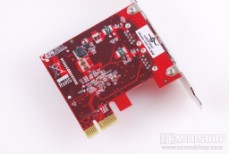
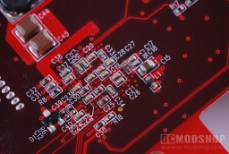
Installing the card is rather easy, but can be involved depending on the arrangement of your case innards. Most PC enthusiasts only use PCI Express slots for two things: a video card and a sound card. Some of these devices take up two slots, and since many people aren’t using PCIe 1x slots those are the first things to get covered up… as was in my situation. I ended up having to move my video and sound cards around so that I could access the only available 1x slot. Of course, you can plug any 1x card into a 16x slot, but that seems like a waste to me.
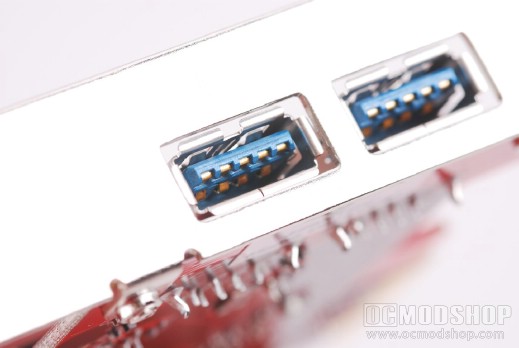
You can see the five extra contact points used exclusively by the 3.0 standard
After figuring out a home for the SuperSpeed USB 3.0 card, you must now route additional power to the card. Now every option card I have requires an additional power line in order to run. My ATI 4870 video card requires additional power, as does my Asus Xonar PCIe sound card, and now a USB card requires additional power. If I am not mistaken, doesn’t the PCIe specification use additional power for just such these situations? Regardless, I still have to pull out another modular PCIe cable and attach it to the ThermalTake ToughPower 850W power supply, route it through my case. It would be one thing if this case only required a floppy or standard 4-pin molex connector, as I have plenty of these in the main area of my case. It would have been nice if Vantec included a Molex to SATA power adapter, but alas none is to be found. The point of this paragraph is that the PC enthusiast doesn’t want extra power cables mucking up their case. Any new line will have to be routed neatly so as to hide its existance.
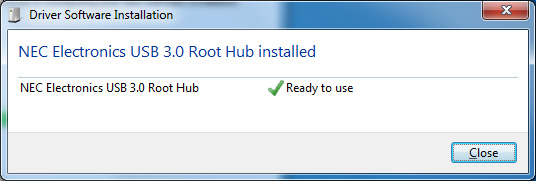
Once the card is physically installed, Windows 7 immediately finds the card and begins installation, but USB 3.0 is so new that drivers cannot be found. You can either run Windows Update or run the Setup program on the CD. Once installed then Windows immediately recognizes the card and any device attached to the new card. If you forgot to plug in the power connector to the card, then you will be met with the “a power surge has occurred on one of your USB ports” message. The NEC USB 3.0 chip will not work without this additional power… I’ve tried it.
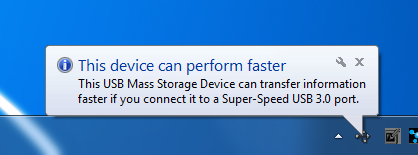
Windows is also smart enough to know when a USB 3.0 device is plugged into a “legacy” 2.0 port or using a 2.0 cable. You get the same “This device can run faster” message that you got when using a 2.0 device on a 1.1 port. There should be little reason why you don’t get the full speed of your new SuperSpeed devices.
On the next page we test the card with a bunch of different devices…


1 comment
Thanks for the review. Good stuff.
One aspect you didn't comment on: impact on system CPU load when using this PCI-e host.
USB 2.0 tends to consume more CPU cycles while doing real work. You don't compare how using this card affects CPU consumption. When compared against the ICH7 or comparing the PCI-e host CPU consumption comparing USB 2.0 against 3.0.
Comments are closed.