It’s not really a true “hard drive” according to Cornice, the inventor of the internal “storage element”, but has a spinning platter and heads just like a hard drive, and is IDE compatible, just like a hard drive. Because it has moving parts, Cornice has implemented features to make the storage element very rugged, as it is prone to many more drops, shocks, and movement.that a traditional hard drive will never encounter.
The differences between U3 and Ceedo
Ceedo is embedded on the 12GB Store’n’ Go, which is a portable applications manager similar to the more popular U3 system. Both have their own Start Menus (which are located on the right side of your taskbar) and are automatically launched when the device is inserted. The launcher application has a startup file that Windows knows to look for, which points to the launcher. If the launcher fails to start, you can run it manually.
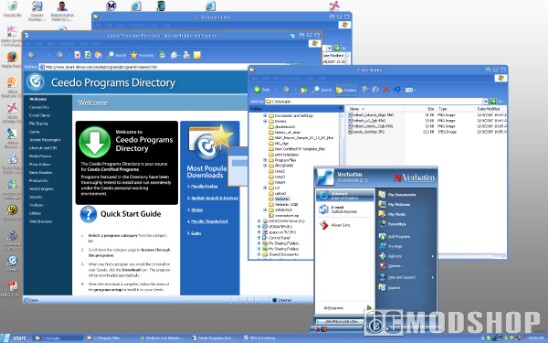
U3 and Ceedo are very similar, but there are some minor differences in how they work. U3 divides the USB drive into two dynamic partitions, one for embedded apps and the other for data. Installed U3 applications are hidden on the system partition. While this prevents users from accidentally deleting files, you also can’t browse them, either. You may not have any data on the data partition, but only 500MB free if you have a lot of programs installed.
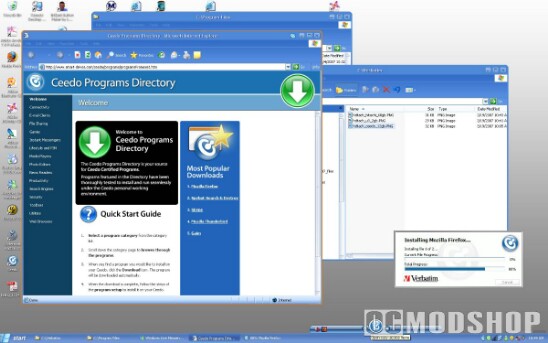
Ceedo implements a different strategy, and only uses one drive letter. Alll portable Ceedo applications are installed under the “Ceedo” directory on the root of the drive. Ceedo also has another nifty feature: the ability to make Internet Explorer portable (regardless of the version).
While IE cannot be “installed” onto the device, Ceedo can capture all cookies, bookmarks, cache, and any other files that would leave a footprint on the host computer, and even cleans up these files upon eject. This can be a very handy feature for system administrators, people who want to keep a central “Favorites” list, or anyone else that doesn’t want traces of their browsing habits left behind. Of course, if you’re a Firefox user, then you are probably more interested in Portable Firefox, although version 1.5 is the latest “portable” version at the time of this writing.
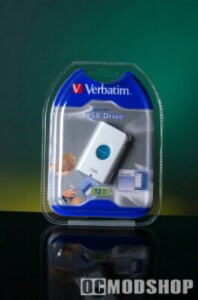
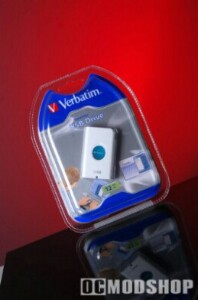
Even though U3 and Ceedo applications are not compatible with other, many popular applications are available for both. Open organizations have even created “independent” portable applications, which are architechted in such a way to eliminate dependency on a host Operating System. The drawback to these “open portable apps” is that you must navigate to them manually and run them; they are not recognized by U3 or Ceedo’s management utilities, which basically include recognized apps in their own quick-launch menus. One of the more robust and popular of these open applications is OpenOffice, which is a completely portable Office Suite that is completely compatible with Microsoft Office, but leaves no footprint on the host computer.