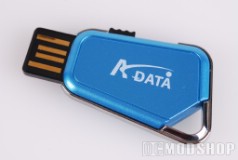
The PD17 is easily one of the smallest USB drives available. Not only is it just slightly smaller than a standard SD card, it is also very slim and compact (about as thick as two or three SD cards)
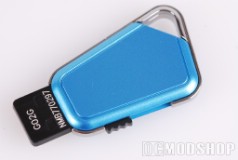
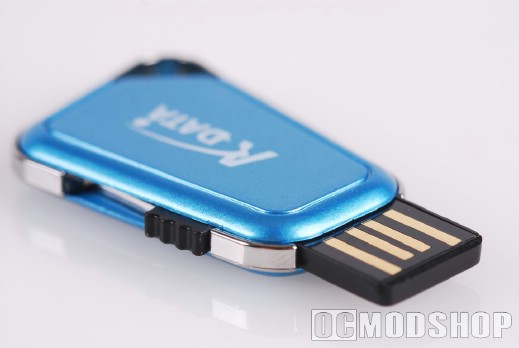
The unit’s case is made from molded plastic and is available in blue, red and orange (tastefully called champagne gold), and has a metalic rim. The rim has a loop integrated into it, which functions as a keyring attachment. On one side is a ridged black push lever that expands and retracts the embedded USB 2.0 connector. The connector itself has four copper connections and slides into the hollow portion of a standard USB port (rather than using a traditional plug that surrounds the entire port). The absense of the metal part of the connector means that you could potentiall insert the device upside-down, but there is no harm in this.
Testing
The flash drive was tested against another standard USB drive of the same capacity: Corsair’s Padlock 2GB Drive. There are other USB drives in the OCMS labs, but have different performance levels, and would be an unfair comparison. These drives were benchmarked on a test PC with the following components:
- Intel E6600 Core 2 Duo CPU
- Asus P5W Deluxe Motherboard (Intel 975 chipset)
- Soundblaster X-Fi Platinum sound card
- eVGA 8800 GTS 320MB PCI-e video card
- 2GB Curcial Ballistix Tracer DDR2-800 memory
- Windows Vista Ultimate
Read performance was measured using SimpliSoftware’s HDTach. Write performance can be measured artificially, but we wanted a real-world scenario, so we copied several files of varying sizes and measured the time taken to copy. Each measurement was taken twice to verify that caching was not affecting the write performance.
 |
 |
 |
|||||||||
|
A-Data PD17 2GB Flash Drive Performance
|
|
|||||||||
 |
|
 |
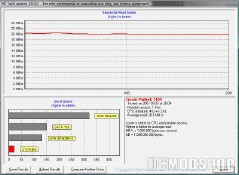
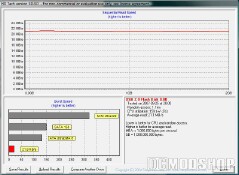
The A-Data PD17 drive had slightly better read performance than Corsair’s drive, but slightly less write performance. The read performance is close to a laptop hard drive, so running applications or streaming video is not a problem.
Copying several gigabytes of data to any flash drive is often painful, taking over 10 minutes in most cases, so the extra 10 seconds really isn’t going to matter. Quick copies of up to a few hundred megabytes doesn’t take that long, however. The write performance of both these drives is adequate for portable applications like OpenOffice and Firefox.