The AcoustiPack Ultimate comes with three black sheets consisting of three layers. The top layer is a thin piece of black foam (the acoustic foam), which is then attached to a thin rubber sheet (the acoustic barrier). A strong adhesive is on the back, making up the third layer. The foam has lots of little sparkly bits throughout, which will certainly reflect all of your case lights like a Christmas tree ornament. On the back of each 18×17″ sheet is an adhesive backing that can be used a few times.
The AcoustiPack Extra is a collection of three medium-density foam blocks that are pre-cut to fit inside a computer’s drive bays. You get two 5.25″ bay blocks and one 3.5″ bay block. These pieces fit so snugly that no adhesive is required, but Acousti recommends that you not place these directly next to anything that generates heat, such as a hard drive.
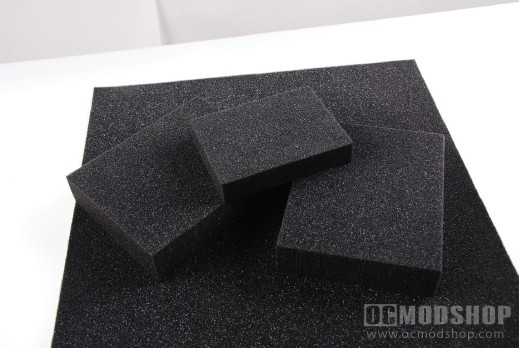
AcoustiPack: Rep-ruh-zen-tin!
Is your case a good candidate?
You must consider the type of case that is to be silenced when using these acoustic materials. Some cases just won’t benefit very much from them, mainly cases with windows and cases with a lot of natural ventillation. The Lian Li V-1000 case is very open and airy, and wouldn’t benefit as much as a “closed” case. This foam adds an extra level of professionalism to any rig, so you may want to put this in a windowed case just for the “oooh” factor, and it covers scratches on aluminum very nicely.
A closed case with tight joints (like the ThermalTake DH102 reviewed here or the GlacialTech Altair A381 here) are good candidates. A slimline case like the GMC AVC-S7 (reviewed here) may not work because there is already a tight squeeze for space.
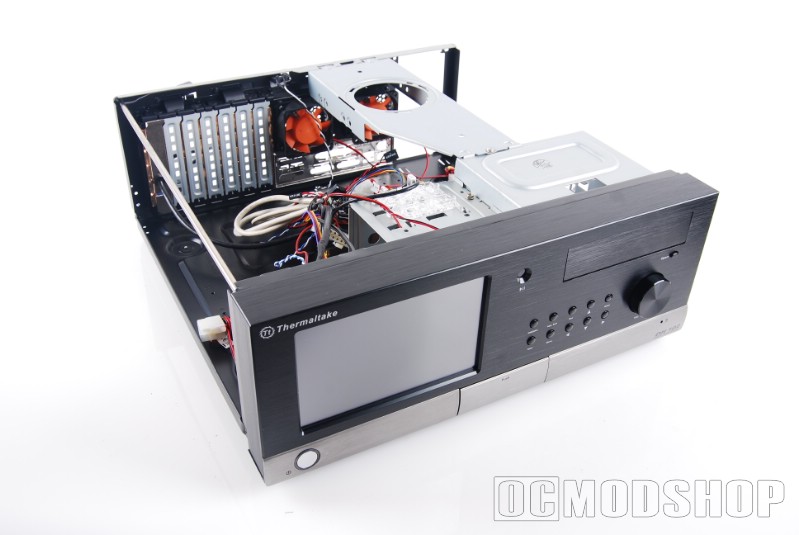
ThermalTake DH102 and GlacialTech Altair A381
The sheets are about the same height as a mid-tower case, so there is just about enough to cover both the left and right side, top and bottom of a modest case. One sheet will be used for each side, and half-sheet for both the top and bottom, and you might have a few scraps left over for some of the back. Cases look really boss when the drive cages are also covered, but this really isn’t practical given all the holes needed to secure the drives. The material should also not touch the power supply or anything that generates heat or conducts electricity, so don’t go crazy and install it under the motherboard.