
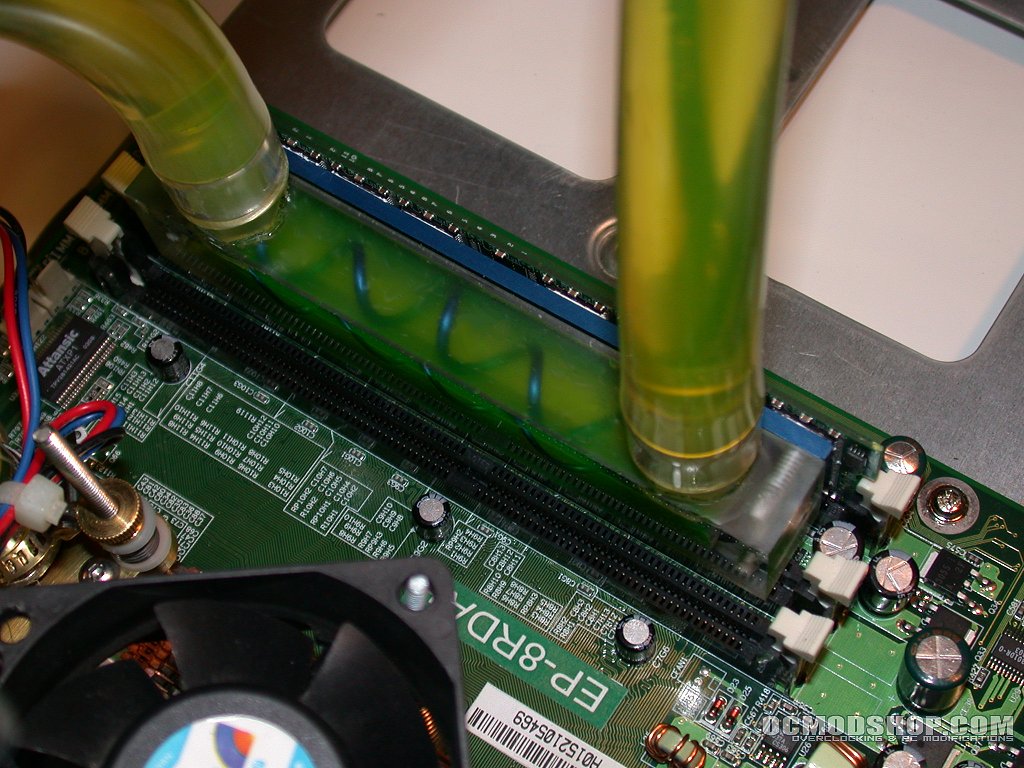
I had just finished testing the Danger Den RBX so that system took just a little effort to get ready for a trial of the RAM blocks. The components in this system were as follows:
• EPoX 8RDA+ motherboard with a Thermalright SK6 converted into a north bridge cooler.
• AMD XP2100 overclocked to 2.2ghz as a starting point.
• Danger Den RBX with the #4 accelerator nozzle.
• 2 x 256mb sticks of Buffalo Technology PC3200 with Winbond BH-5 chips
• ATi RADEON 9800 Pro
• An Original Rainbow Lifeguard Quiet One water pump (1140gph at 0 feet).
• 3 feet of 1/2″ ID Clearflex tubing.
• Weapon 302 Core and Shroud.
• Two San Ace 120mm x 38mm fans were used on the shroud to move air through the 302 core (fan model # 109R1212H1011 – approximately 103 CFM each at 12v).
Watercooled RAM!
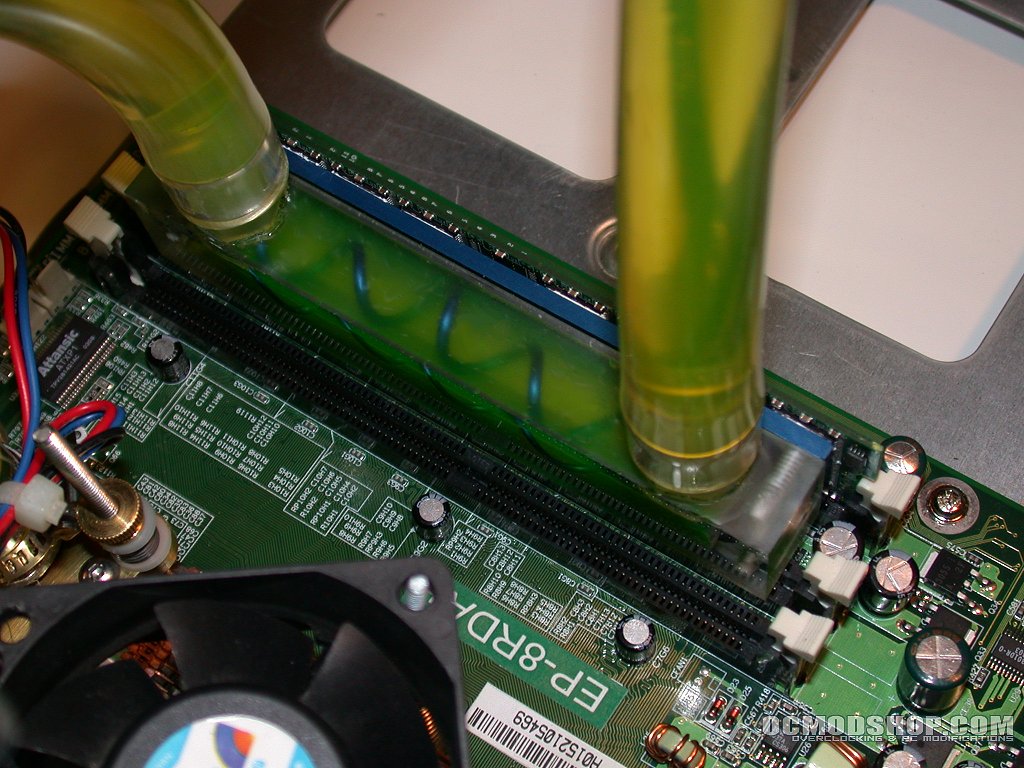
Note: Single block and single RAM stick installed for picture clarity.
Since I had a waterblock with two outlets, setting up the RAM blocks was fairly easy as the dual memory waterblocks were inserted immediately after the CPU block with a short section of 1/2″ ID Clearflex running from the outlets on the RBX to the inlets on the memory waterblocks. I then ran a short piece of Clearflex from the outlets on the memory waterblocks into the wye fitting that came with the RBX to one piece of clearflex that ran back to the inlet of the pump. The final routing of the loop was Rainbow Pump to Weapon Dual 120 Heatercore to RBX to memory waterblocks to wye fitting to T-Line and then back to the Rainbow pump. I used a T-Line setup as I wanted to keep as much flow as possible but a reservoir setup would have been much easier from a fill and bleed perspective with the amount of time I had to get all of the components setup.
From my initial pre-testing of this system and RAM, I determined that at stock memory voltages, the RAM would stay very close to ambient temperatures with a fan blowing almost any amount of air across them. Without the fan, the RAM would be only very slightly above ambient with stock voltages so it appeared that little in terms of cooling would be gained from watercooling the RAM provided voltage was left at stock. Of course, the fan could be removed from the RAM with watercooling so there was an advantage as far as noise was concerned.
Since stock voltages were not going to prove much on the overclocking side of the equation, I promptly started turning up the voltage to the RAM and cranking up the MHz. With a fan aiming air at the RAM, I had previously been able to get the Buffalo Technology DDR to run MemTest86 without errors up to 220mhz with settings of 2-2-2-11 with the multiplier set to 11 and memory voltage set to 2.90v. This is not amazing performance from Winbond BH-5 chips which have an appetite for higher voltages and tend to perform much better with voltages over 3.0v.
I proceeded to do a voltage modification to the motherboard and tune the memory voltage up to 3.2 volts for further testing at higher voltages. At this voltage, the memory was noticeably warmer but more stable as it would now run MemTest86 up to 224 MHz without errors. At 224 MHz and 3.2 volts, the RAM was running at approximately 1.5 degrees Celsius over ambient temperatures with the fan cooling method with some of the chips on the RAM running 1 degree Celsius hotter which indicated that the airflow over the RAM was uneven or certain chips on the memory were working a bit harder than the rest. At this speed and voltage, the watercooling blocks did have an ever-so-slight advantage in performance as they would hold the RAM to ambient temps while more evenly cooling all of the chips on each stick of RAM. The improved cooling resulted in a modest gain of 6 MHz for a final error-free MemTest86 run at 230mhz with 3.2v and settings of 2-2-2-11. Not mind-boggling results for certain but it also is not too bad for RAM sticks that are only rated to run CAS2.5 up to 200mhz. In any event, there was a slight gain in both performance and silence as a bit more speed was had while still removing a fan from the system.
Conclusion
The AkwaFlo RAM Cooler from Angel Eye Technologies are interesting waterblocks that allow for watercooling of yet another system component. RAM watercooling was not a readily available option for most in the past unless they resorted to DIY fabrication.
The AkwaFlo Ram Cooler allows for quiet cooling of RAM without having to sacrifice performance. The RAM blocks also allow for the use of higher voltages. However, a copper-based version would be a little nicer (although undoubtedly more expensive) and improved acrylic processing or handling could produce a bit smoother final product as the edges on the acrylic pieces were slightly rough.
Overall, I give them 8 out of 10 for the lack of installation instructions and the slight roughness on the acrylic finishing. I would like to thank Directron for making this review possible.
Pros:
- Good RAM cooling performance
- Quiet
- Reasonable price
- Improved cooling for heavily overvolted and overclocked RAM
- Available in different colors with different fitting sizes
Cons:
- Aluminum base instead of copper
- Acrylic body on blocks was a little rough
- No mounting instructions
- Hard to remove or disassemble for cleaning once mounted to RAM

