

By now I’ve managed to turn my love of writing reviews into low grade erotica, but again, I must tell you how much more confidance I have since introducing the P180B into my life. I walk around with clearly more jock in my walk and a certain cockiness that those around me can see. I’m too young for viagra but more then one of my friends has asked me if I’ve started taking enzyte (www.enzyte.com) to which I merely laugh and say…
“No, I’m just enjoying an active (if not strange) sex life with my wife and our new computer case.”
Some of my co-workers have also noticed my new found self assurance and they ask as well and I tell them the same thing. Which causes a bit of a stir since I work at a monastary.
Regardless of all of the sexual harrasment classes I have been ordered to take, the P180B still has some other things I need to talk about, namely the other device installations.
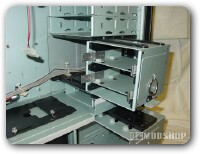
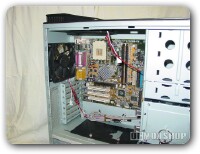
There is room for only one 3.5″ floppy drive bay, not that you need more then one, but hey be happy they provided the one, the floppy is all but dead.
Additionally there is room for four 5.25 drive bays, placing my DVD drive and re-writer into the case was as easy as any case which means, pretty darn easy. For you drive bay virgins out there, take it easy, make sure you refer to the power supply installation section and then line up the power cables to the drives. Don’t go to quickly or you may mess up, just be sure you keep a steady hand and place the drive in gently but firmly. Make sure not to get sweat all over or you’ll end up pissin off the ol girl. Before you know it your drive is in and you are well on your way to loading on all sorts of games and programs.
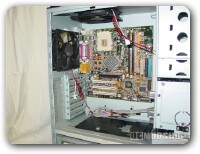
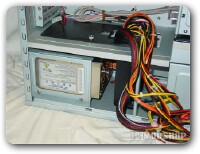
Lastly the case has two hard drive cages that can be removed by unscrewing a set of hand screws and and then using the finger ring (more fingers?) pull the cages from their mounting (mounting, not again, I’m too tired) for access. Each cage has room for three hard drives which means this case can hold up to six total hard drives, which is exactly four more then I have. The manual recommends that you use the lower drive cage to take full advantage of it’s cooling and noise dampening properties.
I must say that all in all the installation process from begining to end was fairly easy and the manual that comes with the case is easy enough to use, not that I needed to all that much.
