
The new Aten switch comes with everything you need to get started, but not everything you need to connect all of your devices. I mean, the entire reason you’re buying an HDMI switch is to consolidate all of your video devices, so I’m disappointed that there was only one HDMI cable included, and a relatively short one at that. Here’s what’s in the box:
- 1 VS481a HDMI switch
- 1 IR Remote Control
- 1 Power Adapter
- 1 HDMI cable (1.8m)
- 1 User Manual
- 1 Quick Start Guide
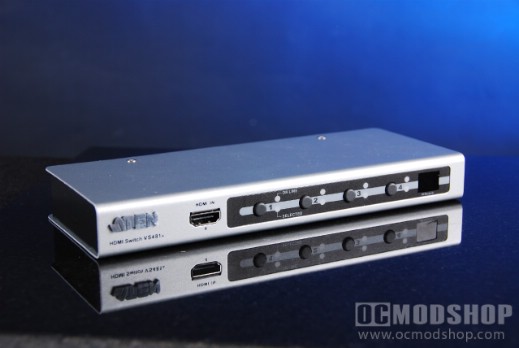
The ATEN VS481A HDMI switch appears to be a very simple device. It is a small (8cm x 20cm) metal box that has several switching buttons and HDMI ports. Even though it’s so small, it has nice rubber feet that keep it from sliding around. On the front of the switch is a single HDMI switch (for easy access to portable HDMI devices like a camcorder). To the right of this port are four buttons that you can use to switch between your different devices, each of which have an LED to indicate the current selection. To the right of this is an IR sensor to be used with the included slimline remote.
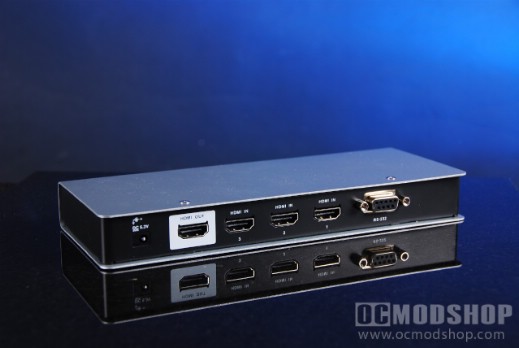
The back of the unit has three HDMI IN ports labeled in sequential order from 1 to 3. A single HDMI out port is highlighted with white paint and is your single connection to your monitor. A 9-pin serial port (RS-232) also appears on the back, and is reserved for advanced usage, such as being controlled with a PC or home automation package. Also included is a small DC power input for the included AC adapter.
The remote control is very simple. It is a slimline remote that uses small watch batteries. On the front of the remote are six buttons: Port Up, Port Down, 1, 2, 3, and 4. With this mechanism you can directly switch to a particular device by pressing the appropriate number, or just toggle through them.


