
The ATEN HDMI switch was tested on a Sony rear-projection TV and HANS-G 28” LCD computer monitor, both of which have a solitary HDMI input. The Sony TV supports a maximum resolution of 1080i and the Hans-G monitor supports full 1080p (1900×1200 progressive).
Whenever the HDMI switch is powered on, it automatically selects Port 1, so it is recommended to connect your most frequently-used device to that port. Selecting other devices is as simple as pressing the button on the front, or selecting the appropriate number on the remote control. Although the remote comes with a port up and port down button, I really doubt that anyone will use these and simply directly select the appropriate device. Each button has two LEDs, and the selected device illuminates green while the unselected ports are orange.
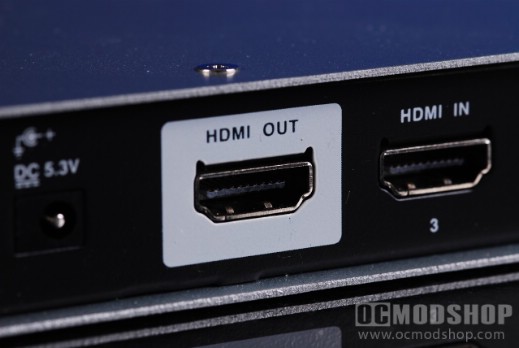
To configure this unit with home automation, you must make sure the master device matches the default rate of the ATEN’s serial port:
| Baud Rate | 19200 |
| Data Bits | 8 |
| Parity | None |
| Stop Bits | 1 |
| Flow Control | None |
Once you’ve matched these settings up, you can issue simple commands to the unit. Here are the serial commands that can be issued to the device:
| Control Function | Start Code | Head | Function | Data Lendth | Data | Checksum | End Code |
| Switch to Last Port | 0x5A 0x7E |
Port Code 0x81 | Switch to Next Port 0x00 | 0x00 | N/A | 0x81 | 0x81 0xA5 |
| Switch to Next Port | Switch to Next Port 0x01 | 0x00 | N/A | 0x82 | |||
| Switch to Port 1 | Switch to Next Port 0x08 | 0x01 | 0x31 | 0xBB | |||
| Switch to Port 2 | Switch to Next Port 0x08 | 0x01 | 0x32 | 0xBC | |||
| Switch to Port 3 | Switch to Next Port 0x08 | 0x01 | 0x33 | 0xBD | |||
| Switch to Port 4 | Switch to Next Port 0x08 | 0x01 | 0x34 | 0cBE |
The ATEN switch supports HTMI 1.3b, which supports single-link bandwidth to 340Mhz (or 10.2 Gbit a second) and the latest Dolby audio technologies. This standards also supports 30-bit, 36-bit and 48-bit color, compared to the 24-bit sRGB in previous HDMI versions. HDMI 1.3b added Cable and Sink modifications and a few other things that really don’t matter to the end user. The latest HDMI version is 1.4, but the major difference is the expanded support for 4096x2160p (used by digital theaters). So unless you have a monitor that supports a resolution over 1080p (and therefore you are a millionaire) then you should be ok. Most consumer devices are tested for HDMI 1.3a compliance. What this boils down to is that this ATEN switch is capable of reproducing an insane amount of colors and audio technologies. The only thing better is going to a digital movie theater.
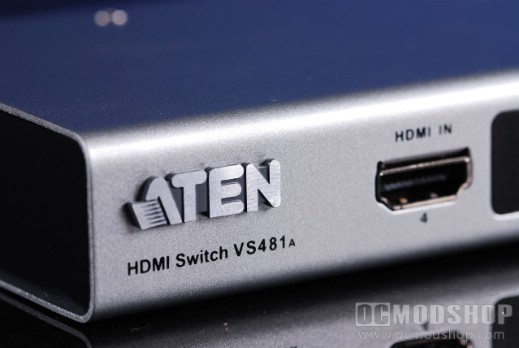
In our testing the color levels remained very the same and there did not appear to be any signal loss at all. Your mileage may vary depending on the quality of cables you use, but we used high-end Monster cables for all of our devices. Switching was instant and there were no problems, ghosting, lag, or any other type of digital video or audio issue.
The ATEN VS481A HDMI switch is a rather good product that solves connectivity problem if you have limited HDMI ports. It is rather costly if you just use it as a simple video switch, but is more valable if you actually tie into the home automation features it supports. This was meant to integrate with high-end home theater equipment, so if you are the type that only has high-end gear then the price won’t scare you away. It will certainly last for many years of service, or at least until HDMI remains the audio/video standard.
 |
 |
 |
|||||||||||||||||||||||||||
|
|
|
|||||||||||||||||||||||||||
 |
|
 |
|||||||||||||||||||||||||||


