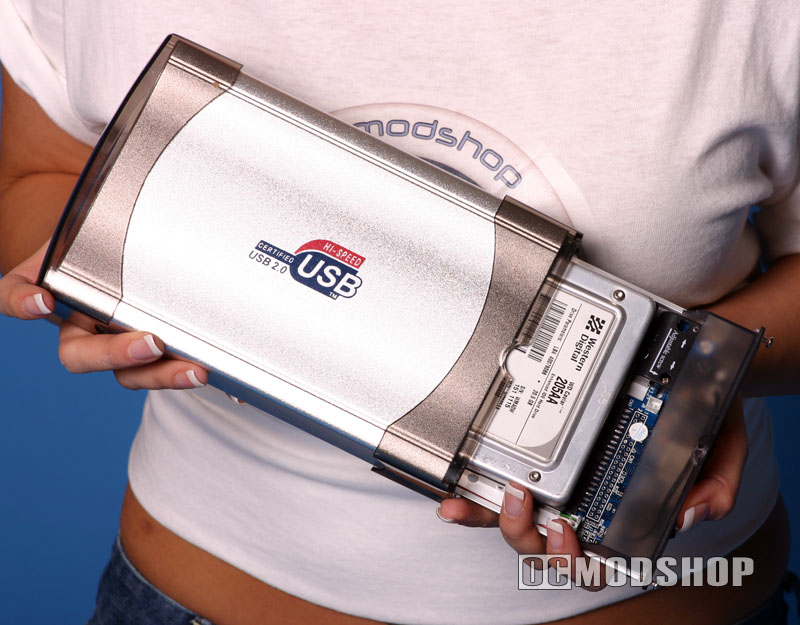
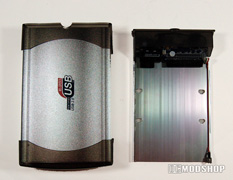
Installation is relatively simple: just remove the tray, attach the hard drive with the four provided screws, and reinsert the tray into the enclosure and tighten the rear screws.
The back screws can only be partiall removed, as they are permanently attached to the drive tray. Once they are loosened from the external enclosure, the drive tray slides out. The drive is affixed to the tray by installing screws to the underside of the hard drive. The drive tray is not a completely secure fit, as it does rattle slightly inside the case. There are no air ducts or fans of any kind, so any heat must be naturally eliminated through radiation and convection.
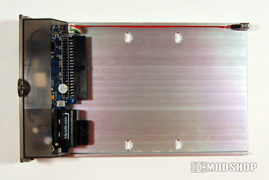
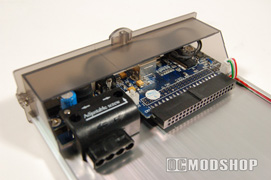
The drive tray’s power connector is adjustable (can be slid left or right) to accommodate the variances between different drives. A tiny screw holds the power connector in one spot, which must be loosened before adjustment. Once alignment is determined, the drive slides securely to the connections. There is also a 2-pin connector for a small fan, but none is included.
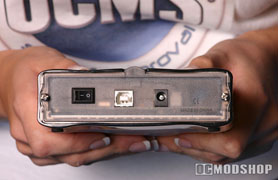
The USB cable and power adapter are plugged in and the drive is ready. The USB cable uses the standard square to rectangular adapter. (it is about 3 ½ feet long). No driver is required unless you are using Windows 98 SE.
Once the enclosure’s power switch is turned on, the drive spins up, which takes a few seconds. The onboard electronics verify the drive is ready, and then Windows recognizes the drive with its familiar “device connection beep”.
The drive is as quiet as the hard drive installed in it. It takes about 10 minutes for the enclosure to feel warm to the touch. An IR thermometer diagnoses the external temperature at 105 degrees. Everyone knows that keeping temperatures low will prolong the life of your electronic equipment.
Most hard drives are built to tolerate much higher temperatures, and should never be affected by this constant warm temperature, but many users would feel better if the enclosure was not hot to the touch.
An older 5,400 RPM drive should be no problem, but a 7,200 RPM drive will definitely generate more heat. Don’t even think about putting a 10,000 RPM drive in this enclosure (it will be a complete waste of performance, and will generate too much heat).
The front hard drive activitiy light is clearly visible from any angle. The single LED displays 2 different colors depending on the drive status. When powered on, the light is green and orange when there is drive activity.