

All of these mouse cords were very easy to thread through the Skorpion’s tail, but it can take some tweaking to find the right amount of “give”. Once the mouse cord is attached, then it does take some getting used to the space restriction you now have. If you don’t provide enough slack with stiffer cords then you will find that the mouse “pushes back” if you get too close to the bungee. If you have to do a lot of wide movements (such as navigating a 3-monitor setup), then you might be a little frustrated.
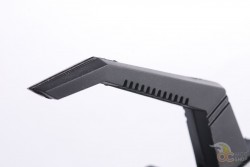
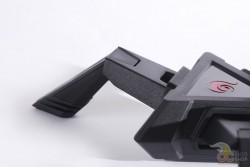
Although the Skorpion can be disassembled, it isn’t very easy to detach the legs, but the tail comes apart easily. Most people won’t bother taking it apart, and just throw it in their LAN bag, regardless of its bulk. The Skorpion looks good and will certainly turn some heads at your next LAN gathering, but it does take up a decent amount of space on your desk.
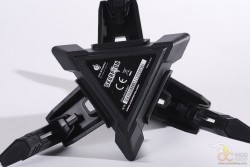
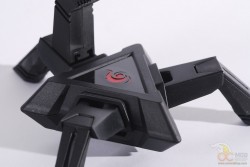
We’ve tried a few mouse-cord-management systems before, and have been frustrated when we ran out of cable slack as the bungee will either go flying or your mouse is stopped short. Thanks to the Skorpion’s flexible tail we had a little bit of give when we moved the mouse out of its movement zone, but you do feel some resistance when doing so. When doing fast and furious gaming, we were able to pull the Skorpion, but instead of sliding it just lifts the back leg off the desk and pretty much stays in place.
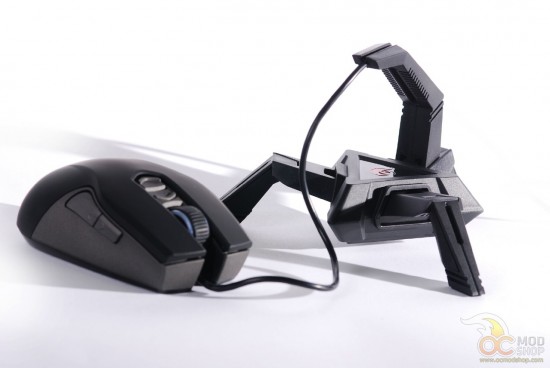
Most people will still be proud to have this on their desk, and mark you as a true gamer. If you’re like me then you use gaming mice at work, and I’m always glad to show off your superior rodent to your co-workers.
The Skorpion costs $20, which isn’t in the impulse-buy category, but is cheap enough for serious gamers that want to tame their mouse tails while branding themselves as “true” PC gamers.




2 comments
[…] IceQ X2 3GB GHz EditionTechRadar goes mobile with the Samsung Galaxy Note 2OCModShop checks out the Cooler Master Skorpion Mouse BungeeHotHardware sits down with the iBuyPower Valkyrie CZ-17 Gaming NotebooktechPowerUp weighs in on the […]
[…] Cooler Master Skorpion Mouse Bungee Review […]
Comments are closed.