
Installation is very simple and only takes a few seconds. The assembly clips onto your DIMM slot’s plastic retention clips. A notch at the center of the aluminum hook is intended to be placed between the two memory banks present on nearly all DDR, DDR2, and DDR3 modules. We tested the Coolit RAM cooler unit against our Crucial Ballistix Tracer DDR2-800 2GB kit memory, which gets rather warm. The unit was tested on an Asus P5W Deluxe motherboard (Intel 975 chipset) with an Intel E6600 Core 2 Duo processor. The memory’s heatspreader temperature was measured using our trusty Radio Shack IR thermometer. We ran 3dMark 2006 in a continuous look while taking temperature measurements.
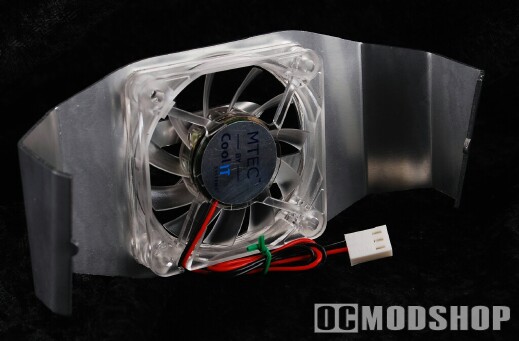
The results show that the CoolIT RAM Fan does lower temperatures considerably on the heat spreaders of the modules. The stock passive cooling of the Crucial Ballistix keeps the  ram at warm (but not alarming) 115 degrees. Adding the additional cooling lowered this temperature to 85 degrees, which provides a good amount of safety when overclocking. Since the fan is angled, the outside RAM stick is actually warmer, but only by 1 degree. The RAM fan blows air across the modules, so the outside module gets the least amount airflow, and the inside get more as they are directly underneath the fan.
Tracers have some very neat green and red LEDs on the top of the memory, which blink in different patterns, and is pure eye-candy in a windowed PC case. I was originally reluctant to install the RAM fan over the Ballistix Tracers, thinking that the fan would block the blinky goodness. To my joy, the memory’s LEDs shine right through and actually illuminate the clear fan blades better than their pre-installed blue LEDs.