
There are many different options when choosing to experience Dead or Alive 4, all which are accessed from the main menu. Cycle through the mode you want and select it. Some choices have so many options that they require a sub-menu, like DOA Online.
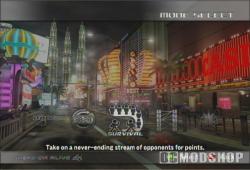
Story Mode: Follow your chosen character and aim to complete their story. Your character must battle in a tournament against the computer and beat all the enemies to clear the game and reach the ending story.

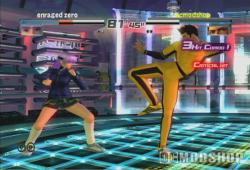
Story mode is the best way to get acquainted with your fighters. Pick a fighter and climb your way through computer-controlled opponents to unlock cutscenes and an amusing final “movie”, which reveals some of the back-story of the character. Once these end movies are unlocked you can view them at any time from the main menu. The computer opponents are easy to beat in Story Mode, even for a button-masher, although the final battle is usually a bit tougher. One of the easy ways to unlock a bunch of costumes for your characters to impress your friends in multiplayer. At least you’ll LOOK like you’re an experienced player.
Time Attack Mode: Battle against the computer to clear the game with the best time. A single match consists of eight fights and a tag match five fights. A results screen is displayed when the game is cleared.
Versus Mode: You choose your opponent and the stage in this mode. You can fight against other players or the computer.
Survival Mode: Fight against computer opponents until your health runs out. After each round, your health recovers by a set amount. You receive points depending on your clear time and number of items obtained. Aim for the highest score before the game is over. Once you lose a battle the game is over.
Team Battle Mode: Form a tag team of up to seven characters and fight against other teams. You can fight against other players or the computer.
 Sparring Mode: Finally a practice, or “sparring” feature has been implemented that not only allows you to practice your moves on a dummy, but allows that dummy to react. The focus here is to teach you, not humiliate you (that’s what DOA Online is for). You’ll find yourself coming back to learn how to beat certain techniques, and try some of your own. You can set the computer’s behavior patterns and practive your moves in this training mode. Practice in a game this complicated to control is a necessity, and with training you can learn quick timing for reversals, critical hits and recovery.
Set the computer up to react in different ways to your attacks:
- Com 1st action – sets the action the computer will perform, and will repeat that action until you tell it to do something else
- Com 2nd action – what the computer should do immediately after you attack, useful for sparring or holding.
- Counter – Every blow you land will result in a counter. You can learn how to react to these counters.
- Exercise – run thru the gamut of their moves, and prompts you how to complete them.
- Command List – popup list of all combos and moves your character has.
- Log Display – what buttons you’re pressing in real time.
- Reset Position – Reset back to original positions.
Watch Mode: Watch a computer vs. computer battle. The computer opponents continue to fight it out until you exit the mode.
User Mode: View detailed data on your performance such as win ration and number of battles won.
Battle Viewer: Playback saved replays.
Rankings: View rankings from Time Attack mode and Survival mode