The package includes everything you need to install the radio in your car. It comes with the radio itself, car cradle, two different cradle mounts, a “SureConnect” installation kit, remote control, XM antenna, a set of black earbuds, and cigarette-lighter DC adapter.
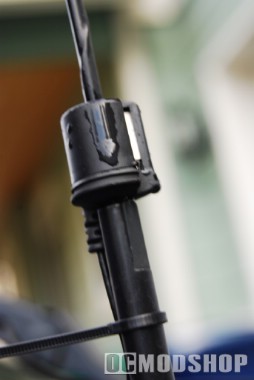
The SureConnect hookup kit is actually rather interesting. The SkyFi3 has an internal FM transmitter so you can listen to it on any standard FM radio. Unfortunately, you the FM transmitter doesn’t work unless the unit is docked in the car cradle. The SureConnect kit is basically a boot that fits over your car’s FM antenna, which then connects to the XM antenna, which goes to the radio unit. The advantage of this method is that the audio signal is very strong, and there is minimal interferance.
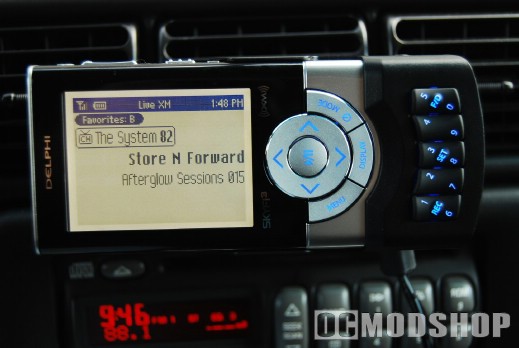
One neat function of the cradle is that it doubles as an Aux input. I don’t have an audio input on my car’s FM radio, but I can tune to the “Aux” channel and the SkyFi3 transmits my video iPod to my FM radio.
The cradle incorporates several buttons and inputs into its design. It has standard 4-way arrow buttons with a center “OK” selection. This system navigation scheme also doubles as the Play Mode, depending on your current selection. For example, when browsing channels, pressing the center button tunes to the highlighted channel, but Pauses when playing. The cradle also has five “rocker switches” that incorporate several function . One side of the rocker switch will register a “1” while the other side registers a “2”. A tertiary function is accessed if you press both sides at the same time (Record, Favorites, etc. depending on the button).
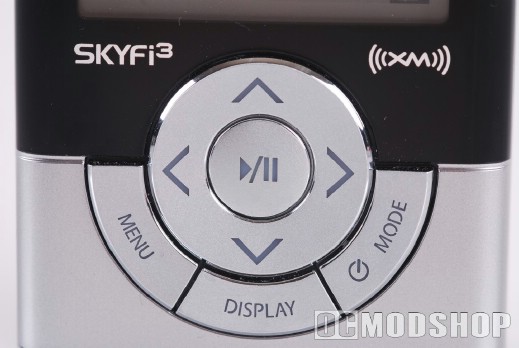
The radio has several different Listening Modes that can be toggled through. You can select “My Music”, which accesses music on the microSD card, Aux (which passes through any device plugged into the audio input jack), and Live Radio (your XM stations). The radio also has four different input modes: Direct (use the number buttons to dial a channel directly), Favorites A (each number button is mapped to a pre-assigned station), Favorites B, or Favorites C. Each Favorites bank has 10 different options (0-9), for a total of 30 different preset stations. It is handy to assign each bank to a particular genre (I keep music stations on Favorites A, talk radio and comedy on Favorites B, and news & weather on Favorites C).
The controls shift when the display mode is changed. When in portrait display mode, the up, down, left and right buttons orient themselves properly (the Up button points towards the screen). When in landscape viewing mode, that same button is mapped as “Left”.
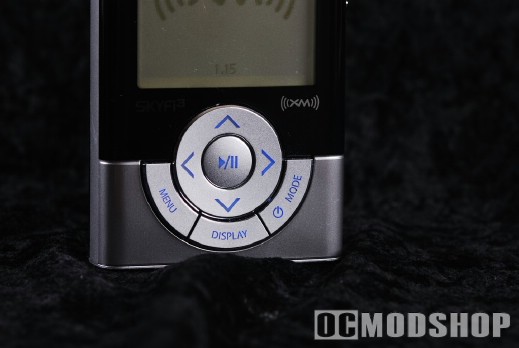
The unit is meant to be portable, so you can easily remove it from your car and take it with you. Unfortunately you have to purchase optional equipment if you actually want to LISTEN to live radio outside of its dock. The unit does not come with an internal XM antenna, so the unit must either be docked in a Home Kit, Car Kit, or use Delphi’s proprietary headphones (which incorporate an XM antenna into its design). You can listen to pre-recorded radio and MP3s when undocked, however.
Listening Modes
Live XM Mode: You may listen to live XM content only when the SKYFi3 is docked to the supplied vehicle cradle, optional home cradle or optional portable cradle. The Live XM Mode offers the following features.
- Channel Selection: You can select channels from the Live XM mode by using the following functions.
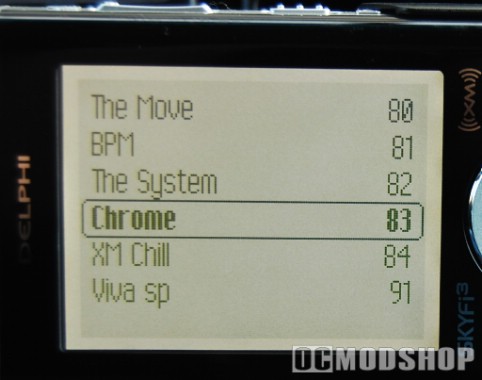
- Channel Browsing: scrolls the full list of channels
- Direct Entry: enter the channel number directly from the remote or dock
- Category Browsing: scrolls the list of channel categories from the channel list
- Favorites: access your favorite channels (presets)
- Replaying XM Content: The SKYFi3 is equipped with a 30 minute buffer that automatically records the last 30 minutes of music played. You can access this 30 minute buffer at anytime to replay XM content. The following music search functions are available for XM Replay.
- Skip: skips to the previous or next song in the order that they played in
- Rewind/Fast Forward: rewinds or fast forwards through the current recorded song or songs
- Quick Rewind/Fast Forward: increases the fast forward and rewind speeds up to 4 speed levels
Note: XM Instant Traffic and Weather cannot be replayed.
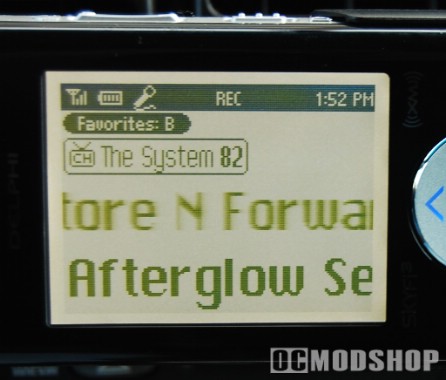
- Recording: The SKYFi3 can record up to 10 hours worth of XM content. You can record while listening to Live XM or by scheduling a recording session. When listening to Live XM, you can record the current song or begin recording the current channel. You can then listen to your recorded XM anywhere with the SKYFi3 and organize your recorded content into playlists. To record XM content you must dock the SKYFi3 in either the supplied car or optional home cradle.
Note: Recorded XM contents is for personal, non-commercial use only and cannot be downloaded from the SKYFi3 to another device.
- Delayed Start Recording: The Delayed Start Recording feature gives you 45 seconds from the start of the song to press RECORD and capture all of the song, as long as you have been tuned to that channel for at least 45 seconds.
- Scheduled Recording: The SKYFi3 allows you to set a particular period of time for the unit to record. To schedule a recording session, the SKYFi3 must be on with an XM signal or off and in a powered home or car dock. You will need to enter in the following criteria for the unit to record a scheduled session.
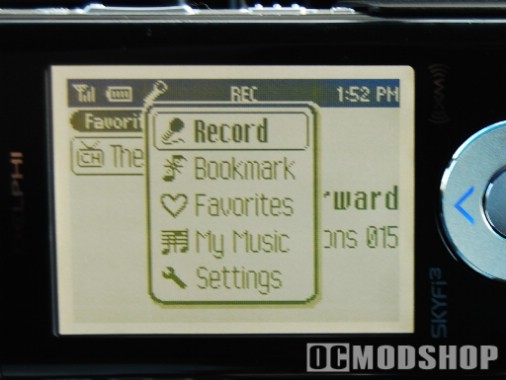
- When: choose from Today, Everyday, or a select a specific Date
- Start: select a start time
- End: select an end time
- Channel: pick the channel you want to record
- Tune Select: The Tune Select feature allows you to setup a list of songs or artists that the SKYFi3 will alert you of when one of them is playing on any XM channel.
- Favorites: The SKYFi3 has three banks of favorites or presets (A, B, C) that you can save 10 items in each bank, giving you a total of 30 XM presets.
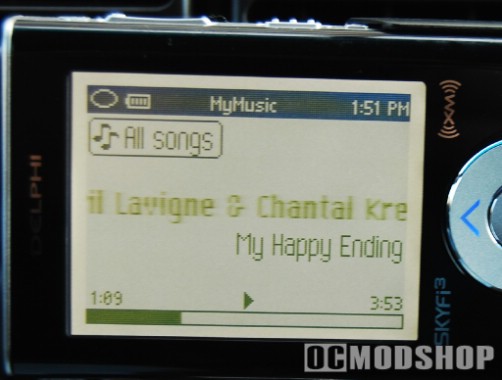
My Music Mode: The SKYFi3 gives you the ability to listen to recorded XM content or downloaded MP3/WMA files through the My Music mode function. The My Music Mode offers the following features.
- Music Access: In addition to accessing a list of your song in the order that they were recorded, you can also access your music by Artist, Category, Channel, and Recording Session.
- Playlists: The SKYFi3 allows you to create your own playlists. Playlists contain a list of songs that are organized to play in a certain sequence. You can add a song to more than one playlist.
- Playback Modes: The SKYFi3 offers the ability to randomly playback the order of your recorded songs or repeat the current song.
- Locking Songs: Once the SKYFi3’s internal memory is full, subsequent recordings will replace stored songs in the order they were recorded. You can lock songs to prevent them from being replaced.
Auxiliary Mode: You can use the SKYFi3 with an external audio source by attaching it to the line-input jack on the car cradle. This will allow you to listen to the external source through the SKYFi3 from your car stereo’s sound system.
Connections: The SKYFi3 features the following connections on the top and bottom of the unit.
- Top of Receiver:
- Headphone Jack: 3.5mm jack for supplied earbud style headphones
- MicroSD Slot: MicroSD Card slot for optional MicroSD card up to 2GB
- Bottom of Receiver:
- Dock Connector: connection for supplied car dock and optional home dock
- Power Connector: connection for supplied vehicle power adapter and optional AC adapter
- USB Connector: mini-type-B USB connector for supplied USB cable for hookup to your PC
The SKYFi3 comes supplied with a vehicle docking kit. The kit includes a docking cradle, wireless remote control, magnetic antenna, XM SureConnect cable, vehicle power adapter and two mounting brackets.
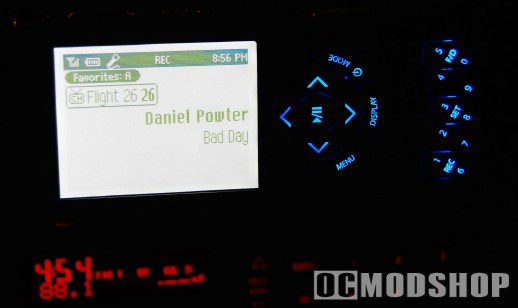
- Docking Cradle: The Docking cradle includes the following connections and controls.
- Connections: The vehicle dock offers a dock connection for the SKYFi3 receiver to slide into for operation in your vehicle. The vehicle dock features an SMB antenna connection and 5 V DC connection on the rear panel. The 5 V DC connection allows you to easily power the SKYFi3 using the supplied vehicle power adapter (cigarette lighter adapter). The dock also features a Line Out connection on the left side to allow you to directly connect the SKYFi3 to your in-dash head-units auxiliary input, if equipped. On the right side, the dock features a Line In connection which allows you to input an external source into the SKYFi3 such as a portable MP3 player and have it playback through the SKYFi3’s docking cradle and your car’s stereo system.
- Controls: The car dock features 0-9 back-lit number keys which allows you to either directly access XM stations or use them as your favorite XM presets. The dock also offers a record button to record the current song playing.
- Wireless Remote Control: The Car Kit comes supplied with a full function IR wireless remote control. The remote features the following functions.
- Power On/Off
- Menu
- Play/Pause
- Arrow Keys (use to select songs or as search function)
- Mode (Live XM, My Music or Aux)
- Favorite or Direct channel access
- 0-9 Number keypad
- Display (Horizontal or Vertical display view)
- Record
- Volume Up/Down
- Mute
- Jump (returns to previous channel)
 Vehicle Mounts: The car kit give you two different mounting methods for vehicle.
- Swivel Mount: The swivel mount clips on to the car docking cradle and has an adhesive backing to allow you to stick the swivel mount to either your dash or console. The swivel mount rotates 360-degrees and moves up and down 45-degrees to give you the best viewing angle possible.
- Vent Mount: The vent mount also clips to the back of the car docking cradle but it is designed to clip on to one of your air vents in your car. The vent mount uses spring-type arms to secure itself to your air vent. The vent mount can also rotate 360-degrees but it cannot move up or down.
- Vehicle Power Adapter: The vehicle kit comes equipped with a vehicle power adapter (cigarette lighter adapter) that allows you to easily supply power to the SKYFi3 by using the cigarette lighter or accessory plug in your vehicle. The adapter plugs into the back of the docking cradle.
- Magnetic Antenna: The Vehicle Kit comes supplied with a magnetic antenna that offers a 21.5″ cord with a single SMB connector. The antenna is designed to plug directly into the vehicle dock. The antenna’s magnetic backing will adhere to your vehicle’s sheet metal. The antenna is very low-profile only measuring 1.399″ wide, 1.724″ deep, and 0.527″ tall.
- XM SureConnect Cable: The kit also features an XM SureConnect cable that improves FM frequency transmission between you vehicle’s FM antenna an the built-in wireless FM transmitter inside the receiver. You will want to place the XM antenna as close to your FM antenna as possible. The SureConnect cable can then be clipped to your FM antenna if you have a fixed mount antenna or stuck to the interior of the windshield if you have an In-Glass FM antenna. The SureConnect cable plugs into the vehicle’s dock antenna plug and the XM antenna then plugs into the SureConnect cable. The SureConnect cable cannot be used on retractable or motorized FM antennas.