
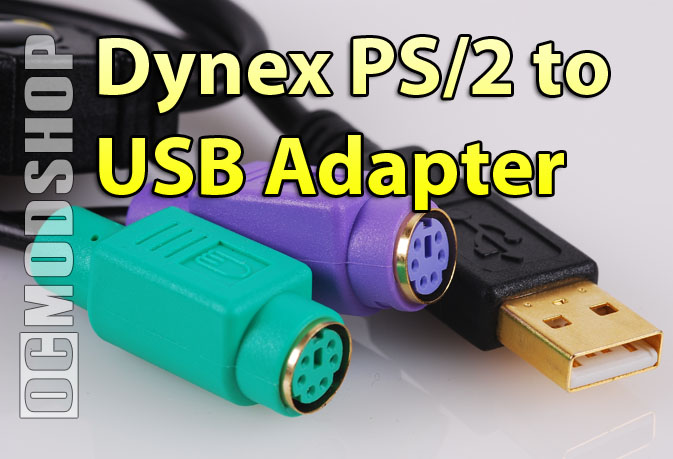
If you are using any flavor of Windows made within the past 10 years (Windows Me, 2000, XP or Vista), then you’ll have no trouble. Just plug it in and go. I didn’t even receive a “your hardware is installed and ready for use” message… everything just worked.
It even works if you hot-swap PS/2 keyboards or mice, something that the PS/2 port on your motherboard will not do. Traditionally if you unplug your PS/2 keyboard and plug it back in, then it would not work and you would have to reboot. This would happen less often with PS/2 mice, but sometimes you would get lucky.
 Overclocking the mouse port
Some Logitech and Microsoft mice have a huge performance boost when you overclock the mouse port, because of an interface limit. Specifically they are: Logitech’s MX300 & MX500 and Microsoft’s WMO, IE3.0 & Laser 6000. My recommendation is to set the USB rate to 500Hz for these mice, but using a USB tool that only affects the port that has the mouse plugged in. The response on other mice did not change when overclocking the USB port (or they had a higher clock rate by default).
Overclocking the mouse port worked for the most part, but requires as much trial-and-error as a normal USB mouse.

No drivers are included with this product, so it is uncertain if this will work with Mac OS or Linux. Mac users may find this more useful, as there hasn’t been a Mac with a PS/2 port in a long long time (if ever). Nearly every recent version of Linux has great USB support, so I see no reason why this product would not work… it IS converting to standard UHCI and OHCI USB signals after all, and it is the OS that determines compatibility. It’s a relatively known fact nowadays that USB devices to not work on Windows 98 and below.
I had feared that some of the specialized functions of my Media keyword would not work, but the device converted the signal and passed the along without a hitch. Specialized keyboard features like Media controls, Web shortcuts, and even the weird F-key toggles on the newer keyboards worked perfectly.
 Conclusion
This product fit the bill for me. I had a laptop with two USB ports, and no docking station, and needed to use my favorite keyboard again. The Dynex USB PS/2 Adapter worked flawlessly without any problems, and even allows hot-swapping of my legacy devices.
The retail price for this little wonder is $30, so this isn’t a device you buy just because you have a hole in your pocket. If you ever thought that a PS/2 adapter would be handy, or you find yourself wishing you could use your favorite keyboard or mouse on your new PC, then it’s worth the price.
 |
 |
 |
|||||||||||||||||||||||||||
|
|
|
|||||||||||||||||||||||||||
 |
|
 |
|||||||||||||||||||||||||||

