
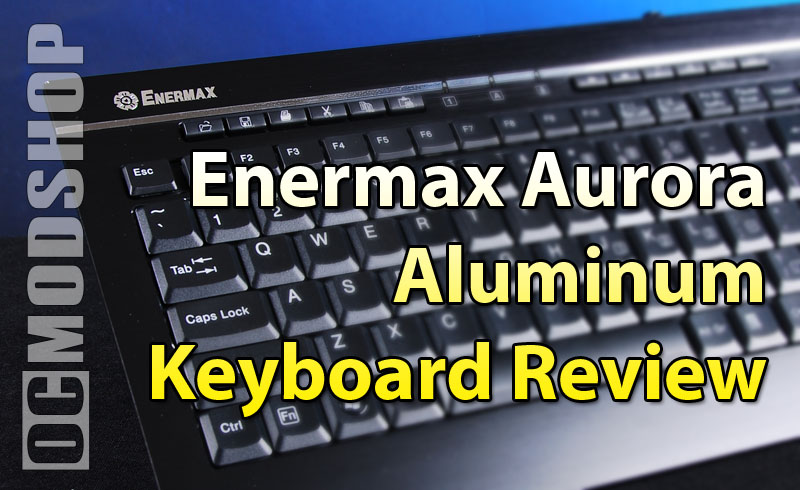
The layout is pretty good for a micro keyboard, so if you are used to small keyboards then you will be right at home. This keyboard is obviously geared towards Office users, as a row of special office macro keys are across the top, above the Function keys. They are Open folder, Save, Print, Cut, Copy, Paste. To the right of these keys (in the center top of the keyboard) are the numlock, caplock, and scroll lock LED indicators, which are bright blue and hard to miss. To the right of this little LED bank are web macro keys: Back, Forward, Search, Home, Favorite, and Email. To my amazement, these macro keys worked right out of the box without any drivers.
The Function keys appear on the top row, followed by Print Screen, Pause, Insert and Delete keys. The Home and End keys should have appeared in this bank, in my opinion, as many people navigate to the beginning and end of sentences using these keys. Instead, these crucial navigation keys have been located on the arrow keys, and can only be accessed by holding down the Fn key.
Also of note on this keyboard layout is the location of the backspace, Enter, and slash keys. The backslash key is frequently used in today’s world, thanks to the World Wide Web. Many people look for a backslash key above the Enter key, but both slashes have been moved to the left of the Alternate Shift key. Since you can’t reach the Enter key easily (even with your pinky), it doesn’t make sense as to why it is so large.
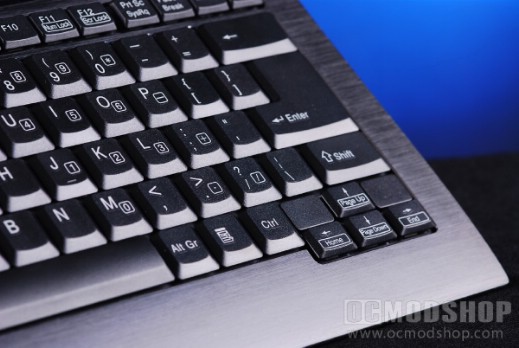
When I first plugged the keyboard in, the Numlock key was on by default… and since this is a micro keyboard, the number pad is duplicated on many letter keys on the right side of the keyboard. The only way to toggle this function is by holding down the Fn key to toggle F11 and F12 into NumLock and Scroll Lock.
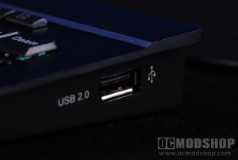
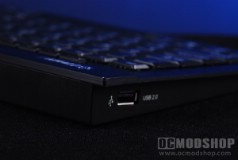
The integrated USB 2.0 ports worked just fine. To test the throughput, I copied some large files from a few USB drives, and the throughput was the same both with and without the keyboard.
I also noticed that I had to reach a lot further for some special keys. Normal typing using the letter keys is very quick and lets me enjoy the great feel that this keyboard has. Unfortunately the cramped space of this keyboard makes me press a lot of keys accidentally, which sends me searching for the Backspace key. Normally I use my right ring finger, but the only way to reach it on the Aurora is to use my pinky.


1 comment
I love the look, feel and size of this keyboard, but they chose to make the layout of keys nonstandard – they put the key with the | and where the right shift key should be. I touch type, and every time I attempt to type a capital letter on the left side of the keyboard, I hit the key instead of the shift key. It was so frustrating for me, I stopped using the keyboard.
Comments are closed.