

That’s a pretty nice compatibility list. Not many machines out there that this wouldn’t fit. I am going to be testing this out on an AMD Athlon 64 X2 processor. Now, out of the box, which is really that damned plastic clam shell crap I hate, we get the heatsink itself. If we cut along the edge of the packaging and lay the heatsink face down, we can open the back and remove everything without much difficulty.
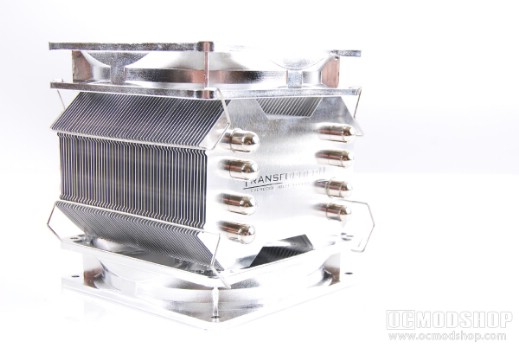
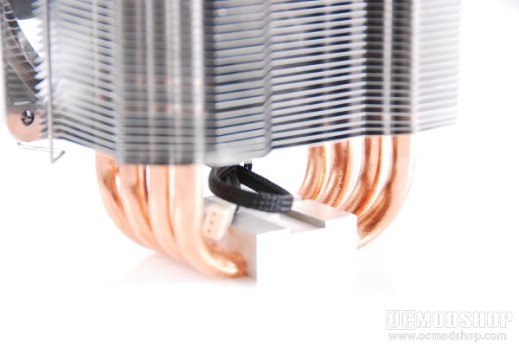
Holding the heatsink itself in my hands, I can see the craftsmanship that EverCool puts into their products. Standing at around six inches tall on my desk, the two 120mm fans on either side hide all but the copper heat pipes that curve around the bottom through the base. The fins are nothing special, a stack of aluminum layers that are meant to dissipate heat from the heat pipes as well as from themselves. Maybe the addition of two huge fans and the sheer dimensions of the ‘sink itself are enough to take care of the heat. Maybe it’s going to be the heat pipes. All I know is that they certainly didn’t put as much effort into being unique as they did with the T-6.
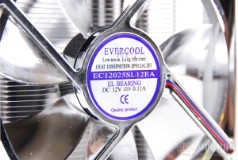
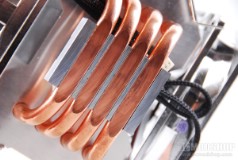
A look at the fan and the large contact plate
Also in the packaging is the small box that contains the installation kit. An assortment of thumb screws, back plates, washers, and bit screws make up this collection. Nothing to go into details about, but the all-in-one backplates are fairly cool. My concern is going to be whether I have enough room behind my motherboard after this is installed. They are a little thick.
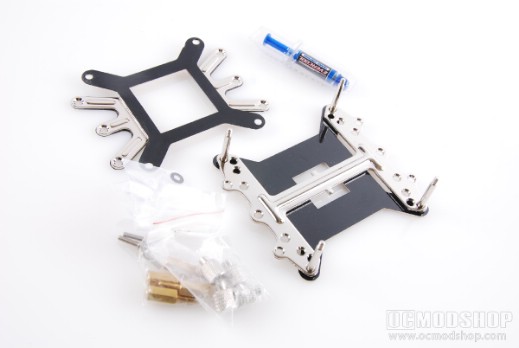
All the included mounting hardware for AMD and Intel platforms
Installation wasn’t too bad, the back plates are very handy and didn’t take up nearly as much room as I thought they would. The installation kit also included some EverCool thermal compound, so I applied a layer of this for good measure. I have my own, but in all fairness, if I want to give a complete judgement I need to use as much of what the heatsink came with as possible. And using a separate thermal compound could give temperatures that could be different had I used the compound that came with the heatsink. Okay, so backplate is mounted, the heatsink is snapped into place. Quick and easy. Well, except for one thing. If you want to use EverCool’s backplates, you need to remove your motherboard. This would not have been necessary had I not wanted to test those out as well, but I could have easily snapped the heatsink to my own hardware and left it at that.
The backplates left me very little room between my motherboard and the back of my case, and I’m sure that a hard hit on the side could cause some serious damage to my internal components. Luckily, my case sits against a wall, so I have very little fear of that, but for those of you who want to use the inluded hardware, be sure that nothing happens to your machine. You bump it into a wall while moving it in just the right way, and your motherboard could suffer horribly.


1 comment
Coolers this size just make me mad. Why would I want all that force warping my motherboard 24 hours a day ? The air cooling arena has gotten quite silly and redundant, The Corsair H50 and the new A.L.C solutions from Coolit is where cpu cooling is going. Seriously, strap two pounds of metal to my motherboard to cool my proc ? 2010 and that is the best they can come up with ?
Comments are closed.