
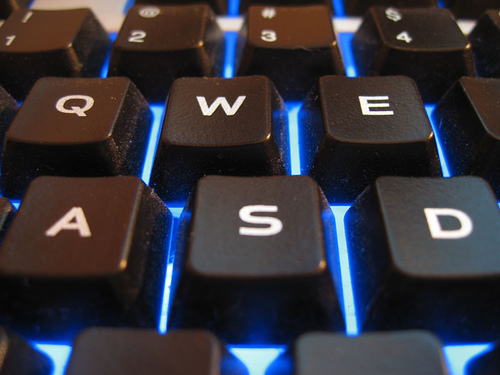
So what is the best gamepad for use on your gaming PC? It all depends on what kind of gaming you intend on doing. For instance, if you were going to play an emulated N64 Rom on your PC, I would suggest a typical 8 to 10 button gamepad. The Philips Retractable might do the job easily, or you could check out eBay and see what they have to offer. For the more advanced gamer, especially those running Vista, I would suggest going for the Xbox 360 controller (read our review here). For one, Windows readily accepts this controller with very little setup. And another, possibly more important, thing is that there are uber amounts of downloadable gamepad profiles online for them.

What are profiles? Well, when you buy a new USB controller and plug it in, you have use the included software to set up each button with a corresponding key from your keyboard or mouse. Then you have to ensure that these keys are comfortable enough that you can game without having to focus on where the FIRE button is as opposed to the JUMP, which could mean life or death in a gaming environment. Profiles can be downloaded for the more popular gamepads that automatically adjust the pad to your game instantly. It can be as simple as toggling your gamepad’s software to the correct game and then playing. Gamepads that are lesser known tend to have a smaller following than the popular ones. Take this as an example: When I began my gaming life, I played two games more than anything. Warcraft 2 and Outlaws. Over the course of their popularity, which was fleeting to say the least for Outlaws, there were tons of user-created add-ons available for Warcraft. If you got bored, you could download some random crap and make the game brand new again. Because it was popular and fun, people wanted to “improve” it.
The same is true of USB gamepads. There are programs such as Pinnacle Game Profiler that can automatically adjust your gamepad settings to the proper game for you, and you’ll never have to open up the configuration for your controller as long as you own it. There are a few websites where you can download profiles for gamepads and simply switch back and forth between them as you see fit. The difference is that you won’t find as many add-ons for that Philips pad as you would for the Xbox pad.
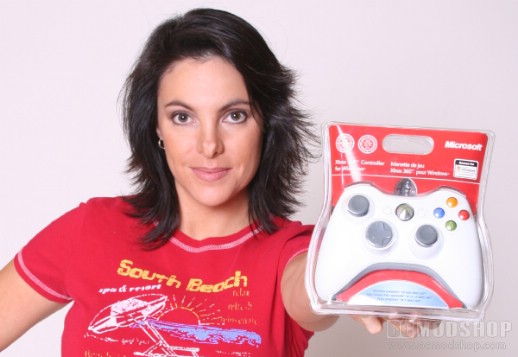
If you are willing to do all the work yourself to make sure the controller works with your games, then by all means, but a cheaper pad and save yourself $40. God knows that would be the smart thing to do. But for ease of use, the Xbox 360 controller is still the way to go to get gaming in a hurry. As for me, I’m still not worth a damn, even with the profiles perfectly tuned. It looks like Razer will be getting my love for many years to come. Maybe I should just buy an old Nintendo and try regressing…


1 comment
Before anyone yells at me, I should add that I discovered Duke Nukem 3D on the PS1 and then started playing it on PC. I for some reason had both a PS1 and an N64 at the time, no doubt due to my skill at trading and bartering, and therefore had a wider selection of gaming gear. My first PC, also traded for, was an old Tandy. I will never forget that computer. Nor will I ever stop loathing it.
Comments are closed.