

I originally thought it would be very difficult to fit the Geltabz on the Xbox 360 controller, but is actually quite simple. Basically lift one side of the geltab’s “lip” up, and tuck the edge of the analog stick into the GelTabz’s inner groove. Once situated, flick the other side of the GelTab, and it will grab the rest of the thumbstick. It can take a few tries to get the “Z” logo straight if you’re completely obsessive.
It is amazing how much additional tactile feel is added to the joystick. The stick now responds with the slightest touch and stays with your thumb. The sides of the GelTabz are very “grippy”, too, so you can control the stick with the edge or with your thumb squarely on the center. The GelTabz do add a slight amount of diameter to each thumbstick, so you will occasionally brush up against them when you do far-reaching moves. Microsoft designed the ergonomics of the Xbox 360 so perfectly, though, that any far-reaching move is usually not a critical game function (like pressing the Start or Back buttons).

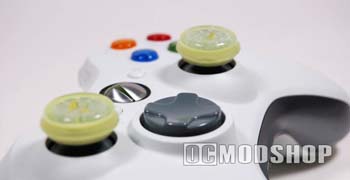
I tried my enhanced gamepad with dry, moist, and greasy hands (thanks to my good friend, Buttery Popcorn), and the GelTabz performed well with dry and moist hands. If you are like most gamers and are munching on chips, popcorn, or other snacks while playing, then these can make the GelTabz a little slippery. The extra cushion from these silicon circles will also prevent our thumbs from becoming sore and red during intense situations. I noticed that my thumbs perspired more when using the GelTabz, and I would have to reposition my thumbs periodically. To compare, I immediately took off the GelTabz and realized how my thumb slides around the top, and alot more movement is needed to actually move the stick because of this. Your analog sticks are much more responsive with the GelTabz installed, even if your thumbs are a little moist.
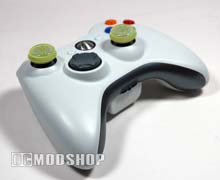

Surprisingly, these thumb grips actually do improve my gameplay, and if you’ve ever seen me online, then you know I need the help. Geltabz performance thumb grips may seem like a novelty at first, but once you use them you will insist on having them on every one of your controllers.
 |
 |
 |
|||||||||||||||||||||||||||
|
|
|
|||||||||||||||||||||||||||
 |
|
 |
|||||||||||||||||||||||||||


