The GA-945P-S3 motherboard has a pretty good layout for a mid-range product. It has 3 PCI slots, which are all positioned at the bottom of the board. This placement is similar to when board manufactueres began phasing out the ISA bus: the “old” connections go at the bottom. Following this philosophy, the oft-unused floppy connector is underneath the last PCI connector. Not many manufacturers have fully embraced PCI-express cards, so it would have been nice if another PCI slot were included. These slots will easily be taken up by a sound card, WiFi card, leaving only one slot for additional upgrade. The PCIe slots will go unused, making your case looking rather “bottom heavy”.
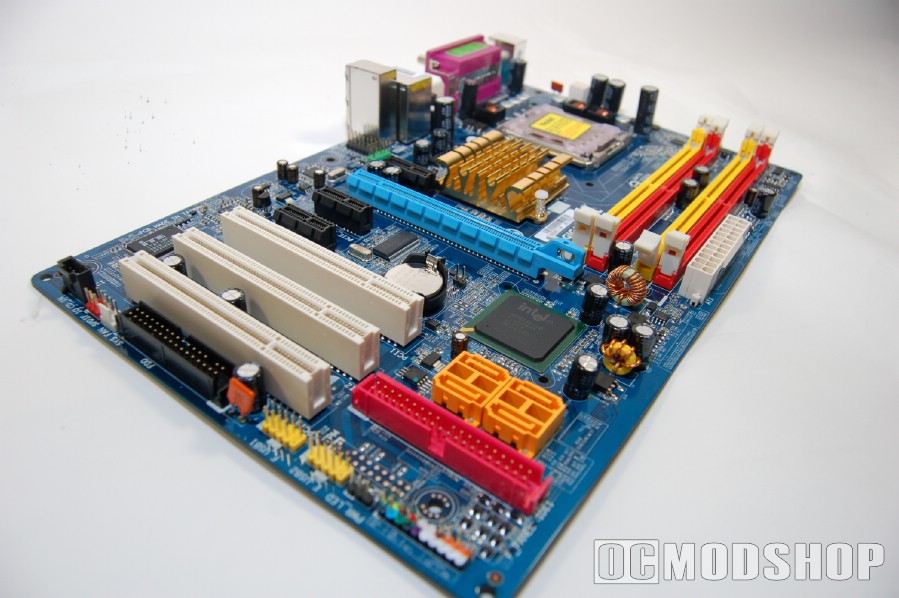
The black 1x PCI-e slots are used as “spacers” around the powder-blue PCI-e 16X slot, apparently to accomodate the hefty heatsinks on many of today’s powerful graphics cards. Even if a graphics card takes up two slots, you stil have two PCI-e 1x slots available (one above and one below your video card).
Near the bottom of the board are four SATA jacks (identified by neon orange color) and a standard parallel ATA connector (in red plastic). Many DVD drives today still use a parallel connector, so it would have been nice if the standard ATA connector were placed somewhere other than the bottom of the board (athough those with inverted cases like Lian Li’s V1000 will love having it near the top).
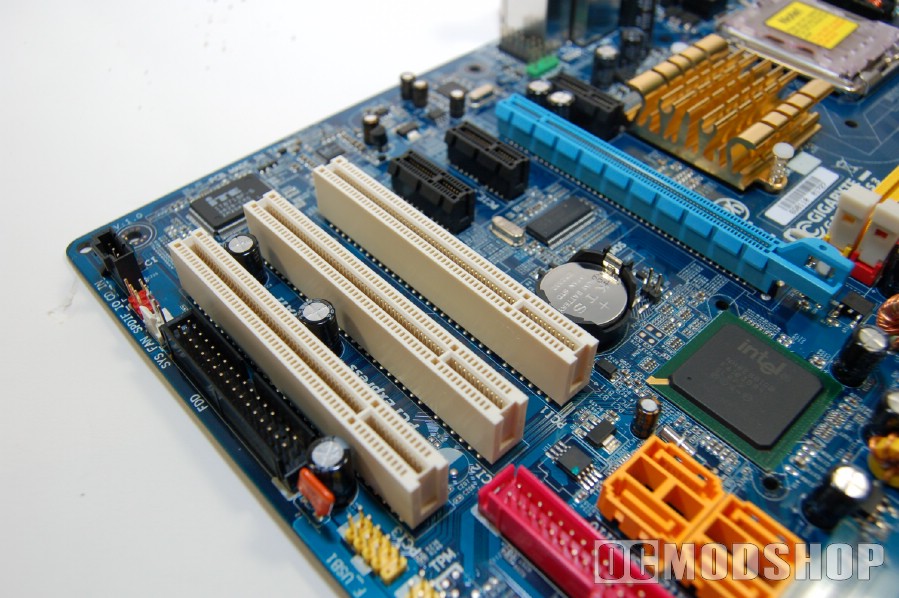
The bottom corner of the board is also where all of the pin headers and USB connectors are located. Thankfully, the pin headers are color coded so you can easily see if you’ve plugged them without having to find a flashlight. The audio headers are neatly tucked away, which is fine because you’ll probably not use the limited onboard audio.
The Clear CMOS jumper only has two pins, which means you’ll probably have to find a jumper connector if you actually need it. I keep a spare jumper on only one pin, but this is a loose connection and the jumper pin can fall off.
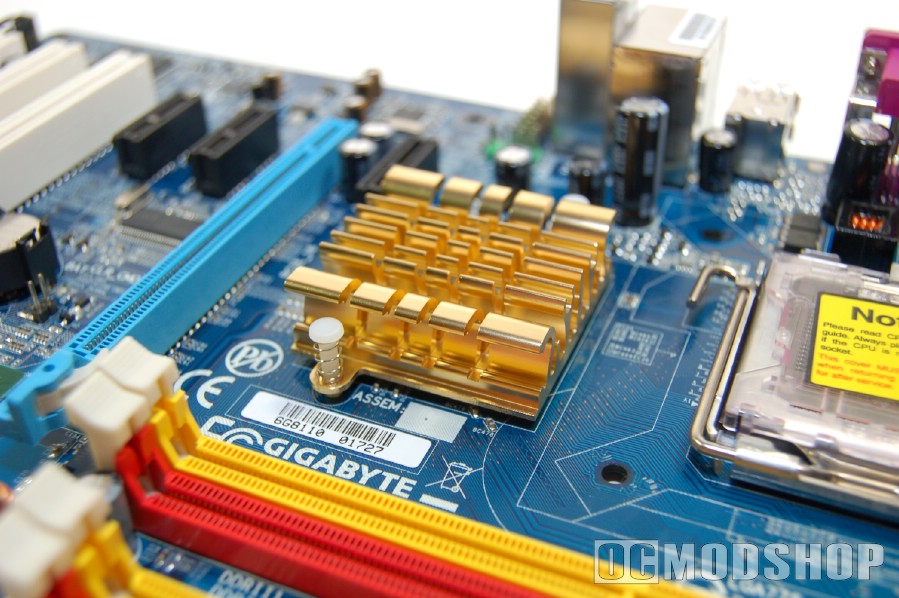
The northbridge has a funky-looking gold-colored heatsink, which is curved to look like flames (not the best choice for a heatsink if you ask me). There is no active cooling present on this heatsink, so any residual airflow from a large heatsink (like Zalman’s CNPS-9800) will be welcome. This chip gets rather hot even running at stock speeds, so overclocking isn’t recommended until you give the northbridge some additional cooling.
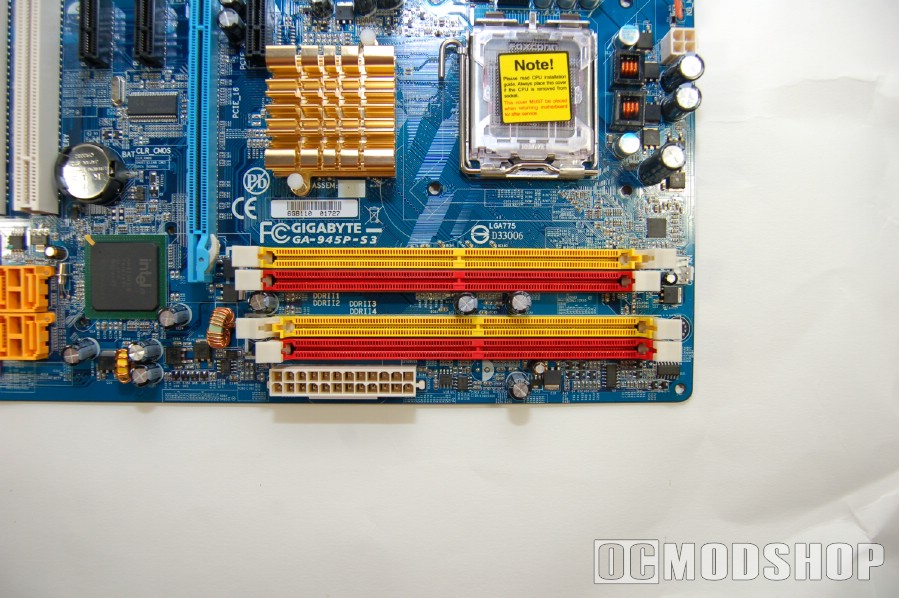

The DDR2 slots are color-coded in yellow and bright red, so you can easily distinguish each memory channel. The banks are slightly staggered, which isn’t a big deal but does look odd.
The socket 775 mechanism is located above the northbridge, and dominates the area. Surrounding the socket is the 4-pin motherboard power connector and several tall capacitors. Even though the capacitors are slightly taller than normal, any modern heatsink should be able to clear them.
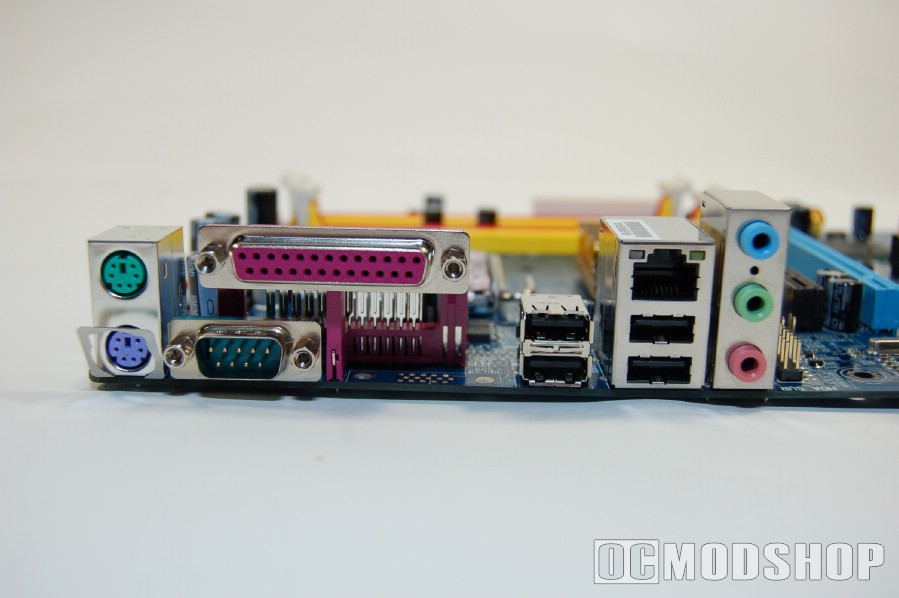
The rear of the motherboard has your standard fare: four USB 2.0 ports, a gigabit LAN connector (with orange activity and green link light), a parallel connector, serial port connector, PS2 keyboard and mouse connector, and a minimalist 3-port standard audio. Gigabyte clearly could have put more connectors here, as there is some obvious blank space.