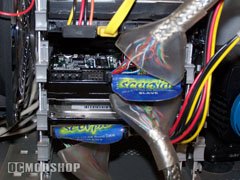
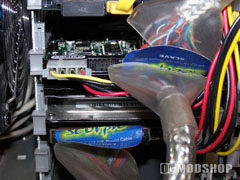
Drive installation requires 4 standard screws to attach the drive to the case. My Lian Li v2000a case has a slide in hard drive cage, so I have to pull out my well organized hardware container and attach the special sliding HD screws that came with my case. If you noticed the HD is installed upside down in the cage to give the circuitry on the bottom breathing room. The jumper settings are printed on the drive’s top label (or page 7 of the instruction manual), so there are no questions about the jumper settings. This drive is set as slave in my system, and requires no jumper installed. This drive does ship from Maxtor with a jumper set to the Cable Select position.
***NOTE*** When installing or removing new hardware, always ensure that the power is off and removed from the system. Remember to dissipate the static in your body by using a static strap, or touch a bare metal spot on the case before touching the internal hardware. Damage could occur if these steps are not followed.
Attach the ATA cable to the drive first, and then attach the 4 pin Molex power to the drive. Ensure all connections are secure and then close the case up.
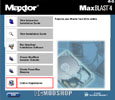
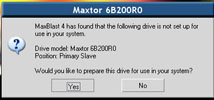
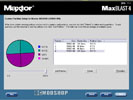
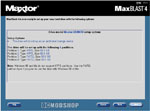
I got the rig all fired up and ready to go I slipped the MaxBlast 4 INSTALLATION CD to configure the drive. With the software you can make a boot diskette/CD to use for a clean install and partition. Only experienced individuals should low-level format their drive and install from scratch. I used the MaxBlast software to install my new 203.941 GB HDD into 4 equal partitions of 50 GB each.